Connect your data to Claude in 1 minute. No code needed Try it now

Connect Google Business Profile to BigQuery

Warehouse your local search performance at scale by connecting Google Business Profile to BigQuery with Coupler.io. Combine reviews, search keyword, and visibility data across every location in one place. Automate refreshes and query the full history with SQL, no coding required.

πŸ† Voted 4.9/5 on Capterra πŸ”’ SOC2 & GDPR compliant 🌍 Trusted by 1M+ users worldwide

What data you can export from Google Business Profile?

  • Daily metrics
  • Search keywords
  • Reviews list

All-in-one tool for Google Business Profile data exports and analytics

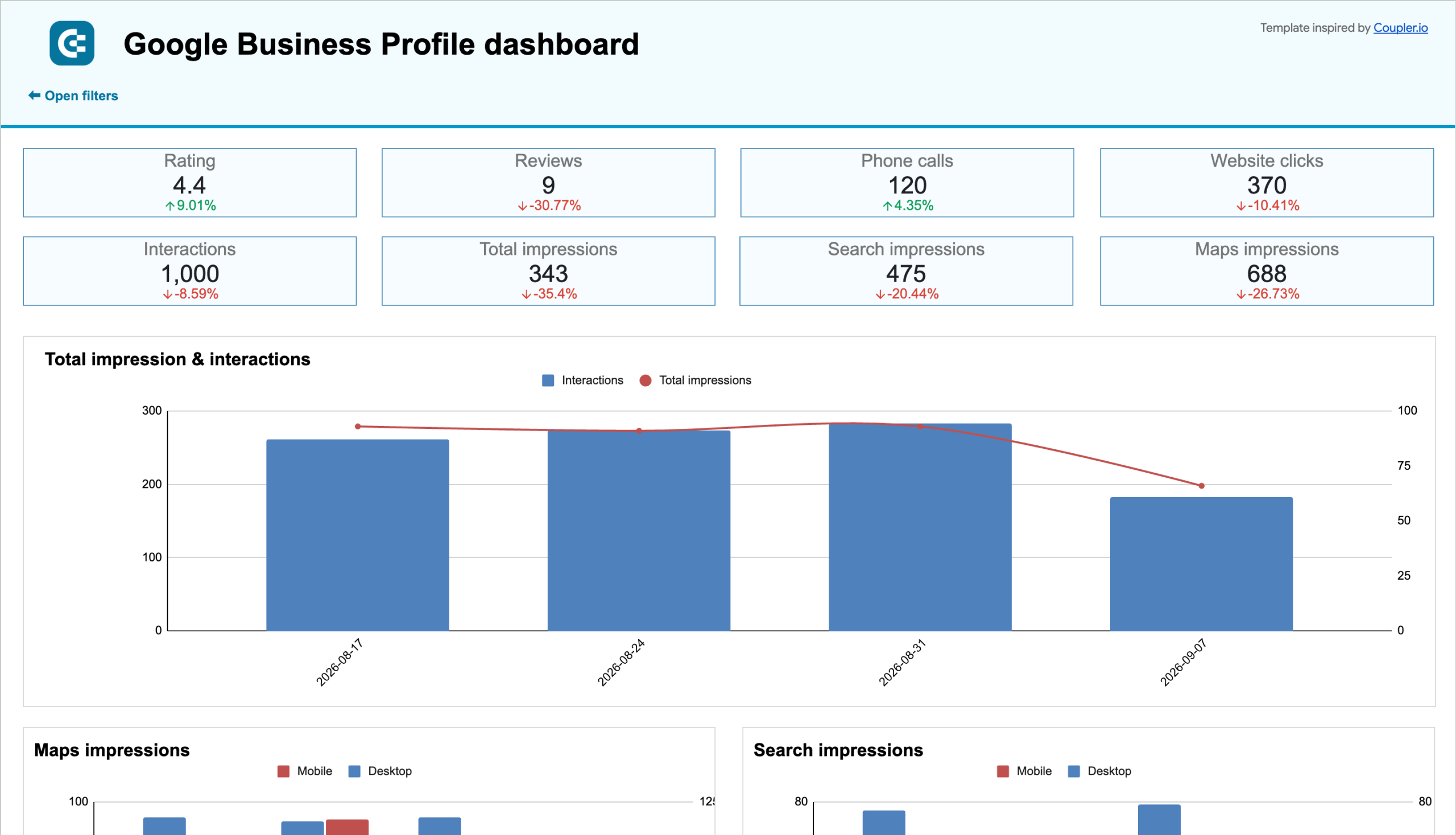
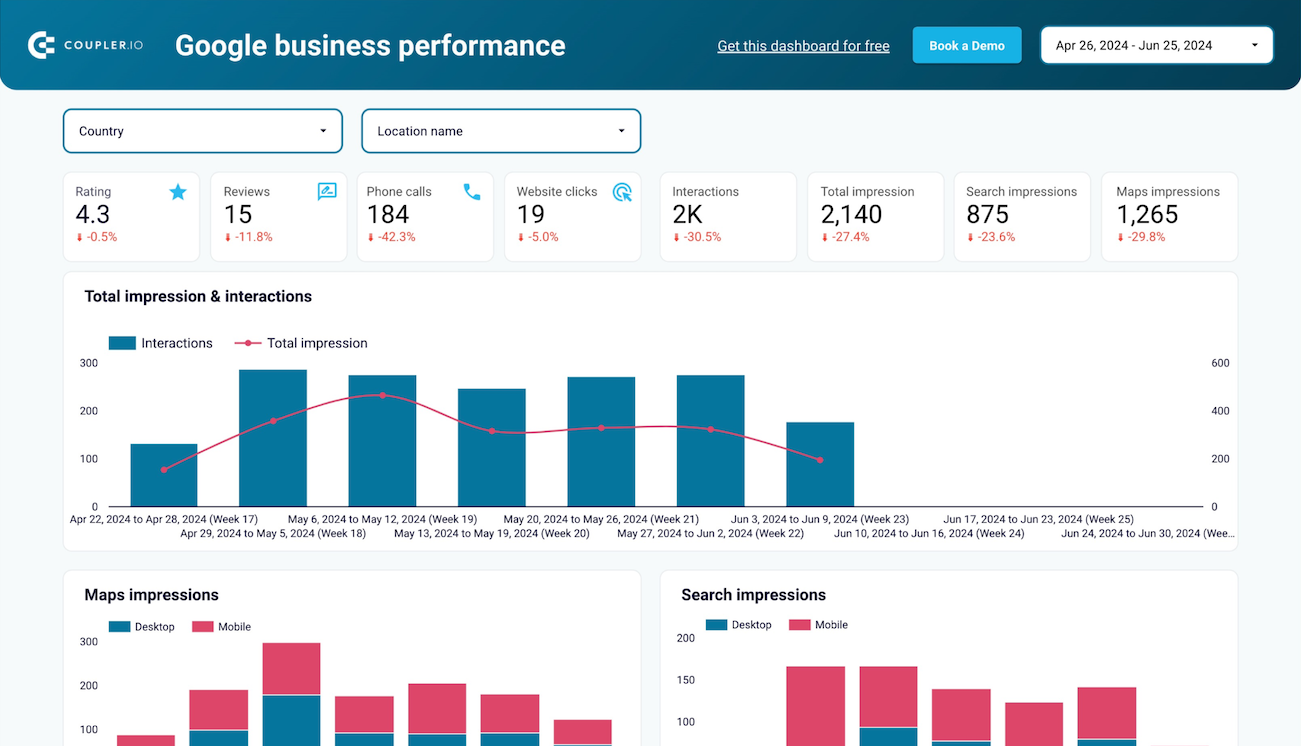
Combine Google Business Profile visibility and review data with Google Analytics or ad spend data inside BigQuery. Build a unified warehouse dataset that connects local search performance to downstream website traffic and conversions.

Collect data from Google Business Profile and enrich it with information from other sources image

Shape daily metrics, keyword, and review data into BigQuery-optimized tables before loading. Apply filters and rename columns so your warehouse schema stays clean and ready for SQL queries from the start.

Organize raw Google Business Profile data in the form of a ready-to-use data set image

Keep BigQuery tables synchronized with Google Business Profile through automated refreshes running monthly, daily, hourly, every 30 minutes, or every 15 minutes. Choose the cadence that matches how often your team reviews local performance.

Automate data refresh on a custom schedule image

Leverage Coupler AI integrations to connect your Google Business Profile warehouse data to AI tools. Ask plain-language questions about review trends and search visibility without writing a single SQL query.

Connect Google Business Profile data to AI to query and analyze data using natural language conversations image
Collect data from Google Business Profile and enrich it with information from other sources image
Organize raw Google Business Profile data in the form of a ready-to-use data set image
Automate data refresh on a custom schedule image
Connect Google Business Profile data to AI to query and analyze data using natural language conversations image

Why connect Google Business Profile to BigQuery - real life cases

Multi-location review and reputation monitoring icon

Multi-location review and reputation monitoring

Warehouse reviews and ratings from dozens of locations in BigQuery to monitor reputation at scale. Run SQL queries to flag locations with declining ratings early and route them to the right regional manager for response.
Search keyword visibility trend analysis icon

Search keyword visibility trend analysis

Store keyword and visibility history in BigQuery beyond what the platform shows natively. Query long-term ranking shifts by location and season to inform where local SEO investment should go next.
Cross-channel local marketing attribution icon

Cross-channel local marketing attribution

Join Google Business Profile views and calls with ad spend data from other platforms in BigQuery. Measure how local campaigns actually drive customer actions instead of relying on separate location dashboards.
Multi-location performance benchmarking icon

Multi-location performance benchmarking

Compare daily metrics across regions, franchises, or store formats using SQL in BigQuery. Identify top-performing locations and replicate what's working across the rest of the portfolio.

How to connect Google Business Profile to BigQuery

Step 1. Connect to your Google Business Profile account and select the data to export
time icon 30 seconds
Step 2. Organize data using transformation options such as filters, column management, aggregation, etc.
time icon 30 seconds
Step 3. Connect your BigQuery project and specify where to load your data
time icon 30 seconds
Step 4. Schedule data refresh to automate data flow from Google Business Profile to BigQuery
time icon 10 seconds

Automate data exports with the no-code Google Business Profile BigQuery integration

Quick start with dashboard templates

No such template is available yet.
No worries. Our team will create a template that fits your needs, just tell us more
about your case. It doesn't cost you a penny πŸ˜‰
Request a custom report

Talk to AI about your Google Business Profile data

Local performance data doesn't have to stay in BigQuery alone. Coupler AI integrations let you send the same Google Business Profile export to Claude, ChatGPT, or Gemini for conversational analysis, no SQL required.

Use Coupler.io's built-in AI Agent for in-platform analysis. Ask about your Google Business Profile data in everyday language and get answers you can trust. The Analytical Engine handles the query and validates results, with no external tools involved.

Examples of questions you can ask about Google Business Profile data:
  • "Which locations had the biggest drop in average rating over the past quarter?"
  • "Compare search keyword trends across our top 10 locations this year"
  • "Which locations get the most direction requests but the fewest calls?"
  • "Show me review response times by location and flag anything over a week"
connect-ai-integrations image google-my-business.svg

Customer success stories

At Coupler.io, our mission is simple: to help our customers succeed by unlocking the full potential of their data. Check out how using Coupler.io has helped businesses like yours scale and achieve better ROI.

Frequently asked questions
You connect Google Business Profile to BigQuery in Coupler.io in three steps: authorize Google Business Profile, choose the data you need, and set a schedule. Coupler.io creates the tables on the first run and keeps them updated automatically, with no code.
No, Coupler.io is the BigQuery integration built for business teams, not data teams, so you connect Google Business Profile to BigQuery without SQL, Python, or a data engineer.
Google Business Profile limits how far back you can pull performance data, but BigQuery doesn't. Coupler.io writes Google Business Profile data to BigQuery on a schedule so your history accumulates and stays yours.
You choose the schedule. Coupler.io refreshes Google Business Profile data in BigQuery automatically, as often as your plan allows.
Yes, Coupler.io can blend Google Business Profile with your other platforms before the data lands. Join visibility data with ad spend and decide where local marketing budget goes next.
BigQuery is a destination on every Coupler.io plan, not a paid add-on and not locked behind a higher tier.
The simplest way to get Google Business Profile into BigQuery is a no-code connector: connect the account, pick your fields, set a schedule, and BigQuery fills itself. Coupler.io does this for Google Business Profile plus 400+ other sources.
Yes, Coupler.io is SOC 2 Type II certified and writes directly into your own BigQuery project, so your data stays in your warehouse.
Use Google Business Profile data in BigQuery to decide which locations need review response attention, track keyword visibility trends past the platform's own window, and compare performance across all your locations. Local marketing decisions come from your own numbers, not scattered location dashboards.

Ready to connect Google Business Profile to BigQuery and automate your reporting?