Connect your data to Claude in 1 minute. No code needed Try it now

Connect GoHighLevel to BigQuery

Integrate GoHighLevel to BigQuery with Coupler.io for scalable warehousing of your CRM, pipeline, and transaction data. Experience high-performance SQL analytics across millions of records. Enable cross-platform joins and machine learning models built on reliable, automatically refreshed datasets.

πŸ† Voted 4.9/5 on Capterra πŸ”’ SOC2 & GDPR compliant 🌍 Trusted by 1M+ users worldwide

What data you can export from GoHighLevel?

  • Opportunities
  • Orders
  • Pipelines
  • Invoices
  • Companies
  • Contacts
  • Conversations
  • Transactions
  • Appointments
  • Tasks
  • Users

All-in-one tool for GoHighLevel data exports and analytics

Load GoHighLevel CRM records into BigQuery alongside data from advertising platforms, payment processors, and other business tools. Run complex joins across multiple datasets to build a unified view of your sales and marketing operations at warehouse scale.

Collect data from GoHighLevel and enrich it with information from other sources image

Shape GoHighLevel exports using filters, column management, and aggregation before they reach BigQuery. Deliver clean, properly structured tables ready for analytical queries without additional ETL steps or manual data preparation work.

Organize raw GoHighLevel data in the form of a ready-to-use data set image

Keep BigQuery tables synchronized with GoHighLevel through automated pipelines running on 15-minute, 30-minute, hourly, daily, or monthly intervals. Maintain up-to-date warehouse data without manual intervention or custom scripting.

Automate data refresh on a custom schedule image

Use Coupler AI integrations to pair your GoHighLevel data with AI tools. Ask questions about pipeline health, contact engagement, or revenue trends in plain language, no SQL expertise required.

Connect GoHighLevel data to AI to query and analyze data using natural language conversations image
Collect data from GoHighLevel and enrich it with information from other sources image
Organize raw GoHighLevel data in the form of a ready-to-use data set image
Automate data refresh on a custom schedule image
Connect GoHighLevel data to AI to query and analyze data using natural language conversations image

Why connect GoHighLevel to BigQuery - real life cases

Pipeline velocity analysis at scale icon

Pipeline velocity analysis at scale

Aggregate opportunity data from GoHighLevel into BigQuery to measure stage-to-stage conversion times across thousands of deals. Identify bottlenecks in your sales process using SQL window functions and cohort analysis, then correlate pipeline movement with rep activity and lead source to optimize deal flow.
Multi-location revenue attribution icon

Multi-location revenue attribution

Warehouse transaction and invoice data from GoHighLevel alongside advertising spend from multiple channels. Build attribution models in BigQuery that connect marketing touchpoints to closed revenue across locations, enabling data-driven budget allocation with full visibility into cost per acquisition at every level.
Customer lifecycle and retention modeling icon

Customer lifecycle and retention modeling

Combine contact records, appointment history, and transaction data in BigQuery to map the full customer journey. Apply clustering algorithms and predictive models to segment customers by lifetime value, identify churn signals early, and design targeted retention campaigns based on behavioral patterns.
Operational efficiency benchmarking icon

Operational efficiency benchmarking

Load task completion data, appointment scheduling patterns, and user activity from GoHighLevel into BigQuery. Compare team performance metrics across time periods and locations to establish benchmarks, spot inefficiencies, and allocate resources where they will have the greatest impact on revenue.

How to connect GoHighLevel to BigQuery

Step 1. Connect to your GoHighLevel account and select the data to export
time icon 30 seconds
Step 2. Organize data using transformation options such as filters, column management, aggregation, etc.
time icon 30 seconds
Step 3. Connect your BigQuery project and specify where to load your data
time icon 30 seconds
Step 4. Schedule data refresh to automate data flow from GoHighLevel to BigQuery
time icon 10 seconds

Automate data exports with the no-code GoHighLevel BigQuery integration

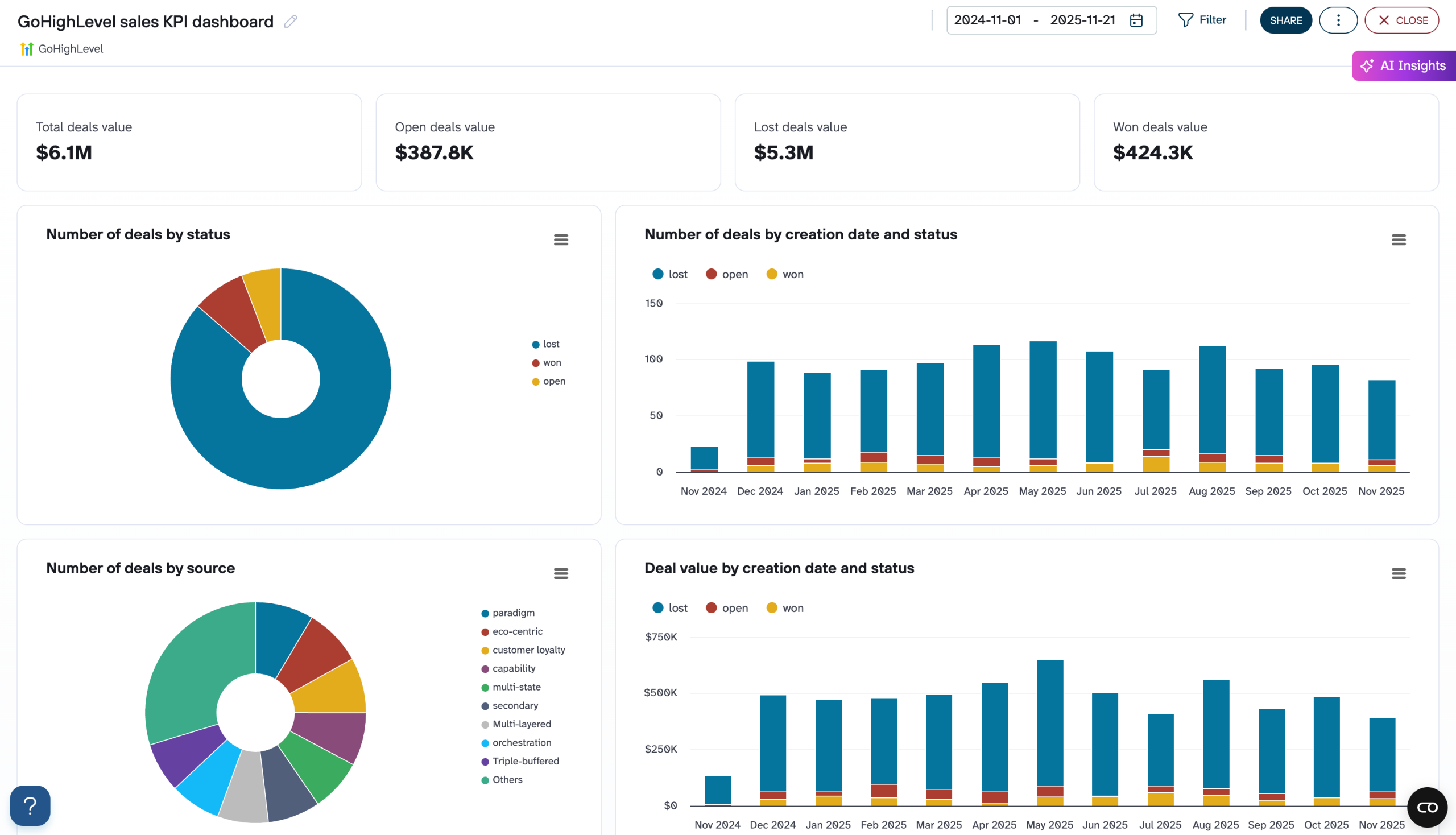
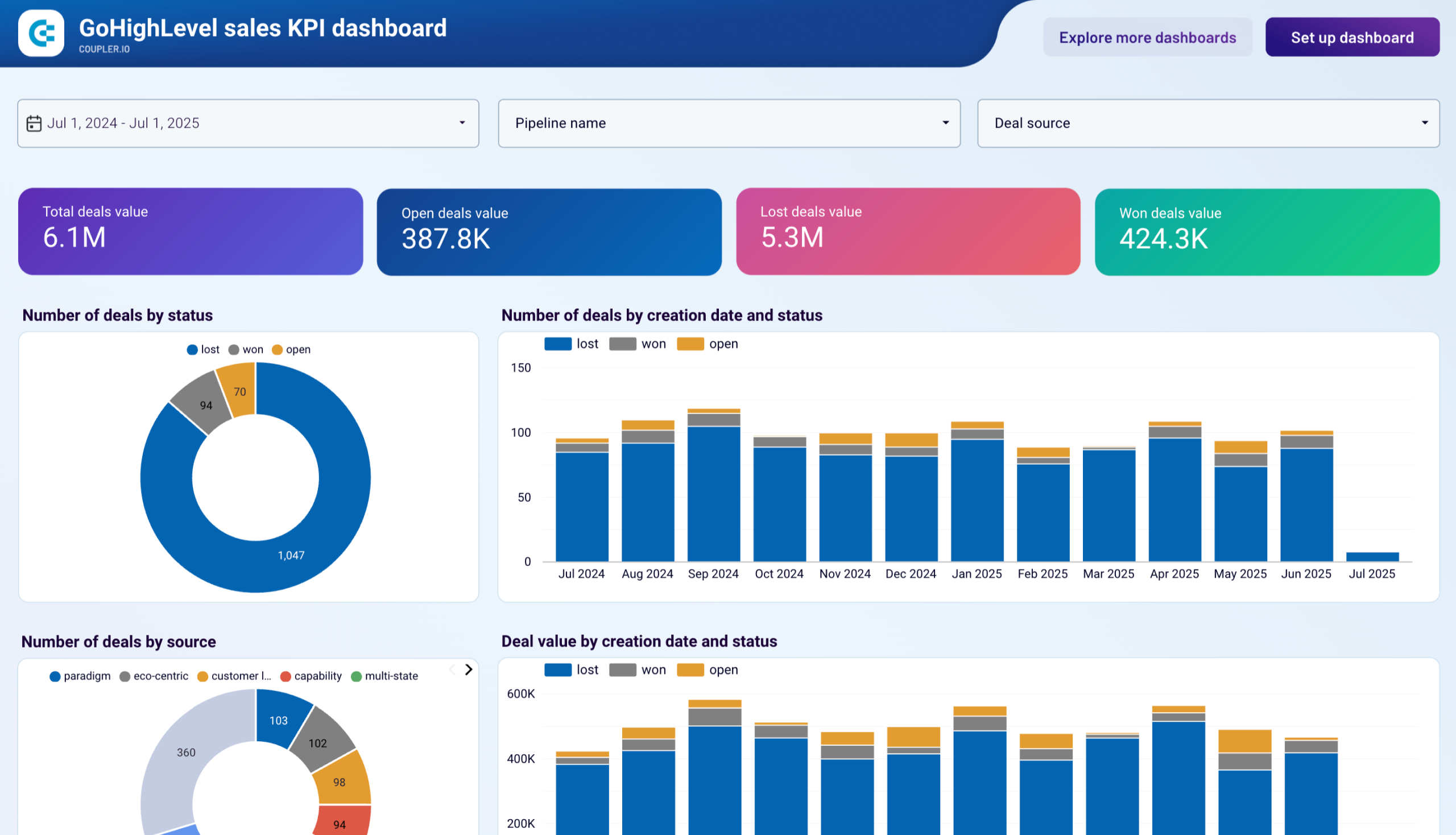
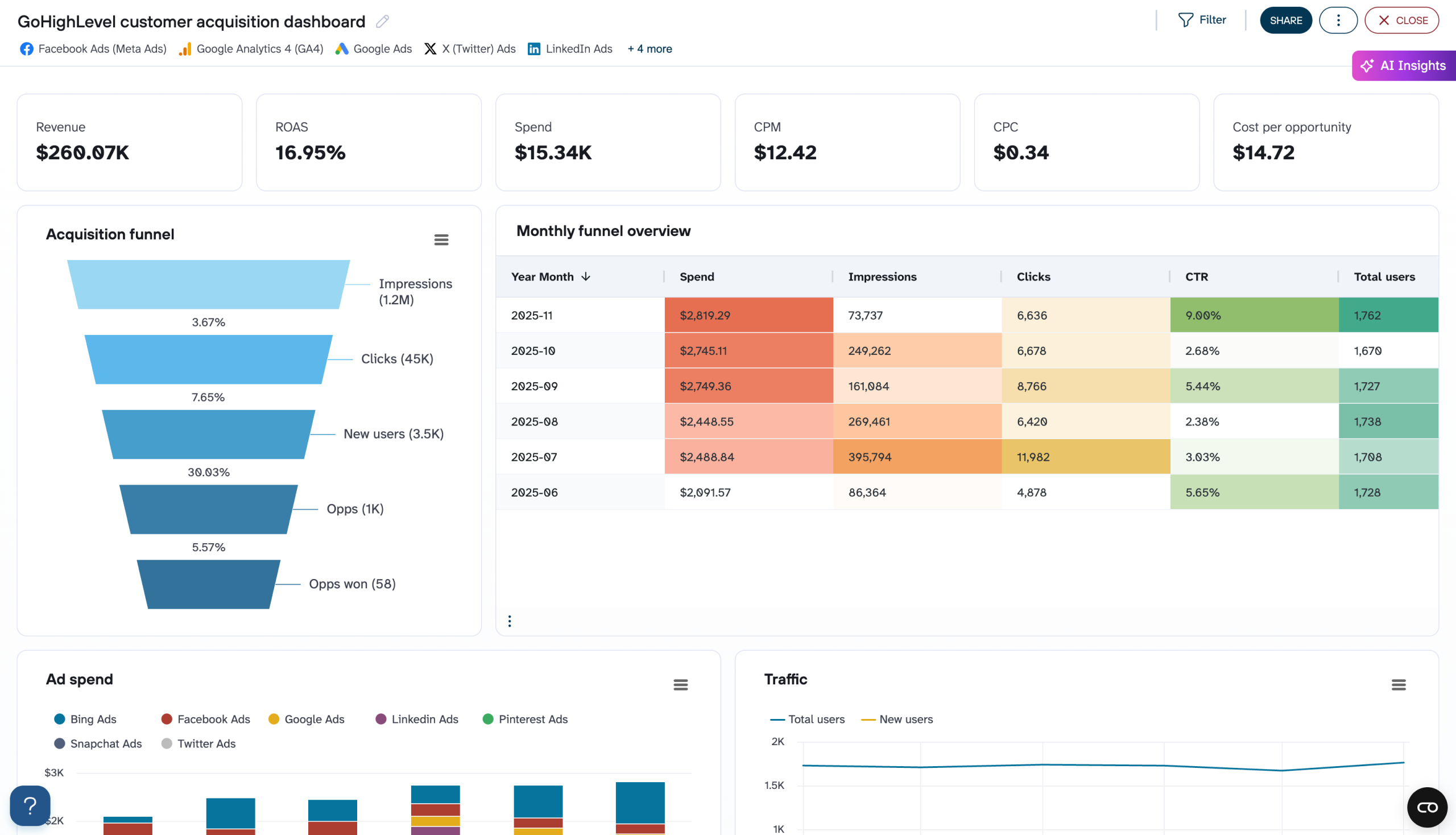
Quick start with dashboard templates

No such template is available yet.
No worries. Our team will create a template that fits your needs, just tell us more
about your case. It doesn't cost you a penny πŸ˜‰
Request a custom report

Talk to AI about your GoHighLevel data

BigQuery gives you the power to query massive datasets, but not everyone on your team writes SQL. Coupler AI integrations bridge that gap by letting you explore your warehoused GoHighLevel data through natural conversation. Ask questions, get answers, and surface patterns that might take hours to uncover through manual query writing, all without leaving your analytical workflow.

Examples of questions you can ask about GoHighLevel data:
  • "Which pipeline stages have the longest average dwell time, and how does that vary by lead source?"
  • "Show me revenue trends by month and flag any anomalies in transaction patterns over the past year"
  • "Compare appointment show rates across team members and identify what scheduling patterns correlate with higher attendance"
  • "What's the relationship between conversation response time and opportunity close rate?"
connect-ai-integrations image gohighlevel.svg

Customer success stories

At Coupler.io, our mission is simple: to help our customers succeed by unlocking the full potential of their data. Check out how using Coupler.io has helped businesses like yours scale and achieve better ROI.

Frequently asked questions
You connect GoHighLevel to BigQuery in Coupler.io in three steps: authorize GoHighLevel, choose the data you need, and set a schedule. Coupler.io creates the tables on the first run and keeps them updated automatically, with no code.
No, Coupler.io is the BigQuery integration built for business teams, not data teams, so you connect GoHighLevel to BigQuery without SQL, Python, or a data engineer.
Yes, the first sync pulls your entire GoHighLevel CRM and pipeline history into BigQuery, and every run after that keeps it up to date. You start with the complete record, not just data from today forward.
You choose the schedule. Coupler.io refreshes GoHighLevel data in BigQuery automatically, as often as your plan allows.
Yes, Coupler.io can blend GoHighLevel with your other platforms before the data lands. Join pipeline data with ad spend and see which activities actually drive closed revenue.
BigQuery is a destination on every Coupler.io plan, not a paid add-on and not locked behind a higher tier.
The simplest way to get GoHighLevel into BigQuery is a no-code connector: connect the account, pick your fields, set a schedule, and BigQuery fills itself. Coupler.io does this for GoHighLevel plus 400+ other sources.
Yes, Coupler.io is SOC 2 Type II certified and writes directly into your own BigQuery project, so your data stays in your warehouse.
GoHighLevel data in BigQuery supports decisions like which deals need attention by tracking stage velocity, modeling customer lifecycle and retention across your full history, and benchmarking team performance across locations.

Ready to connect GoHighLevel to BigQuery and automate your reporting?