
Connect Instagram Insights to Google Sheets
Reduce manual effort on data collection with the no-code Instragram Insights to Google Sheets integration by Coupler.io. Take advantage of the smart transformation module for elaborating on source data before sending it to Google Sheets.


Connect Instagram Insights to Google Sheets with Coupler.io to simplify reporting

Get and prepare data effortlessly
Connect Instagram Insights to Google Sheets in a single UI without writing code. Coupler.io automatically collects, organizes, and transforms Instagram Insights data. Combine other apps' data with Instagram Insights data and export it on a schedule.

Automate reporting tasks
Ensure automatic data transfer from Instagram Insights to Google Sheets with Coupler.io. You will no longer need to copy and paste data manually, putting its quality at risk. Blend data from several sources to build cross-app reports.

Stand out as a data-driven expert
Export Instagram Insights to Google Sheets to contribute to the creation of clear and transparent reports with near real-time data. Based on the obtained insights, express your ideas to stakeholders. Save your time for more time-consuming and business-critical tasks.
How to connect Instagram Insights to Google Sheets (detailed guide)
Coupler.io has all the necessary mechanisms to simplify data transfer from Instagram Insights to Google Sheets. Moreover, it has an automated data refresh feature for regular data transfer between tools. To set everything up, make sure you have a Coupler.io account. Then create an importer to connect Instagram Insights to Google Sheets and follow the three simple steps provided below.
Step 1: Collect data
The first procedure on the way to export Instagram Insights to Google Sheets is to go through the source settings. Connect your Instagram profile following the in-app instructions. Then, select the report type you wish to export to Google Sheets.
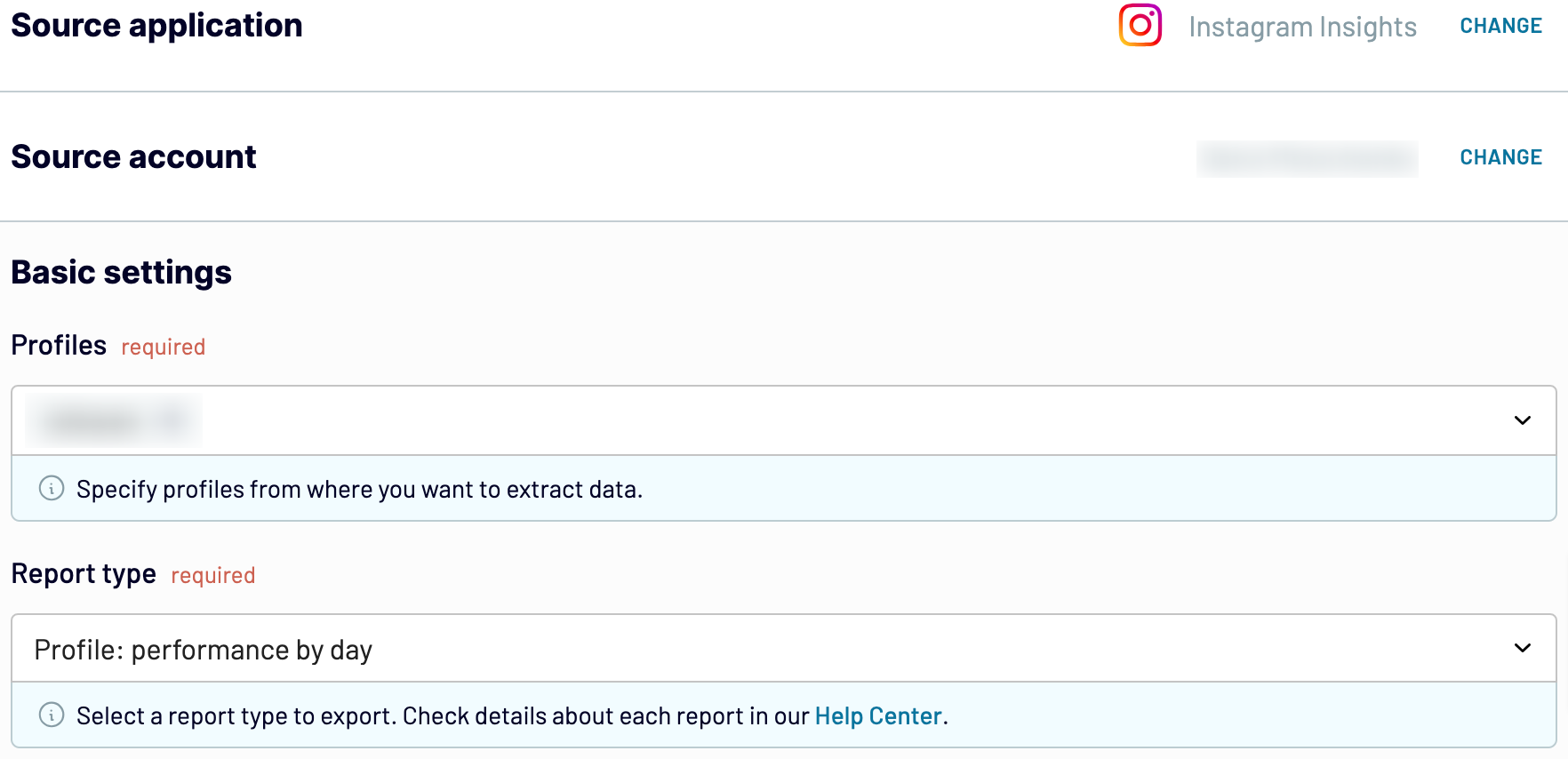
Once you are done with all the source settings, go to the Transformation tab.
Step 2: Organize and transform
Coupler.io presents you with a preview of the extracted data from Instagram Insights. You can review it and check whether everything is correct or make any changes if necessary. Coupler.io has the following options for data transformation and management:
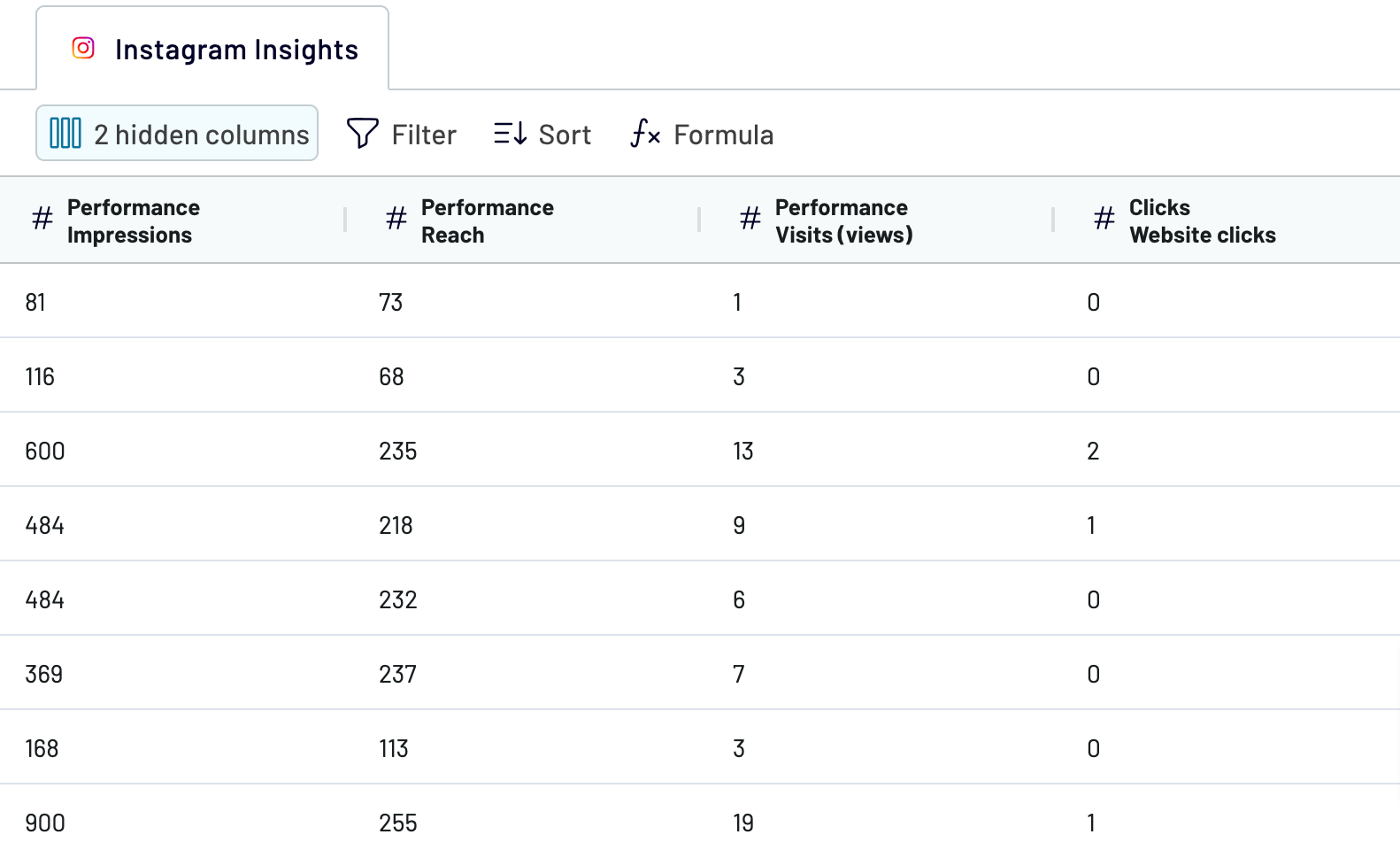
By elaborating on the dataset with these options, you will make it refined and ready for further processing. Thus, you will only need to make a few changes in Google Sheets upon loading.
Step 3: Load and schedule refresh
The last step to connect Instagram Insights to Google Sheets is to set up the destination. Select the spreadsheet to import data to and the exact sheet. Otherwise, Coupler.io provides an option to create a new sheet in the appropriate field.
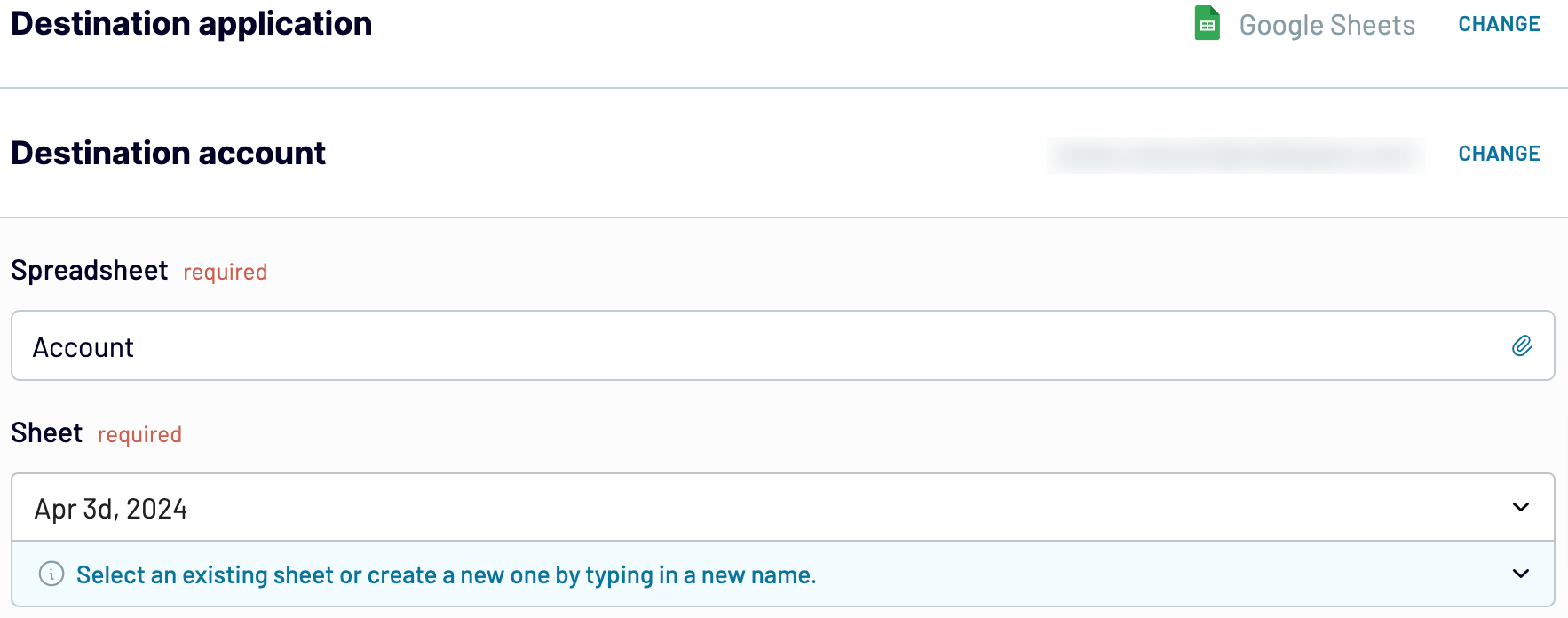
Consider the automatic data refresh option to send regular data updates from Instagram Insights to Google Sheets. If this interests you, activate the Automatic data refresh option after setting up the destination. Save and run the importer to start the data transfer process.
Step 1: Collect data
The first procedure on the way to export Instagram Insights to Google Sheets is to go through the source settings. Connect your Instagram profile following the in-app instructions. Then, select the report type you wish to export to Google Sheets.
Once you are done with all the source settings, go to the Transformation tab.
Step 2: Organize and transform
Coupler.io presents you with a preview of the extracted data from Instagram Insights. You can review it and check whether everything is correct or make any changes if necessary. Coupler.io has the following options for data transformation and management:
- Create new columns with custom metrics using mathematical formulas.
- Blend the Instagram Insights dataset with data from other sources.
- Sort and filter data by selecting the available criteria.
- Edit the column name.
- Hide and reorder columns.
By elaborating on the dataset with these options, you will make it refined and ready for further processing. Thus, you will only need to make a few changes in Google Sheets upon loading.
Step 3: Load and schedule refresh
The last step to connect Instagram Insights to Google Sheets is to set up the destination. Select the spreadsheet to import data to and the exact sheet. Otherwise, Coupler.io provides an option to create a new sheet in the appropriate field.
Consider the automatic data refresh option to send regular data updates from Instagram Insights to Google Sheets. If this interests you, activate the Automatic data refresh option after setting up the destination. Save and run the importer to start the data transfer process.
Export Instagram Insights to Google Sheets on a schedule
Coupler.io allows you to make data transfers from Instagram Insights to Google regularly. Its automated data refresh feature streamlines reporting and analytics. It practically provides all the latest information at your fingertips.
Supply your Google Sheets with data as frequently as every 15 minutes. This ensures almost near-real-time reports and insights into your business. Otherwise, you can set the exact day of the week and time when you want the spreadsheet to be populated with fresh Instagram Insights data. Overall, the scheduling options provided by Coupler.io enhance the reliability and accuracy of your reports.
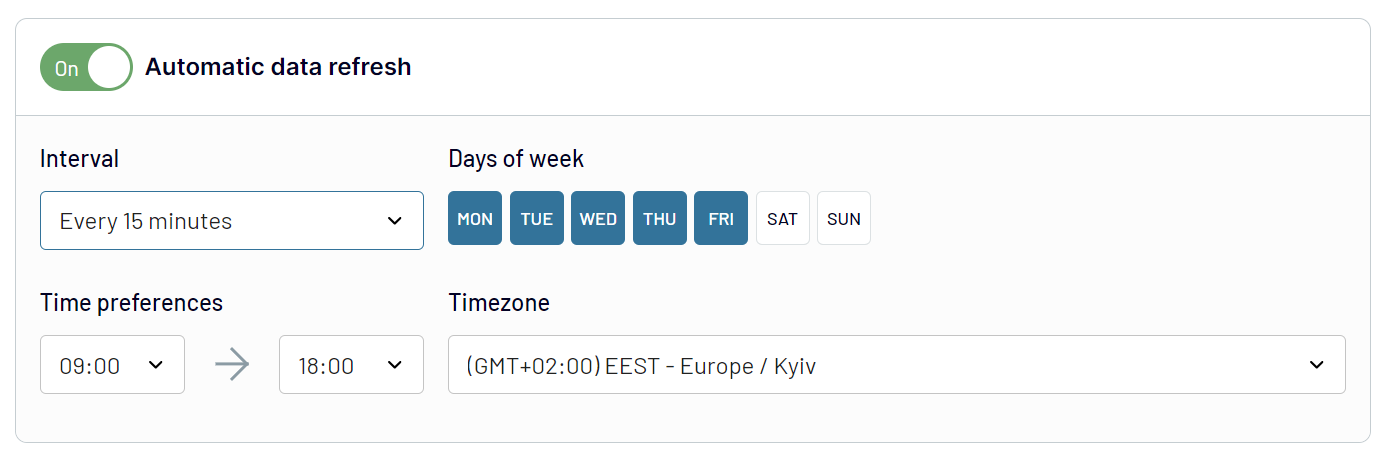
Supply your Google Sheets with data as frequently as every 15 minutes. This ensures almost near-real-time reports and insights into your business. Otherwise, you can set the exact day of the week and time when you want the spreadsheet to be populated with fresh Instagram Insights data. Overall, the scheduling options provided by Coupler.io enhance the reliability and accuracy of your reports.
Export data from Instagram Insights to alternative destinations


Quick start with Social Media dashboard templates
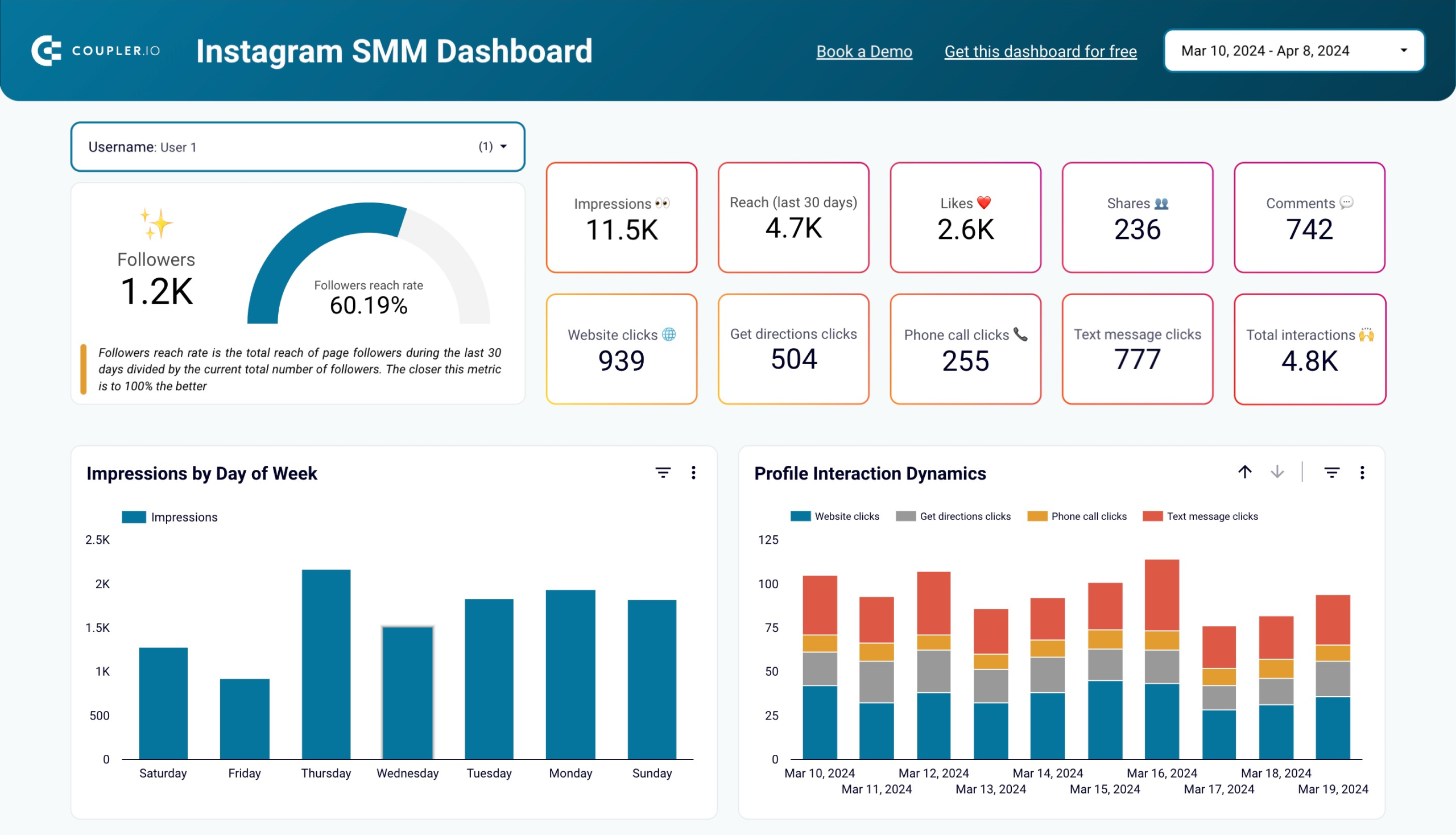


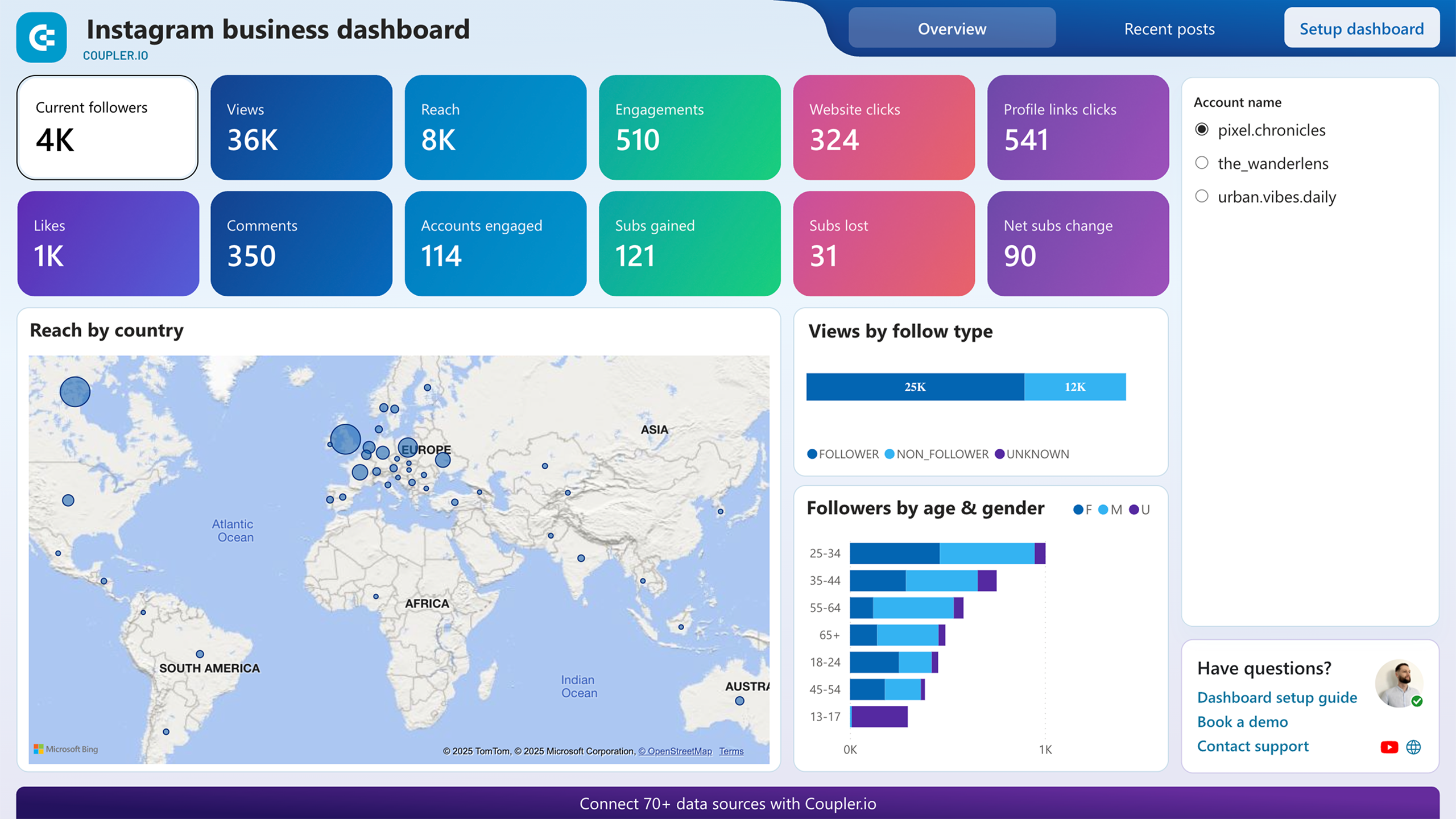
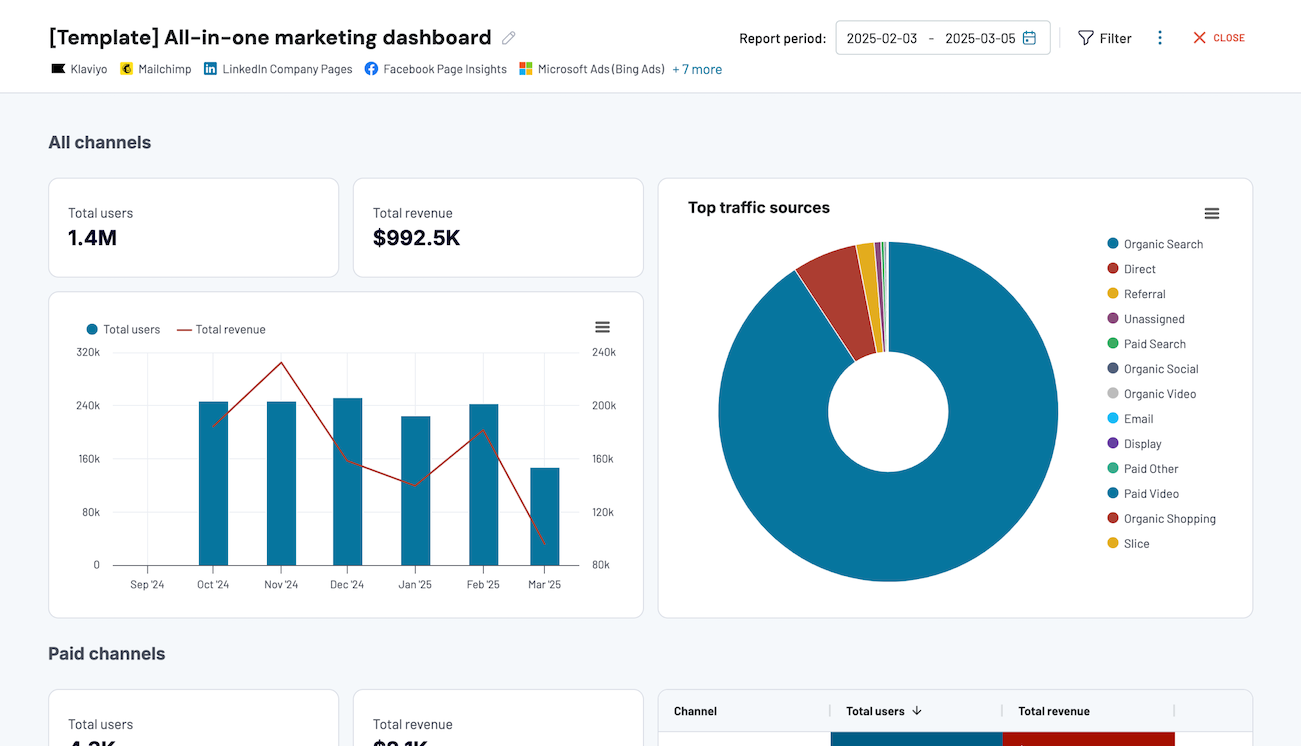


No such template is available yet.
No worries. Our team will create a template that fits your needs, just tell us more
about your case. It doesn't cost you a penny 😉
Request a custom report
about your case. It doesn't cost you a penny 😉
Export Instagram Insights to Google Sheets automatically with just a few clicks.
Connect similar Social Media apps and get data in minutes


What to export from Instagram Insights to Google Sheets

Post: performance totals
Likes, comments, saves, and shares make up the performance totals. Connect Instagram Insights to Google Sheets to identify top-performing content. Use these outcomes to plan future content strategies for your Instagram account. This will help you be more coherent with the audience’s expectations.
Profile: account overview
This data includes impressions, profile visits, reach, and follower growth. Analyze these metrics to obtain the overall account overview. The obtained insights will help you assess the overall audience engagement. Improve customer acquisition techniques and refine content strategies.
Profile: performance by day
This data reveals the daily state of post reach, impressions, and followers gain. Export Instagram Insights to Google Sheets to see how your audience interacts with content every day. Compare the results for each day of the week to decide the most favorable times for posting.
Profile: followers daily breakdown (30 days)
Gained followers are one of the crucial metrics for measuring Instagram strategy success. Followers daily breakdown shows the dynamics of follower gain for the last 30 days. This helps you explore the demographics of new followers and see which content led them to your account.
Profile: follower demography insights
Age, gender, location, and language are the key demographic characteristics. Analyze this data to craft your ideal customer profile. Tailor content that coincides with your audience's interests. This will help you increase user engagement and attract new followers.
Post: comment details review
Comment details include engagement, frequency, and sentiment aspects. Analyze this data to draw out the sentiment trends and evaluate audience interactions. Use the findings to enhance brand engagement through better community management.
Post: profile interactions breakdown
Import profile interactions from Instagram Insights to Google Sheets for assessment. Pay attention to website clicks, email button interactions, and profile visits. Use the obtained insights to drive more traffic, optimize your profile, and boost CTA effectiveness.
How do you connect Instagram Insights to Google Sheets?
Step 1. Connect your Instagram account and choose the type of data to export
30 seconds
Step 2. Organize and transform data before loading it into Google Sheets
30 seconds
Step 3. Connect your Google Sheets account and specify where to load the data
30 seconds
Step 4. Schedule auto-refreshes to export Instagram Insights to Google Sheets at desired intervals
10 seconds
Pricing plans
- Monthly
- Annual (save 25%)
Your data is secured by industry standards
 SOC 2 Type II
Certified
 Google Cloud
Certified
 GDPR
GDPRCompliant
 HIPAA
HIPAACompliant
Don’t just take our word for it





Dramatically improved our reporting speed by about 60%. The interface is user-friendly, even for team members with no technical background.
Helped solve data processing issues, and customer service is 10/10. It is extremely easy to use, and allows us to extract data from multiple sources.



