
Connect LinkedIn Company Pages to Google Sheets
Using Coupler.io's no-code integration, you can easily connect LinkedIn Company Pages to Google Sheets. Automate the export of data, organize it as needed, generate detailed reports, and schedule this process to monitor performance with the most recent figures.


Connect LinkedIn Company Pages to Google Sheets with Coupler.io to simplify reporting

Get and prepare data effortlessly
Coding skills are not required! Use Coupler.io's connector to export LinkedIn Company Pages to Google Sheets. Perform multiple data transformations like filtering and sorting, choose the update frequency, and integrate records from different sources.

Automate reporting tasks
Forget the hassle of copying and pasting – benefit from Coupler.io's automation to import data from your LinkedIn Company Pages to Google Sheets. Boost your data analysis with our free templates, creating dynamic, interactive, and insightful dashboards.

Stand out as a data-driven expert
Foster greater trust with clients and stakeholders by delivering nearly real-time, data-driven reports that prompt actionable decisions. Use Coupler.io for automated data imports and reporting to concentrate on strategic initiatives instead of repetitive tasks.
How to connect LinkedIn Company Pages to Google Sheets (detailed guide)
Connect LinkedIn Company Pages to Google Sheets by following three simple steps:
Step 1: Collect data
Connect your LinkedIn account and adjust the source settings:
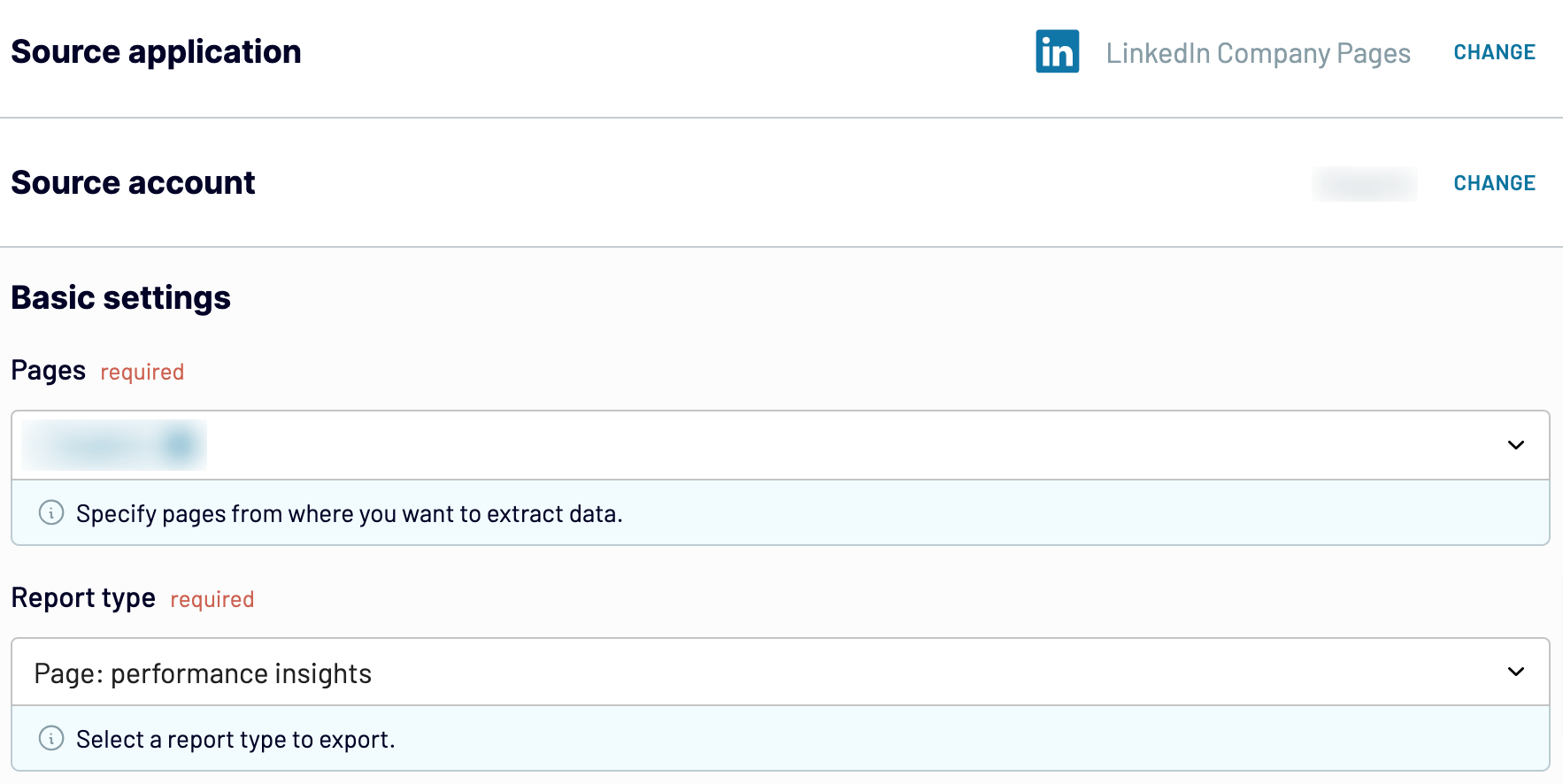
After you configure the data source settings, proceed to the next step.
Step 2: Organize and transform
Before you load data from LinkedIn Company Pages to Google Sheets, check whether it's correct. If you'd like to make some transformations, here's what you can do:
By doing so, you can jump straight into analytics without needing to modify your imported LinkedIn Pages data.
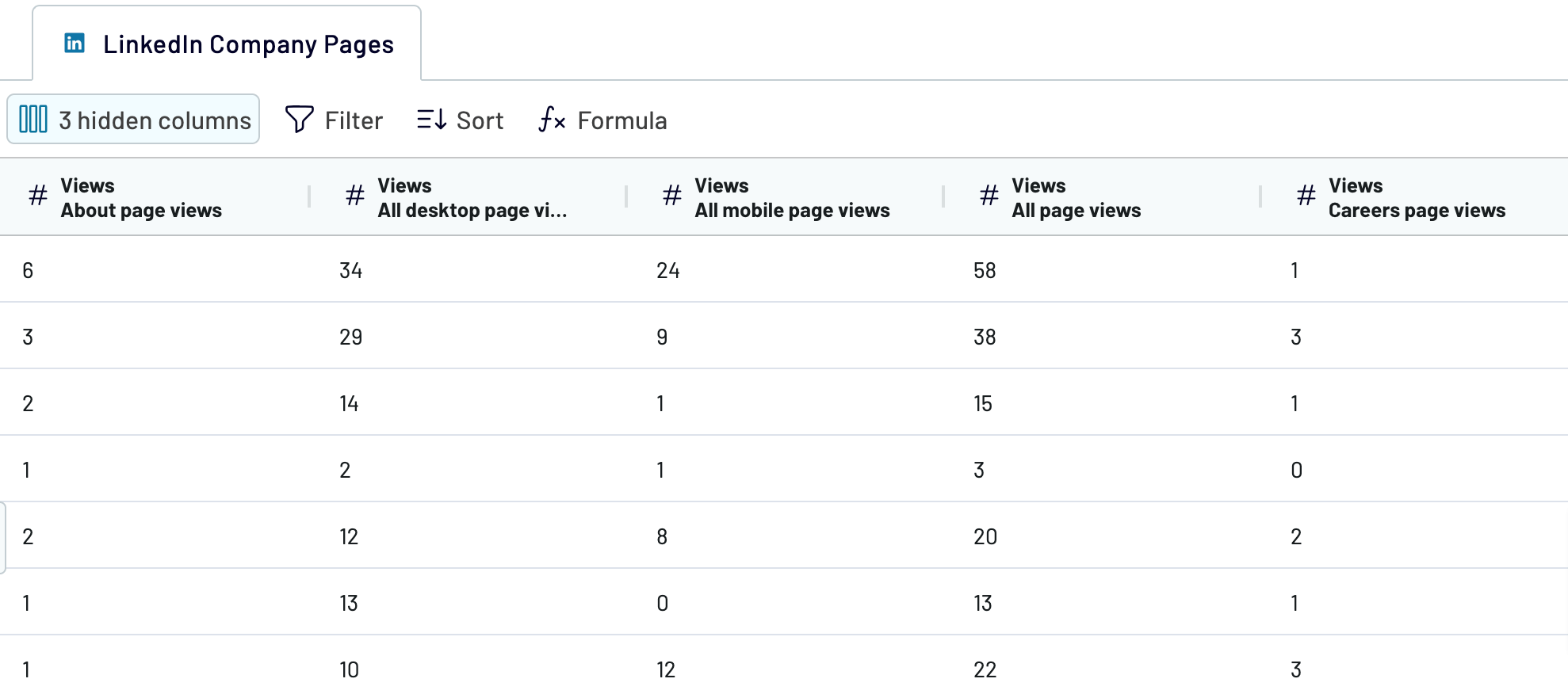
Once you have done that, move forward to set up your destination.
Step 3: Load and automate
Authorize the Google Sheets account. Then, you must specify the destination spreadsheet and sheet for data imported from LinkedIn Company Pages to Google Sheets. Alternatively, you can create a new sheet by providing its name in the corresponding field.
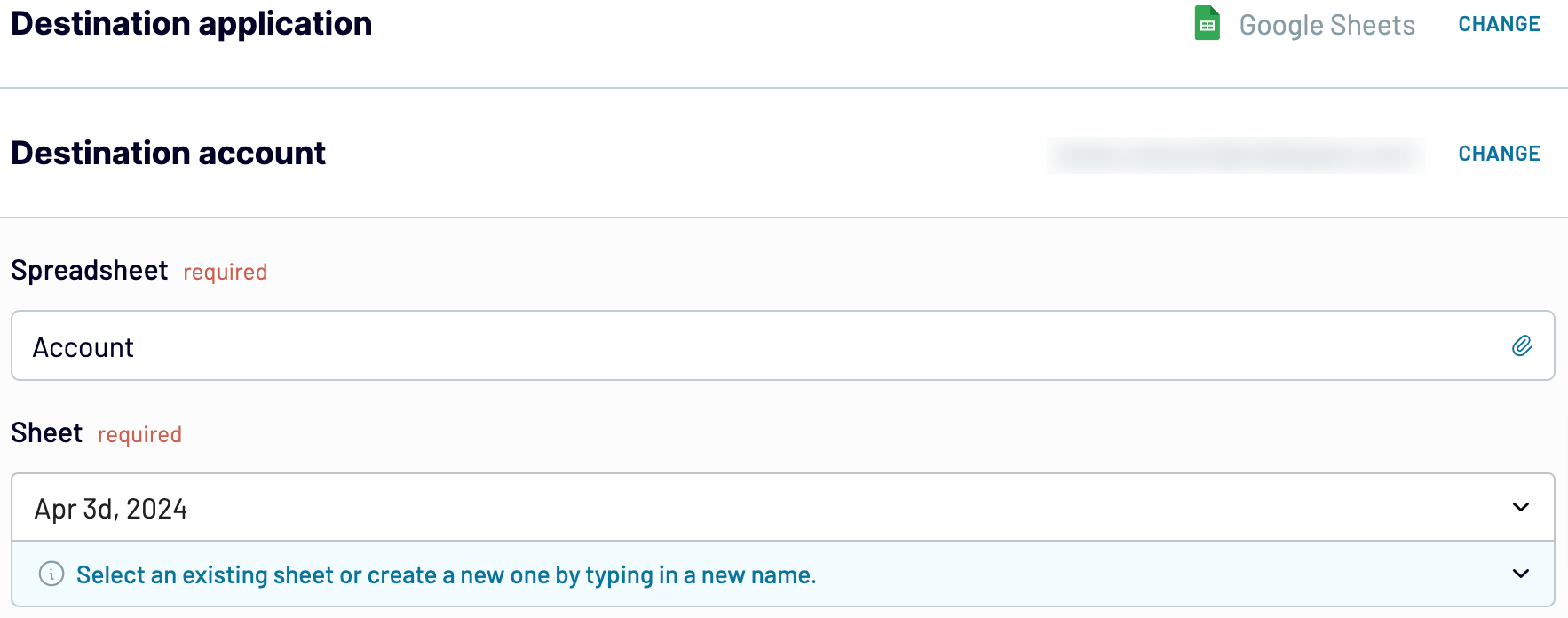
Next, enable and schedule the automated data refresh. The final step is to save and run the importer.
Step 1: Collect data
Connect your LinkedIn account and adjust the source settings:
- Select the Pages from where you'd like to load data.
- Choose the Report type – the actual data you're going to extract.
After you configure the data source settings, proceed to the next step.
Step 2: Organize and transform
Before you load data from LinkedIn Company Pages to Google Sheets, check whether it's correct. If you'd like to make some transformations, here's what you can do:
- Edit, rearrange, hide, or add columns.
- Apply multiple filters and sort your data.
- Create new columns with custom formulas.
- Combine data from multiple accounts or apps.
By doing so, you can jump straight into analytics without needing to modify your imported LinkedIn Pages data.
Once you have done that, move forward to set up your destination.
Step 3: Load and automate
Authorize the Google Sheets account. Then, you must specify the destination spreadsheet and sheet for data imported from LinkedIn Company Pages to Google Sheets. Alternatively, you can create a new sheet by providing its name in the corresponding field.
Next, enable and schedule the automated data refresh. The final step is to save and run the importer.
Export LinkedIn Company Pages to Google Sheets and schedule this process
Activate automated refreshes to keep your imported data continuously updated. Choose the frequency to your liking, whether monthly, daily, hourly, or as often as every 30 or 15 minutes. Customize it further by selecting specific days of the week, the time slot, and the time zone.
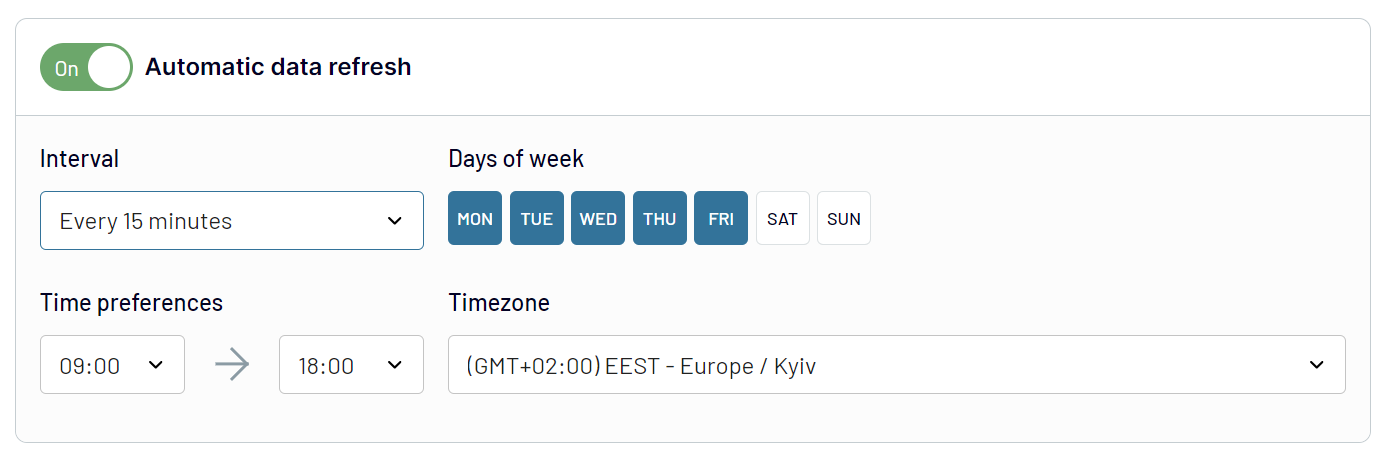
Thanks to this feature, your report is synchronized with LinkedIn's constantly changing data. This ensures you have access to relevant information at all times.
Thanks to this feature, your report is synchronized with LinkedIn's constantly changing data. This ensures you have access to relevant information at all times.
Export data from LinkedIn Company Pages to alternative destinations


Quick start with Marketing dashboard templates
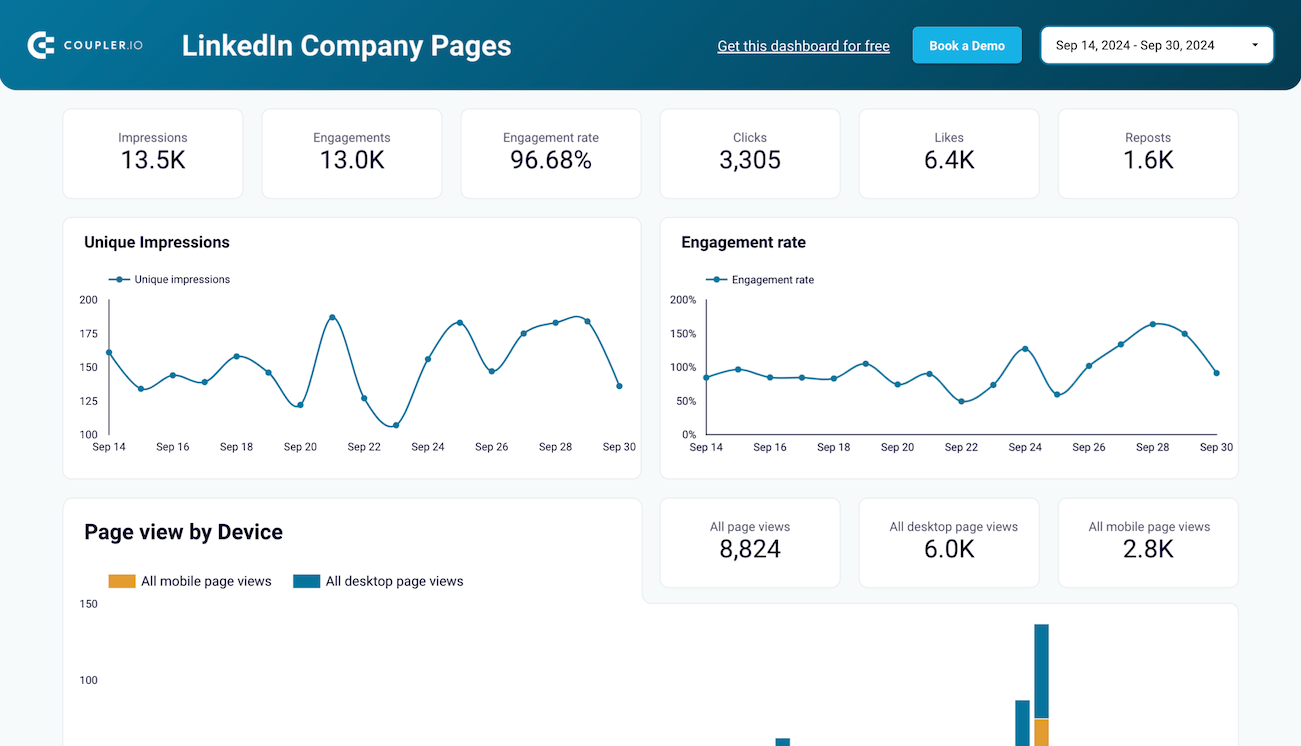
LinkedIn company page performance dashboard
+0


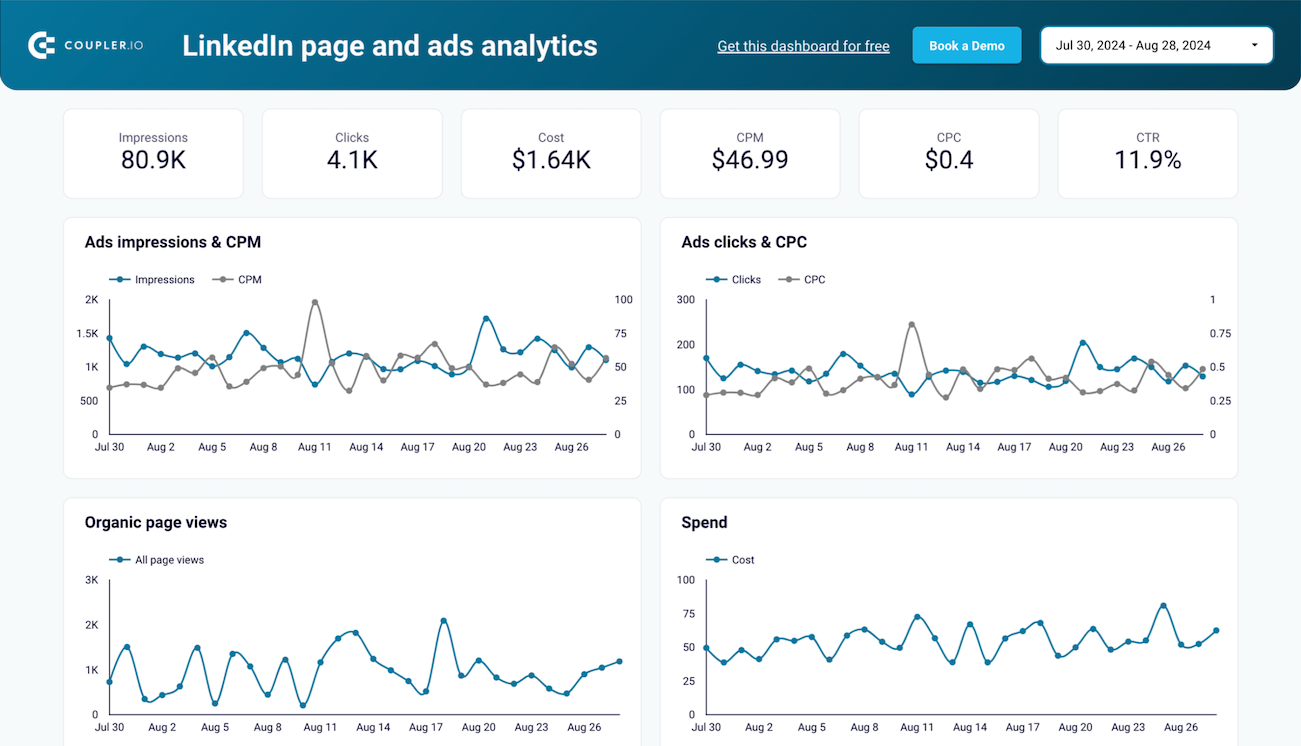
LinkedIn page and ads analytics dashboard
+0
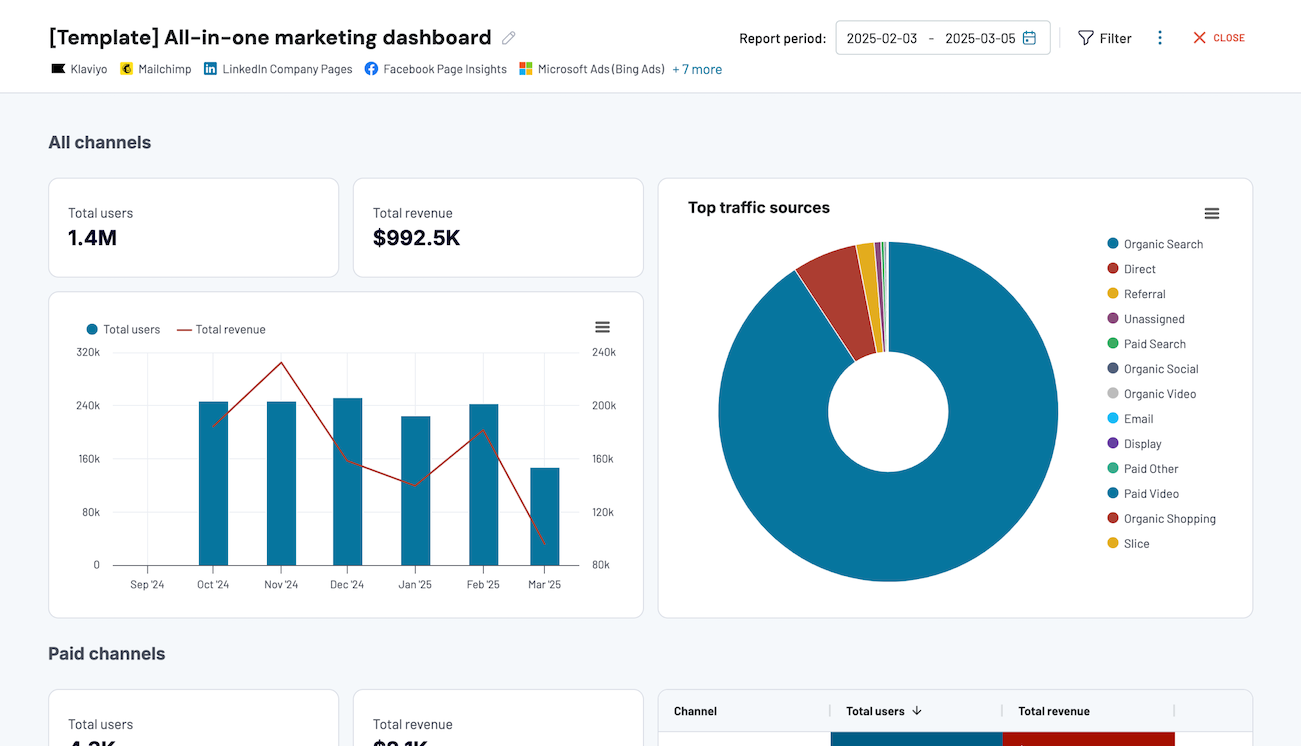
All-in-one marketing dashboard


 +6
+6

No such template is available yet.
No worries. Our team will create a template that fits your needs, just tell us more
about your case. It doesn't cost you a penny 😉
Request a custom report
about your case. It doesn't cost you a penny 😉
Export LinkedIn Company Pages to Google Sheets automatically with just a few clicks.
Connect similar Marketing apps and get data in minutes








What to export from LinkedIn Company Pages to Google Sheets

Performance insights
Performance insights offer a detailed view of how your LinkedIn Company Page performs. This data includes metrics such as page views, unique visitors, and engagement rates. You can understand what content resonates most with the audience and adjust your strategy accordingly. Track the overall effectiveness of your LinkedIn presence and get a clear picture of how the page contributes to broader marketing goals.
Follower gains trends
You can also connect LinkedIn Company Pages to Google Sheets to track trends in follower gains. They show you how your follower count evolves over time. This data highlights periods of significant growth or decline, helping you identify which campaigns or content types attract new followers. It can help you refine your content strategy to maintain and boost follower acquisition. Discover successful tactics and align your efforts with audience interests.
Post: individual posts performance
Capture data on the performance of each post shared on your LinkedIn Company Page. Metrics include impressions, clicks, reactions, comments, and shares. Analyze them to track post effectiveness, understand audience preferences, and refine content strategies based on the engagement patterns of individual posts.
Post: video performance
This data includes metrics related to the performance of video content shared on LinkedIn: video views, average watch time, engagement rate, and completion rate. If you import these figures from LinkedIn Company Pages to Google Sheets for deeper analysis, you'll be able to identify trends in viewer retention and engagement to optimize future video content strategies.
Lifetime overview
The lifetime overview offers a summary of your page's performance over its entire existence. It covers cumulative metrics such as follower count, overall engagement rates, and long-term content performance. By reviewing them, you can assess the enduring impact of your LinkedIn efforts and identify trends and patterns. This helps you make strategic decisions and set future goals for your LinkedIn presence.
Audience demographics insights
Export LinkedIn Company Pages to Google Sheets to reveal detailed information about the individuals who interact with your page. This data refers to age, gender, location, and job function. By understanding your followers' demographics, you can tailor content to better meet their preferences and needs. These insights are essential for creating targeted marketing strategies that resonate with specific audience segments.
How do you connect LinkedIn Company Pages to Google Sheets?
Step 1. Connect your LinkedIn account and choose the report to export
30 seconds
Step 2. Organize and transform data before loading it into Google Sheets
30 seconds
Step 3. Connect your Google Sheets account and specify where to load data
30 seconds
Step 4. Schedule auto-refreshes to export LinkedIn Company Pages to Google Sheets at desired intervals
10 seconds
Pricing plans
- Monthly
- Annual (save 25%)
Your data is secured by industry standards
 SOC 2 Type II
Certified
 Google Cloud
Certified
 GDPR
GDPRCompliant
 HIPAA
HIPAACompliant
Don’t just take our word for it





Dramatically improved our reporting speed by about 60%. The interface is user-friendly, even for team members with no technical background.
Helped solve data processing issues, and customer service is 10/10. It is extremely easy to use, and allows us to extract data from multiple sources.



