MailerLite to Google Sheets

Export MailerLite to Google Sheets

Transform email marketing collaboration with MailerLite to Google Sheets integration by Coupler.io. Enable your entire team to access live subscriber data, campaign metrics, and automation results in shareable spreadsheets that update automatically for transparent, collaborative email marketing management.

πŸ† Voted 4.9/5 on Capterra πŸ”’ SOC2 & GDPR compliant 🌍 Trusted by 1M+ users worldwide

What data you can export from MailerLite?

... and many more

All-in-one tool for MailerLite data exports and analytics

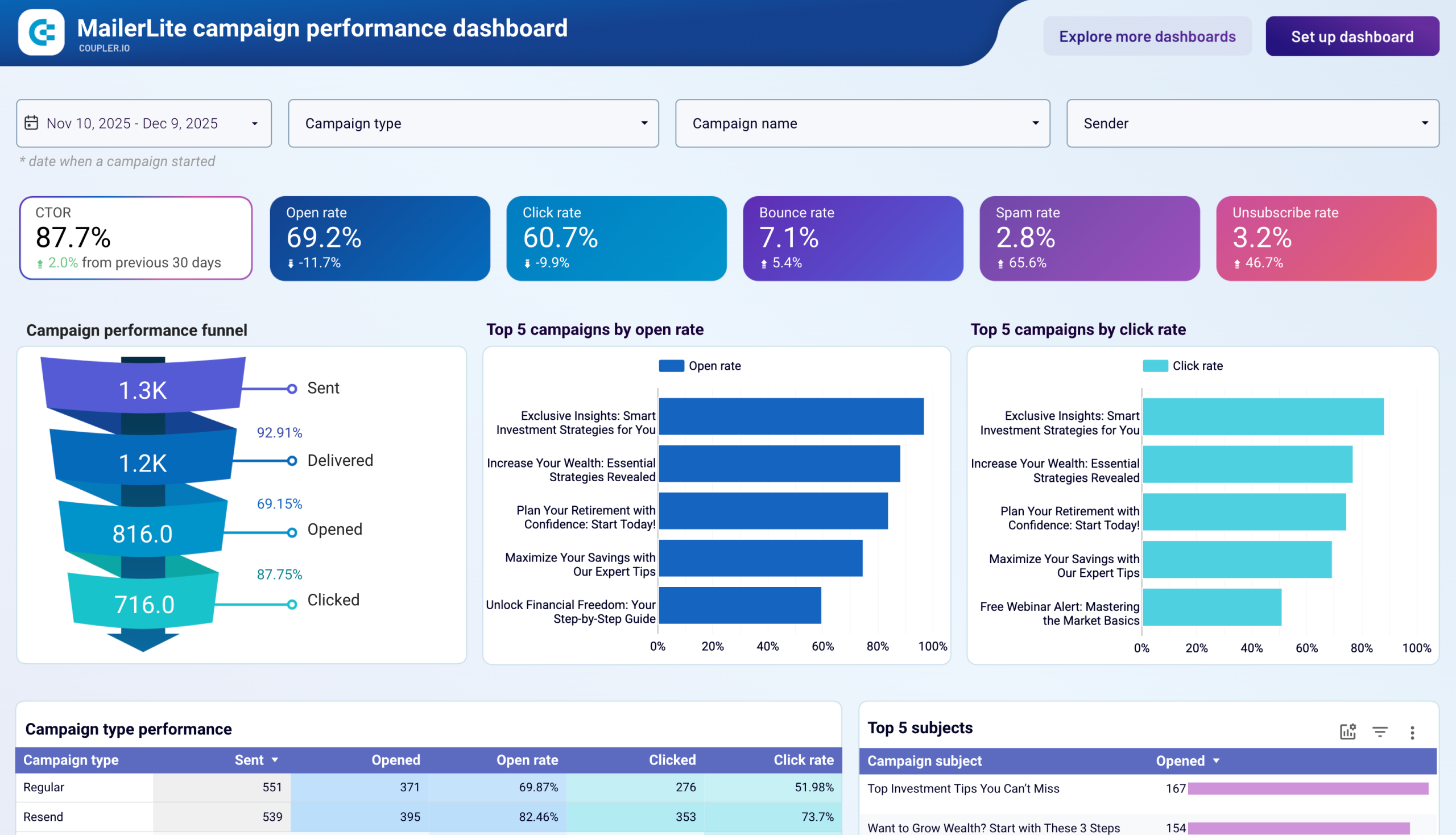
Export subscriber lists, campaign analytics, and form submissions from MailerLite, then merge with CRM data, sales figures, or advertising metrics to create unified Google Sheets dashboards accessible to your entire marketing team.

Collect data from MailerLite and enrich it with information from other sources image

Structure MailerLite information into clean, analysis-ready Google Sheets formats with organized columns, proper data types, and intuitive layouts that eliminate manual preparation and enable immediate team collaboration on email marketing insights.

Organize raw MailerLite data in the form of a ready-to-use data set image

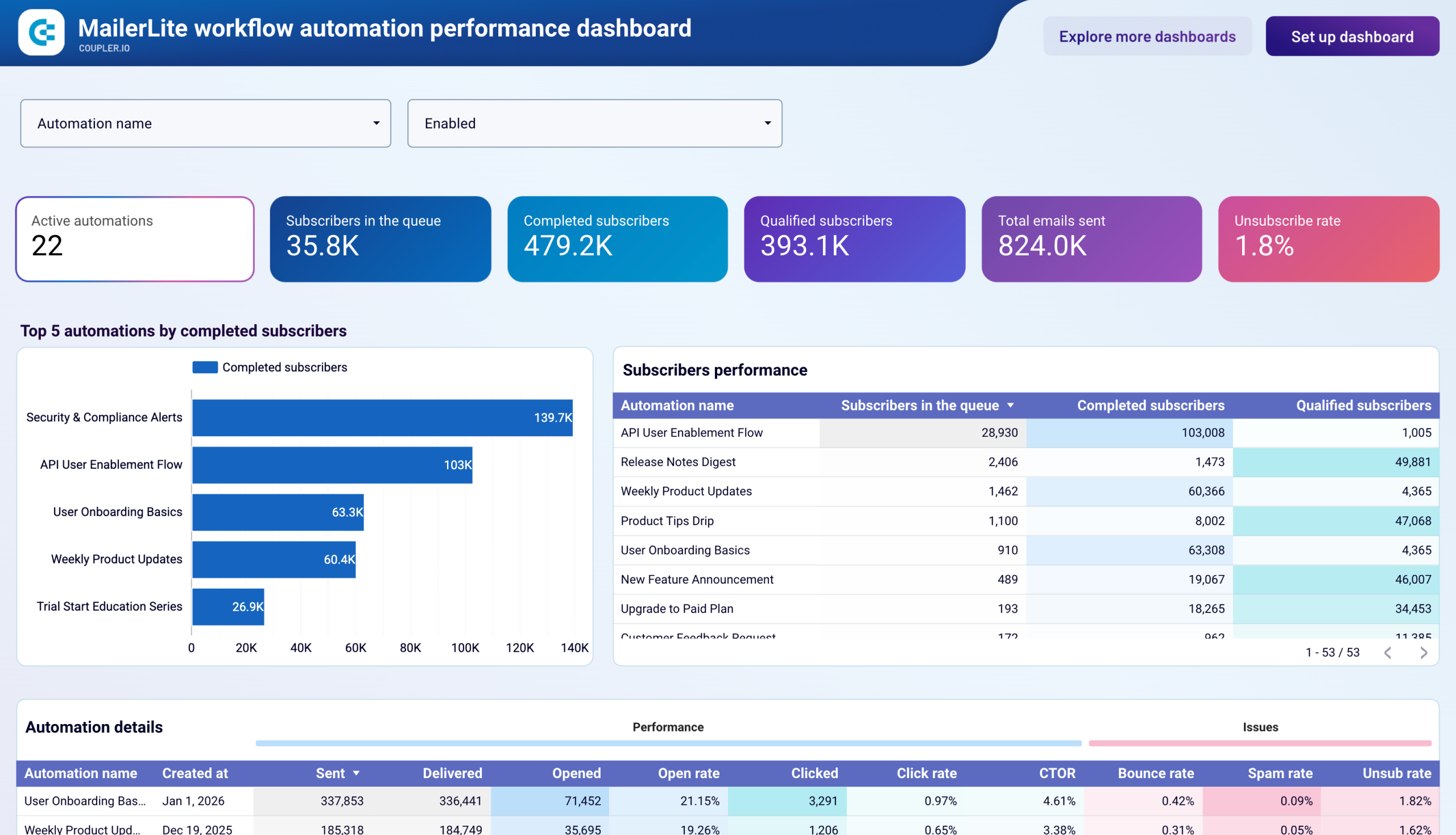
Maintain up-to-date email marketing intelligence with flexible scheduling from monthly to 15-minute refresh intervals. Ensure stakeholders always view the latest MailerLite subscriber metrics and campaign results without manual spreadsheet updates or data exports.

Automate data refresh on a custom schedule image

Extend Google Sheets capabilities with Coupler.io AI integrations that connect your email marketing data to AI tools, enabling conversational analysis and intelligent recommendations through natural language queries about subscriber behavior and campaign effectiveness.

Connect MailerLite data to AI to query and analyze data using natural language conversations image
Collect data from MailerLite and enrich it with information from other sources image
Organize raw MailerLite data in the form of a ready-to-use data set image
Automate data refresh on a custom schedule image
Connect MailerLite data to AI to query and analyze data using natural language conversations image

Why export MailerLite to Google Sheets - real life cases

Team-accessible campaign reporting dashboards icon

Team-accessible campaign reporting dashboards

Build shared Google Sheets dashboards displaying MailerLite campaign performance that entire marketing teams can access simultaneously. Enable real-time collaboration on performance reviews, allow team members to add comments and annotations directly on campaign data, and maintain transparency across departments without email attachments or version control issues.
Collaborative subscriber list management icon

Collaborative subscriber list management

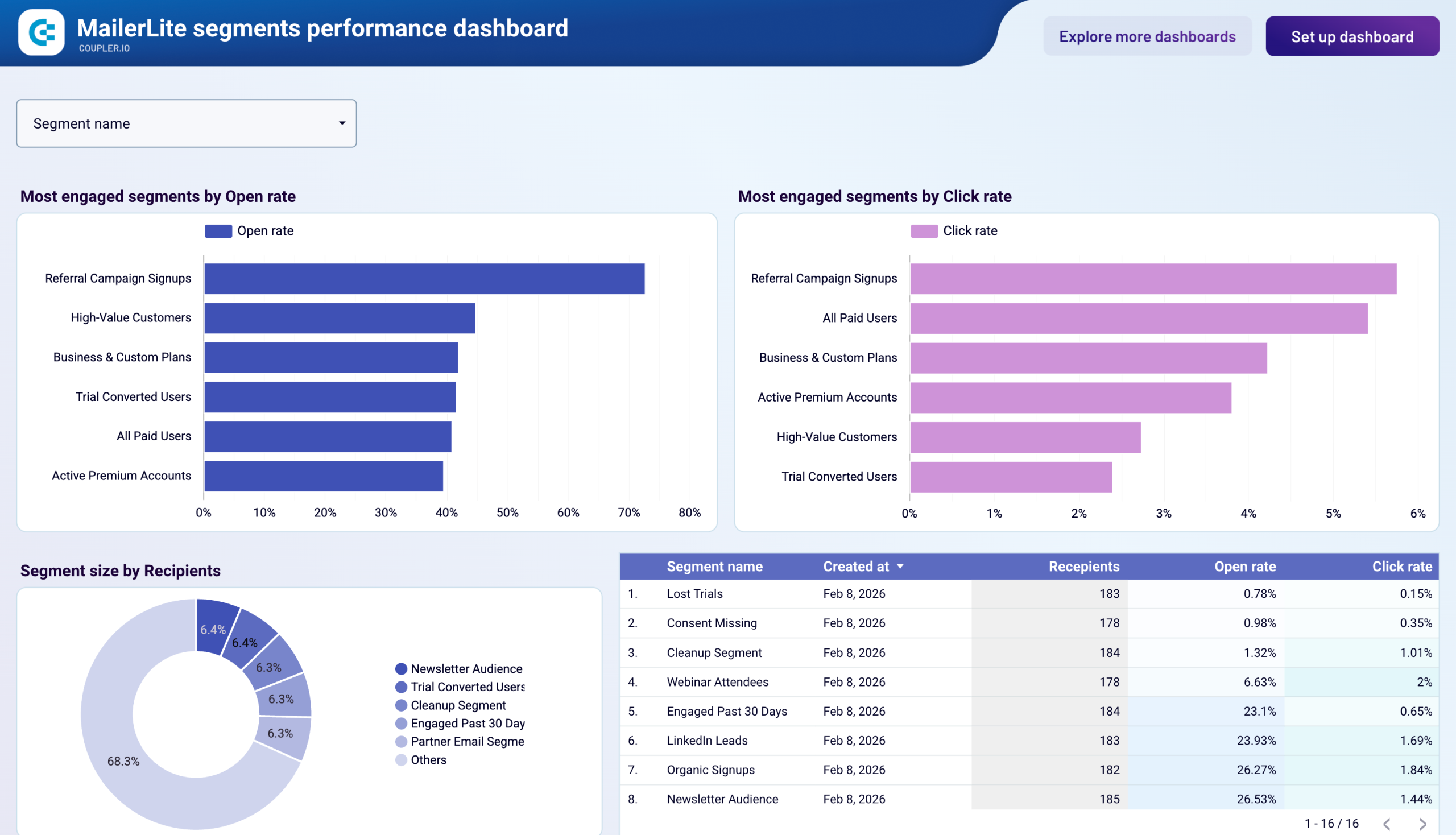
Export MailerLite subscriber databases to Google Sheets for team-based list cleaning and segment planning. Allow multiple team members to simultaneously review subscriber data, flag problematic records, assign follow-up tasks, and coordinate re-engagement campaigns through shared spreadsheets with full edit history and commenting capabilities.
Cross-functional email marketing planning icon

Cross-functional email marketing planning

Combine MailerLite metrics with sales targets, content calendars, and promotional schedules in collaborative Google Sheets for integrated marketing planning. Enable product managers, content creators, and email marketers to work together on campaign strategies with shared visibility into historical performance and upcoming initiatives.
Client reporting for agencies icon

Client reporting for agencies

Generate automated client reports in Google Sheets pulling MailerLite data for transparent campaign performance sharing. Provide agency clients with direct access to their email marketing metrics, enable real-time performance monitoring, and facilitate collaborative strategy discussions through shared spreadsheet interfaces without constant report generation.

How to export MailerLite to Google Sheets

Step 1. Connect to your MailerLite account and select the data to export
time icon 30 seconds
Step 2. Organize data using transformation options such as filters, column management, aggregation, etc.
time icon 30 seconds
Step 3. Connect your Google Sheets account and specify where to load your data
time icon 30 seconds
Step 4. Schedule data refresh to automate data flow from MailerLite to Google Sheets
time icon 10 seconds

Automate data exports with the no-code MailerLite Google Sheets integration

Quick start with dashboard templates

No such template is available yet.
No worries. Our team will create a template that fits your needs, just tell us more
about your case. It doesn't cost you a penny πŸ˜‰
Request a custom report

Talk to AI about your MailerLite data

Google Sheets makes email marketing data accessible to everyone on your team, but interpreting patterns and developing strategies still requires expertise. Coupler.io connects your MailerLite data to AI tools through the MCP server, enabling team members to ask questions in plain language and receive intelligent insights without needing advanced analytical skills.

Examples of questions you can ask about MailerLite data:
"What subscriber acquisition sources generate the most engaged audience members?"
"Analyze our automation workflows and recommend improvements for better conversion"
"Which campaign subject lines drove the highest engagement in our industry vertical?"
"Suggest segmentation strategies based on our subscriber behavior patterns"
connect-ai-integrations image mailerlite.svg

Customer success stories

At Coupler.io, our mission is simple: to help our customers succeed by unlocking the full potential of their data. Check out how using Coupler.io has helped businesses like yours scale and achieve better ROI.

Keep your data safe

Coupler.io safeguards your shared information and data transfers from breaches, leaks, and unauthorized disclosures.

Google Cloud Platform icon SOC2 icon Hipaa icon GDPR Compliance icon
Learn more about security

Ready to connect MailerLite to Google Sheets and automate your reporting?