GoHighLevel to Snowflake

Export GoHighLevel to Snowflake

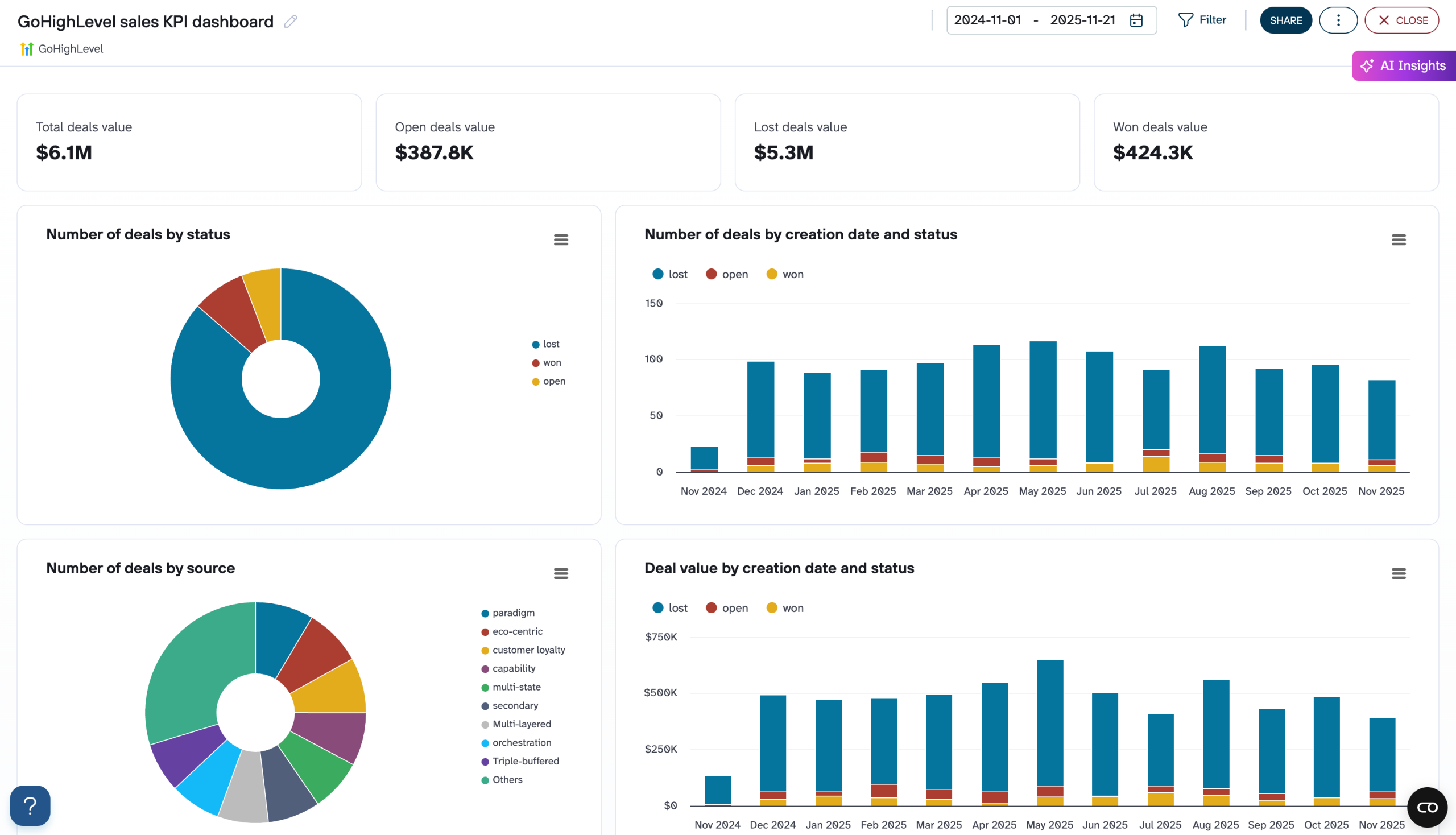
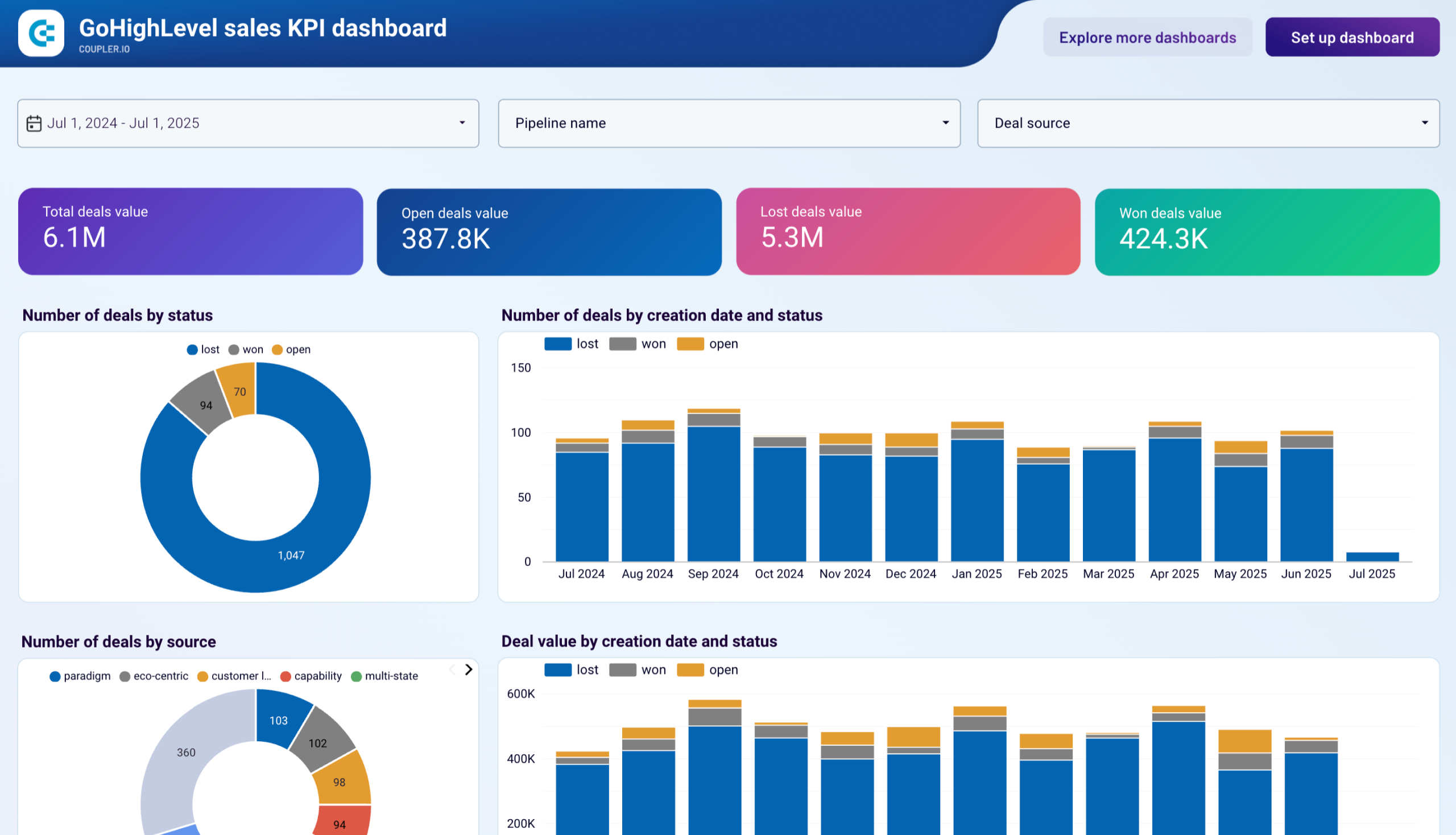
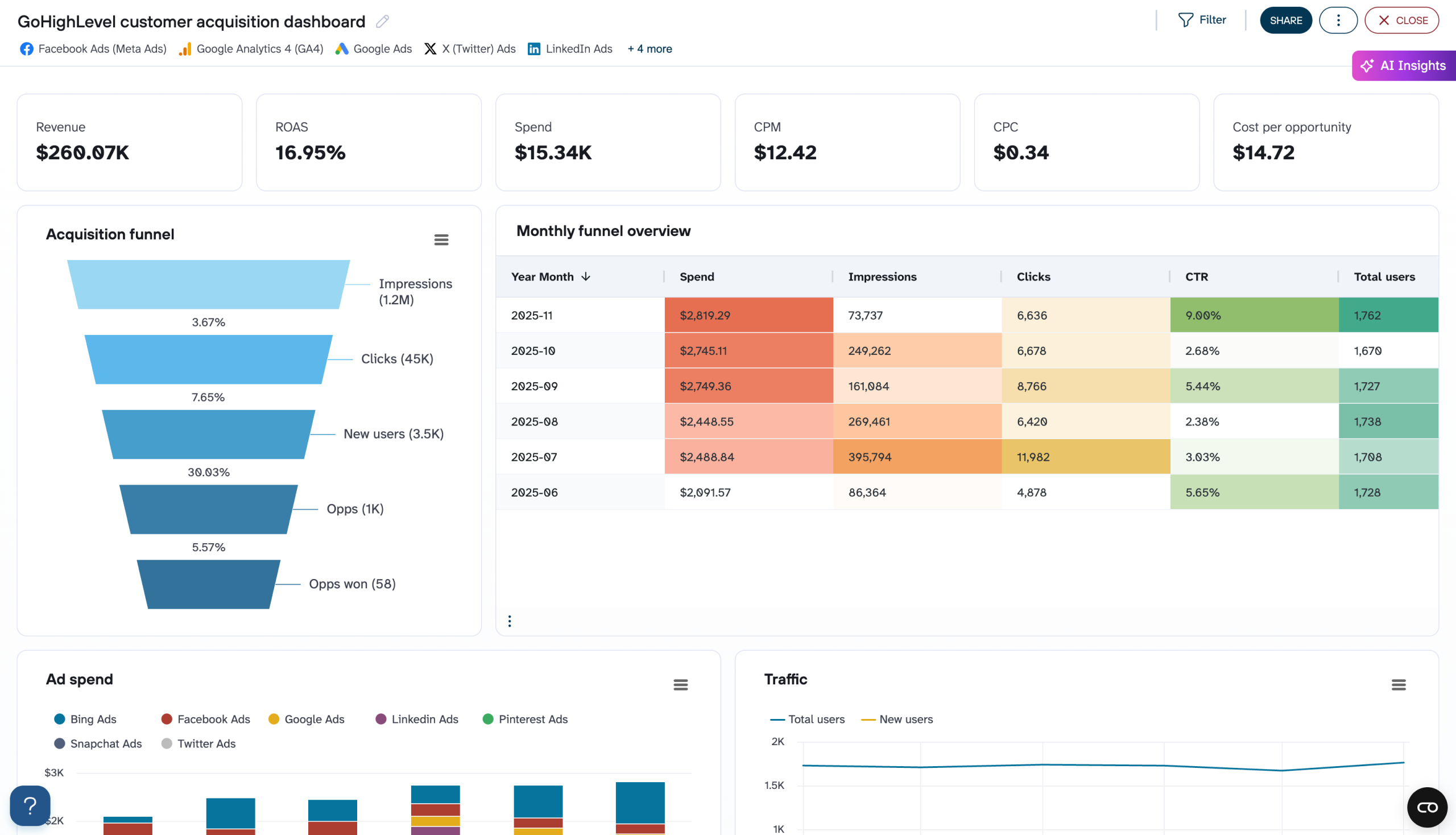
Connect GoHighLevel to Snowflake with Coupler.io to consolidate pipeline, contact, and transaction data in a warehouse that scales with your business. Enable cross-platform queries, governed access controls, and scheduled refreshes that keep your CRM analytics reliable.

πŸ† Voted 4.9/5 on Capterra πŸ”’ SOC2 & GDPR compliant 🌍 Trusted by 1M+ users worldwide

What data you can export from GoHighLevel?

... and many more

All-in-one tool for GoHighLevel data exports and analytics

Bring GoHighLevel pipeline, contact, and transaction records into Snowflake and merge them with data from marketing, support, and finance platforms. Leverage Snowflake's multi-cluster architecture to query across all sources without performance bottlenecks.

Collect data from GoHighLevel and enrich it with information from other sources image

Prepare GoHighLevel exports with built-in transformations. Filter irrelevant records, rename columns, and aggregate metrics before loading. Deliver well-structured tables to Snowflake that are immediately ready for analytical workloads and downstream consumption.

Organize raw GoHighLevel data in the form of a ready-to-use data set image

Schedule automated data loads from GoHighLevel to Snowflake at 15-minute, 30-minute, hourly, daily, or monthly intervals. Ensure your cloud warehouse always reflects recent CRM activity without requiring custom scripts.

Automate data refresh on a custom schedule image

Pair your GoHighLevel datasets with AI tools through Coupler.io AI integrations. Explore pipeline trends, contact behavior, and revenue metrics through conversational prompts instead of writing warehouse queries manually.

Connect GoHighLevel data to AI to query and analyze data using natural language conversations image
Collect data from GoHighLevel and enrich it with information from other sources image
Organize raw GoHighLevel data in the form of a ready-to-use data set image
Automate data refresh on a custom schedule image
Connect GoHighLevel data to AI to query and analyze data using natural language conversations image

Why export GoHighLevel to Snowflake - real life cases

Cross-department data sharing with governance icon

Cross-department data sharing with governance

Centralize GoHighLevel data in Snowflake and use secure data sharing to give marketing, sales, and finance teams governed access to the same CRM records. Each department queries the data they need without duplicating tables, maintaining a single source of truth while respecting role-based access controls and audit requirements.
Scalable multi-account CRM consolidation icon

Scalable multi-account CRM consolidation

Load opportunity, contact, and transaction data from multiple GoHighLevel accounts into Snowflake for unified reporting across business units or client portfolios. Snowflake's elastic compute lets you run heavy aggregation queries across millions of combined records without impacting other workloads or slowing down concurrent users.
Predictive lead scoring and conversion analysis icon

Predictive lead scoring and conversion analysis

Store historical contact, appointment, and opportunity data in Snowflake to build predictive models that score leads based on past behavior patterns. Combine engagement signals from conversations and tasks with deal outcomes to identify the attributes most strongly associated with successful conversions.
Time-series performance tracking icon

Time-series performance tracking

Warehouse GoHighLevel transaction and appointment data over extended periods to analyze performance trends across quarters and years. Use Snowflake's time-travel capabilities to compare snapshots of your sales pipeline at different points, measuring how strategy changes translate into measurable results over time.

How to export GoHighLevel to Snowflake

Step 1. Connect to your GoHighLevel account and select the data to export
time icon 30 seconds
Step 2. Organize data using transformation options such as filters, column management, aggregation, etc.
time icon 30 seconds
Step 3. Connect your Snowflake account and specify where to load your data
time icon 30 seconds
Step 4. Schedule data refresh to automate data flow from GoHighLevel to Snowflake
time icon 10 seconds

Automate data exports with the no-code GoHighLevel Snowflake integration

Quick start with dashboard templates

No such template is available yet.
No worries. Our team will create a template that fits your needs, just tell us more
about your case. It doesn't cost you a penny πŸ˜‰
Request a custom report

Talk to AI about your GoHighLevel data

Snowflake excels at storing and processing large volumes of structured data, but extracting quick insights still often means writing SQL. Coupler.io AI integrations offer another path β€” connect your GoHighLevel data to AI tools and ask questions in plain language. Whether you need a quick summary of last month's pipeline or a deep dive into customer patterns, conversational AI makes your warehouse data accessible to anyone on the team.

Examples of questions you can ask about GoHighLevel data:
"Break down our opportunity win rates by pipeline stage and show how they've changed quarter over quarter"
"Which contacts have the highest engagement scores based on conversation frequency and appointment attendance?"
"Summarize invoice payment trends over the last six months and highlight any accounts with growing overdue balances"
"What task completion patterns differ between top-performing team members and the rest of the team?"
connect-ai-integrations image gohighlevel.svg

Customer success stories

At Coupler.io, our mission is simple: to help our customers succeed by unlocking the full potential of their data. Check out how using Coupler.io has helped businesses like yours scale and achieve better ROI.

Keep your data safe

Coupler.io safeguards your shared information and data transfers from breaches, leaks, and unauthorized disclosures.

Google Cloud Platform icon SOC2 icon Hipaa icon GDPR Compliance icon
Learn more about security

Ready to connect GoHighLevel to Snowflake and automate your reporting?