
Connect Facebook Ads to Copilot
Send your Facebook Ads data to Microsoft Copilot Studio with Coupler.io and ask questions about campaign performance in natural language. Evaluate ad sets, compare CPC across audience segments, and spot ad spend inefficiencies without leaving your Microsoft 365 environment. Coupler.io handles the data integration from your Meta Ads account and 400+ other sources automatically.


What data you can export from Facebook Ads?
-
Reports and InsightsThis data category allows you to export insights into your Facebook Ads performance. You'll need to select metrics to include in your report. These include impressions, clicks, click-through rate, cost per click, and more.
-
List of Sponsored LeadsThis data category provides access to leads generated through your Facebook Ads lead forms. It contains details about user submissions, such as contact information (depending on form fields), submission time, and ad or campaign sources. You can use this data to track lead generation performance and integrate it with your CRM or sales workflows.
-
List of Ad creativesWith this data, you can export all ad creatives available in your Facebook Ads account. It includes information such as creative type (image, video, carousel), text, links, and media details. This dataset helps you review and manage the assets you’ve uploaded or created, regardless of whether they are currently being used in ads.
-
List of Ad setsGet an overview of ad sets to track and analyze their efficiency from launch. This data category provides information about ad set statuses, optimization goals, remaining budget, and more.
-
List of CampaignsYou can access information about each of your Facebook Ads campaigns. This view contains data about the status, stop time, objective, budget, and other details of your advertising campaigns.
-
List of AdsWith this data, you can create a detailed overview of all your ads running on the Facebook Ads platform. It contains information about ad status, bid amount, issues, and so on.
-
List of Ads with ad creativesThis data category provides details about ad creatives specifically linked to active or past ads. Unlike the general list of creatives, it only includes the assets actually used in advertisements. You can analyze creative performance together with ad metrics, allowing you to see which images, videos, or texts are driving results.
-
List of ActivitiesThis data category provides the ad account's activity/audit log - who changed what and when (e.g. campaign status updates, budget changes, audience updates), across campaigns, ad sets, ads, and the account itself.
-
List of Business invoicesThis data category provides monthly invoices for bill-to legal entities on a Facebook Business, including billed amounts and the campaigns billed within each invoice.
All-in-one tool for Facebook Ads data exports and analytics
Pull impressions, clicks, and conversion data from your Facebook Ads account and merge it with Google Ads metrics, HubSpot lead records, or Shopify revenue data through Coupler.io. Build a single marketing data set that lets Microsoft Copilot compare performance across platforms and answer cross-channel questions.

Rename columns, filter by campaign name, and aggregate metrics by ad set or audience segment before anything reaches Copilot. Coupler.io's transformation layer removes clutter from your Ads Manager exports so your copilot agent works with clean, structured data from day one.

Keep your Microsoft Copilot Studio reports stocked with recent Facebook Ads numbers. Coupler.io refreshes your data on monthly, daily, hourly, 30-minute, or 15-minute intervals so your AI agent always has the latest ad spend, CPM, and conversion rates at hand.

Ask about ROAS by campaign, CPA by custom audience, or click-through rates by placement in plain language. Coupler.io routes your Facebook Ads data to Microsoft Copilot so anyone on your team can get answers without opening Ads Manager or writing formulas.

Why connect Facebook Ads to Copilot - real life cases

Ad spend optimization across campaigns

Creative performance comparison

Cross-platform marketing analysis with Google Ads

Lead quality tracking from ads to CRM
How to connect Facebook Ads to Copilot
 30 seconds
30 seconds
10 seconds
30 seconds
30 seconds
30 seconds
10 seconds
Automate data sync with the no-code Facebook Ads Copilot integration
Connect similar PPC apps and get data in minutes


Quick start with PPC dashboard templates
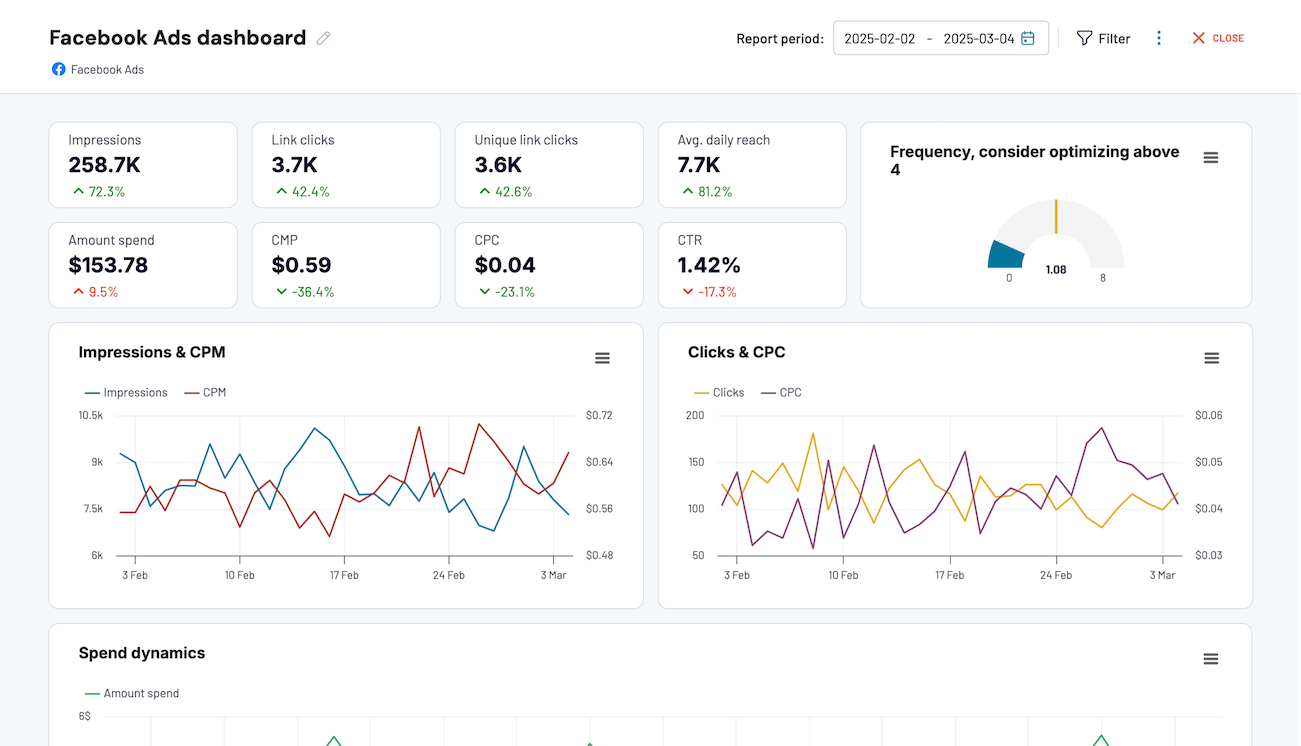


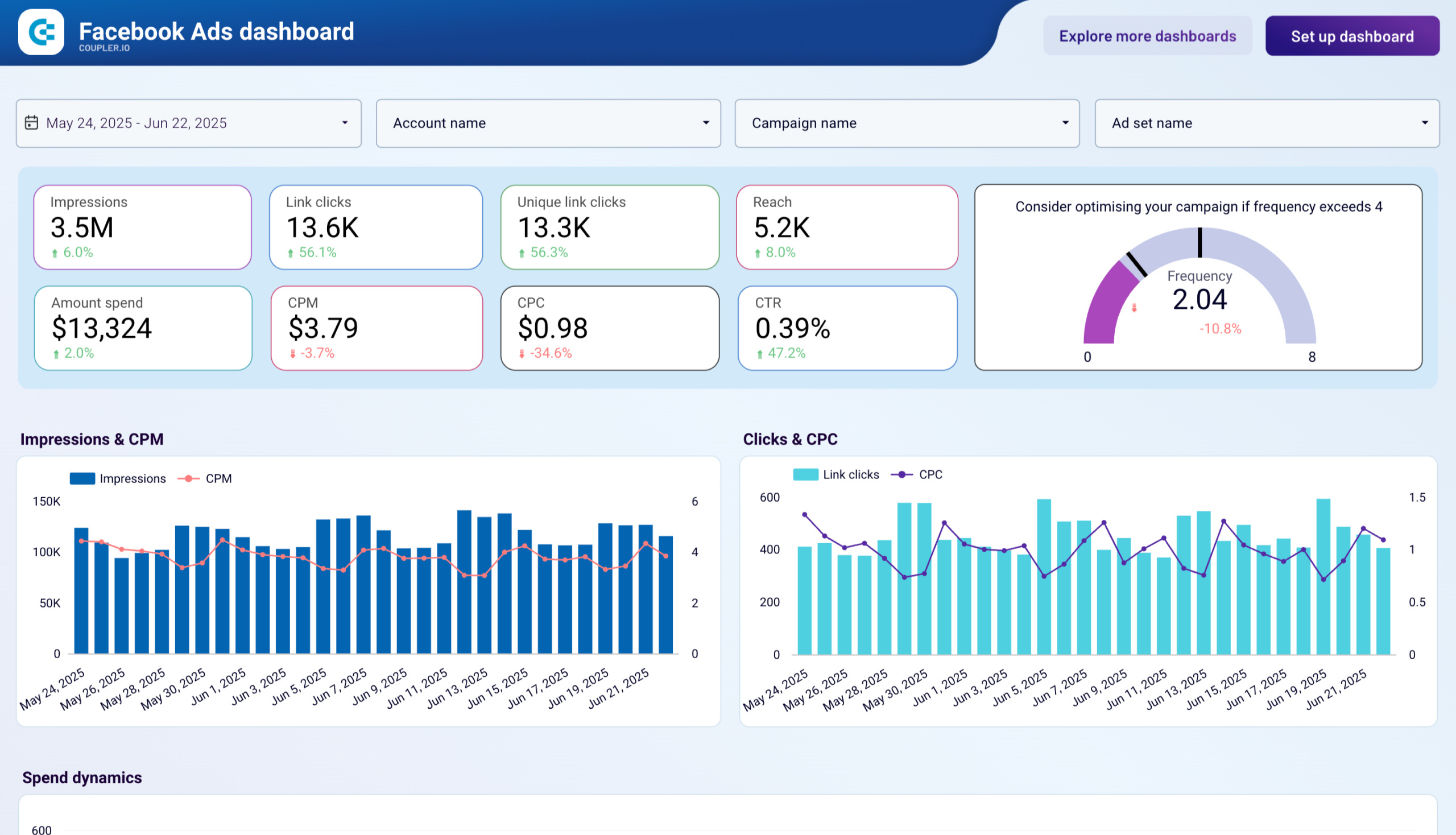

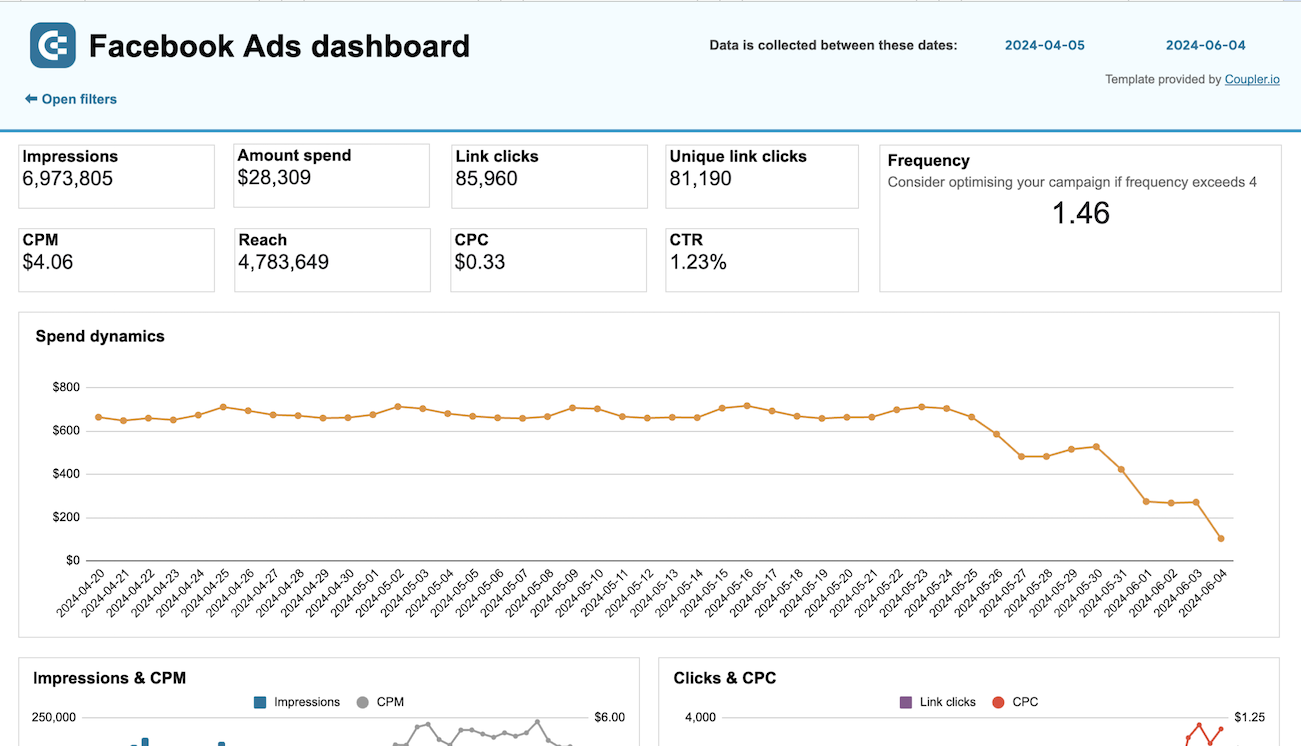

about your case. It doesn't cost you a penny 😉
Talk to AI about your Facebook Ads data
For questions that do not need an external tool at all, try Coupler.io's AI Agent. It works inside the platform and runs on the Analytical Engine, which queries your Facebook Ads data, performs the calculations, and returns verified answers. Ask about CPA trends or bid strategy performance in plain language and get accurate numbers back without configuring a separate destination.
Examples of questions you can ask about Facebook Ads data:
- "Which ad sets had the highest ROAS last month, and how does their CPC compare to the account average?"
- "Show me the top five campaigns by conversion volume and flag any where CPA increased more than 20% week over week."
- "Compare impressions and click-through rates between my custom audience campaigns and broad targeting campaigns for the past 30 days."
- "Which landing pages receive the most traffic from Facebook Ads, and what are the conversion rates for each?"





Your data is secured by industry standards
 SOC 2 Type II
Certified
 Google Cloud
Certified
 GDPR
GDPRCompliant
 HIPAA
HIPAACompliant
Connect data from Facebook Ads to alternative destinations





