
Connect Google Ads to Copilot
Load data from Google Ads to Copilot through Coupler.io and review keyword performance, bid strategy results, and search term reports in natural language. Skip the Google Ads API complexity and let your AI agent surface ROAS, CPC, and conversion rates on demand. Coupler.io provides no-code data integration from 400+ sources with scheduled refresh.


What data you can export from Google Ads?
-
Campaign performance
-
Keywords performance
-
Ad group performance
-
Ad performance
-
Asset group performance
-
Custom GAQL
-
Account performance
-
Ad group audience performance
-
Ad group performance by country
-
Ad group performance by state
-
Ad group performance by region
-
Ad group performance with install conversion
-
Age range performance
-
Campaign audience performance
-
Campaign performance by ad network type
-
Campaign performance by country
-
Campaign performance by state
-
Campaign performance by region
-
Campaign performance with conversion actions name
-
Campaign performance with unique user stats
-
Click performance
-
Display keyword performance
-
Display topics performance
-
Expanded landing page
-
Gender performance
-
Keywordless query
-
Landing page
-
Placement performance
-
Responsive search ad performance
-
Search query performance
-
Shopping performance
-
User location performance
-
Video campaign performance with conversions
-
Accounts
-
Ad groups
-
Ads
-
Campaigns
-
Campaign budgets
-
Campaign criterion
-
Campaign labels
-
Accessible bidding strategies
-
Bidding strategies
-
Carrier constant
-
Language constant
-
Mobile app category constant
-
Mobile device constant
-
Operating system version constant
-
Topic constant
-
Ad group criterion
-
Call details
-
Labels
-
User interest
-
User list
All-in-one tool for Google Ads data exports and analytics
Pull campaign performance, keywords data, and ad group metrics from Google Ads and blend them with HubSpot lead records, BigQuery warehouse data, or TikTok Ads spend through Coupler.io. Feed Microsoft Copilot a combined dataset so it can answer questions that span your full advertising stack.

Filter campaigns by match type, strip out irrelevant columns, and aggregate performance by ad group or landing page before data reaches Copilot. Coupler.io's transformation tools prepare your Google Ads exports so Microsoft Copilot Studio reads clean, structured records from the start.

Deliver fresh Google Ads data to Microsoft Copilot on a schedule you pick. Coupler.io supports monthly, daily, hourly, 30-minute, and 15-minute refresh intervals, keeping your AI agent stocked with the latest click-through rate, CPC, and conversion numbers automatically.

Ask about Performance Max campaigns, negative keywords effectiveness, or target CPA results in everyday language. Microsoft Copilot pulls answers from your Google Ads dataset without requiring access to the Google Ads API or any campaign setup knowledge.

Why connect Google Ads to Copilot - real life cases

Search term and keyword optimization

Bid strategy evaluation across campaigns

Performance Max campaign analysis

Ad copy testing with CRM pipeline data
How to connect Google Ads to Copilot
 30 seconds
30 seconds
10 seconds
30 seconds
30 seconds
30 seconds
10 seconds
Automate data sync with the no-code Google Ads Copilot integration
Connect similar PPC apps and get data in minutes


Quick start with PPC dashboard templates
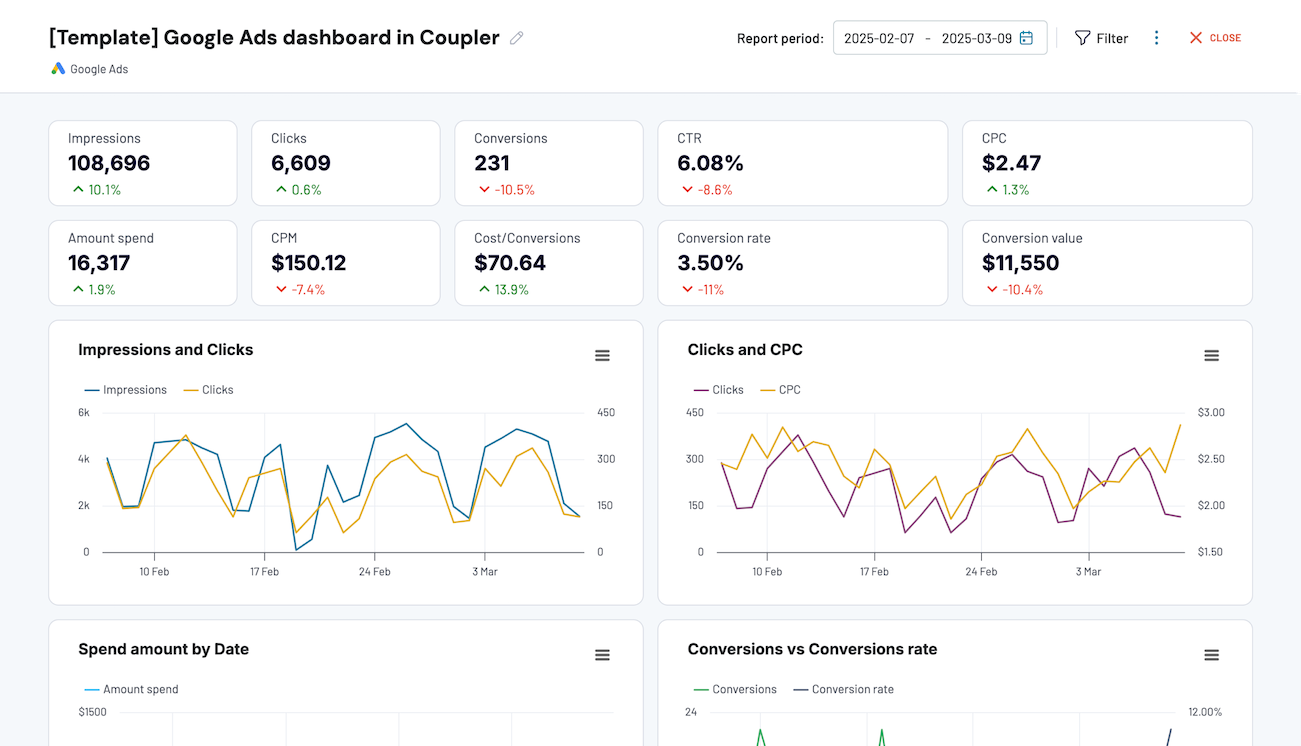


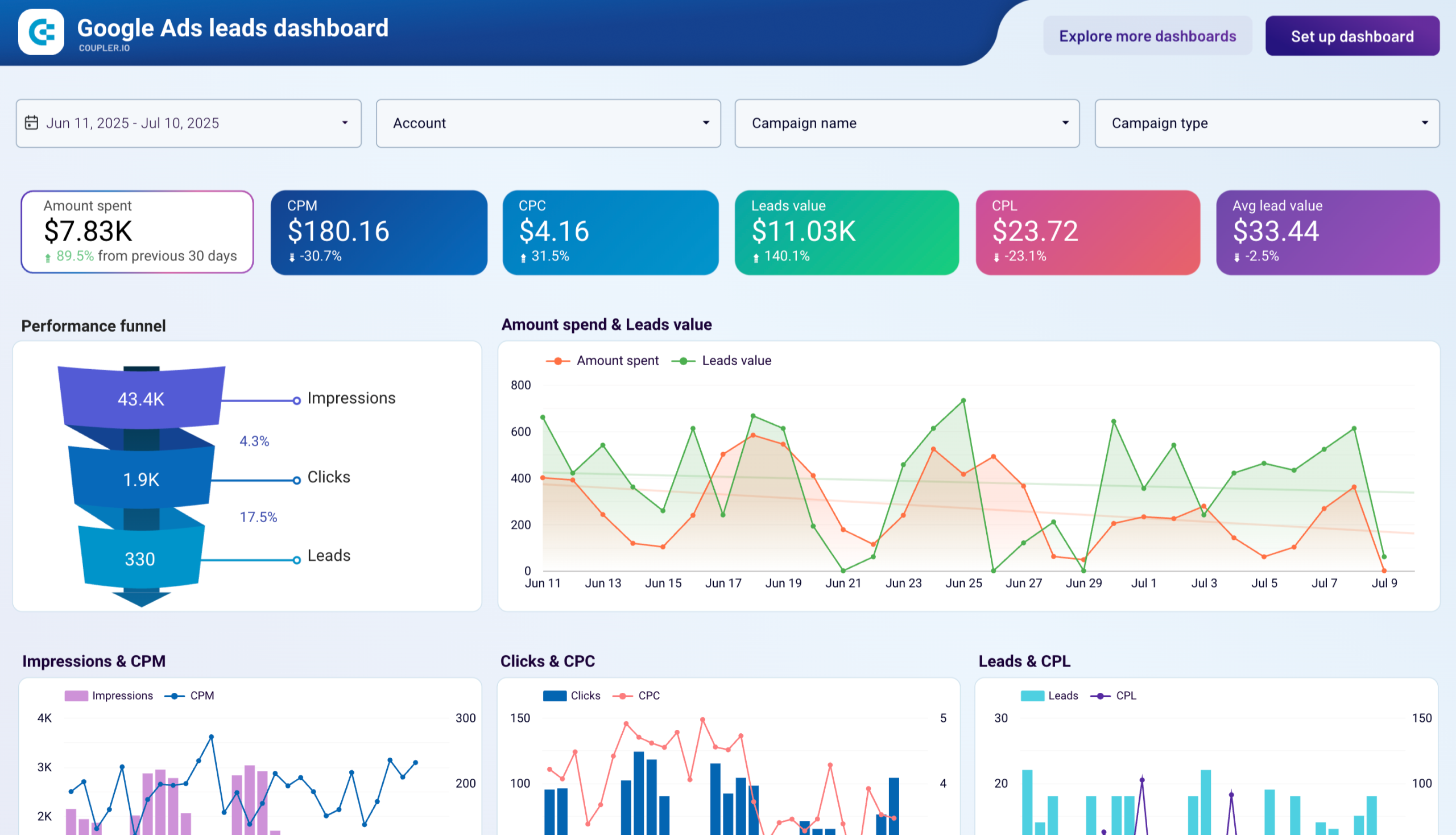

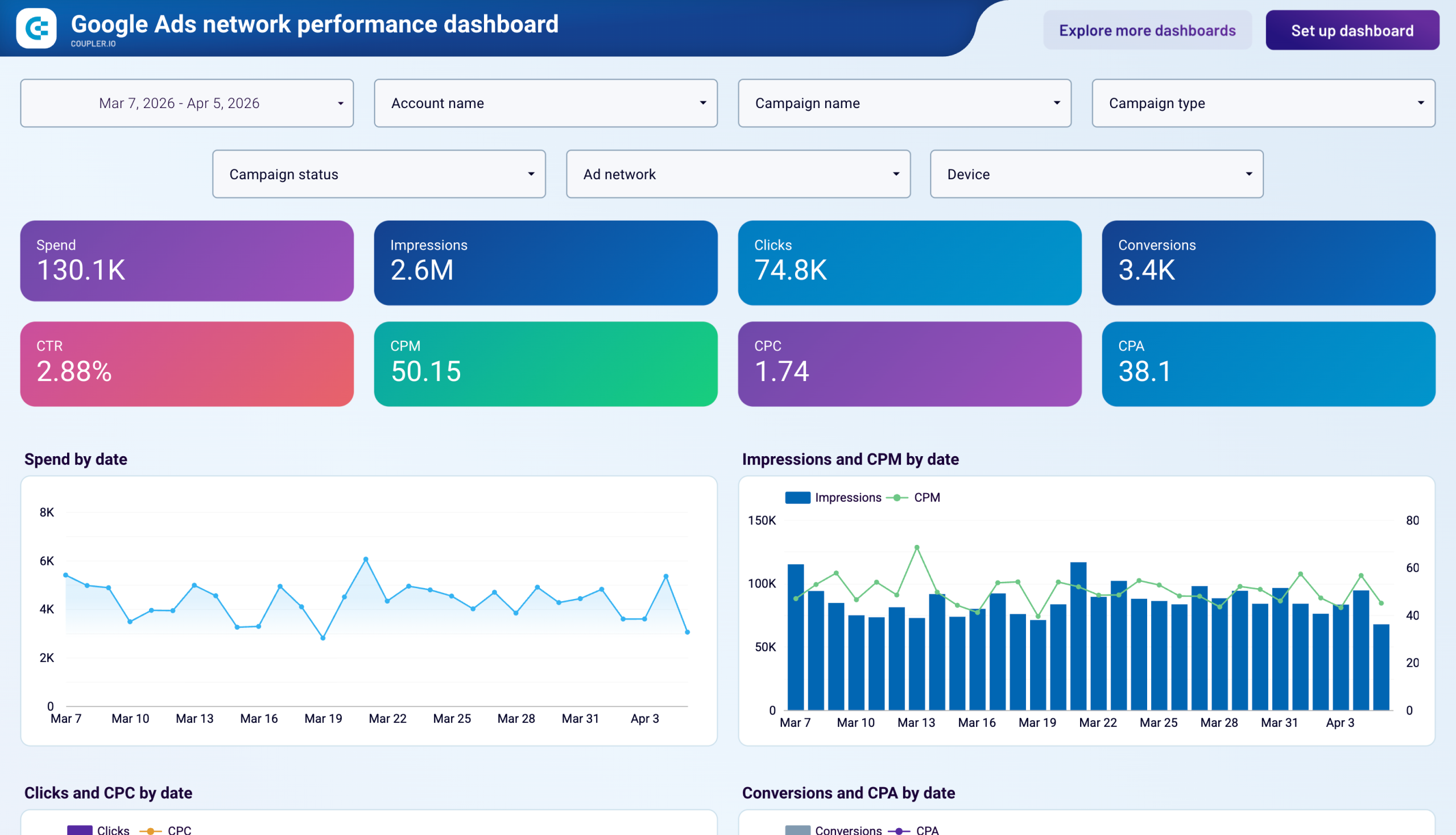
about your case. It doesn't cost you a penny 😉
Talk to AI about your Google Ads data
No need to leave Coupler.io for quick analysis. AI Agent is built in, powered by the Analytical Engine. It queries your Google Ads data, performs calculations, and delivers verified answers. Just ask in plain language about keyword performance, ad group spend, or conversion trends and get a data-backed response.
Examples of questions you can ask about Google Ads data:
- "Which campaigns exceeded target CPA last week, and what was their actual cost per conversion compared to the goal?"
- "List the top 10 search terms by spend that had zero conversions in the past 30 days."
- "Compare click-through rate and conversion rates across my three highest-spend ad groups for this month."
- "How did my Performance Max campaigns perform against standard search campaigns in terms of ROAS and CPC last quarter?"




Your data is secured by industry standards
 SOC 2 Type II
Certified
 Google Cloud
Certified
 GDPR
GDPRCompliant
 HIPAA
HIPAACompliant
Connect data from Google Ads to alternative destinations





