
Connect Google Analytics 4 to Copilot
Route your Google Analytics 4 data into Microsoft Copilot Studio with Coupler.io, turning website traffic metrics into conversational insights across your Microsoft 365 workspace. Build AI agents that answer engagement rate and conversion funnel questions on demand. Coupler.io automates the data integration, keeps exports GDPR compliant, and connects 400+ sources for cross-channel analysis.


What data you can export from Google Analytics 4
-
Active usersTrack how many visitors interact with your site during a given period. Share this metric with Microsoft Copilot and ask about audience growth trends, retention patterns, or seasonal shifts in user behavior.
-
Engagement rateMeasure the percentage of sessions that qualify as engaged based on duration, page views, or conversion events. Load this into Copilot to compare engagement across traffic sources or landing pages.
-
Bounce rateIdentify pages where visitors leave without interacting further. Share bounce rate data with Microsoft Copilot Studio and ask which content underperforms and what those pages have in common.
-
Page viewsCount how many times each page loads across all sessions. Feed this data into Copilot to spot your most visited content, detect traffic spikes, and evaluate how site structure affects navigation patterns.
-
Traffic sourceBreak down where your visitors come from, including organic search, paid ads, social media, referrals, and direct visits. Ask Microsoft Copilot which channels deliver the most qualified website traffic.
-
ConversionsPull completed goal data covering purchases, sign-ups, downloads, and custom events you have defined in Google Analytics 4. Ask Copilot which campaigns or pages generate the most valuable actions.
-
User demographicsSend country, city, age, and gender breakdowns from GA4 to Microsoft Copilot to ask which geographic markets grow fastest or which age groups convert at the highest rate.
-
Device categorySeparate sessions by desktop, mobile, and tablet. Send to Copilot and compare engagement rate, conversion performance, and bounce rate across devices to guide responsive design priorities.
All-in-one tool for Google Analytics 4 data exports and analytics
Pull sessions, page views, and user behavior data from Google Analytics 4 and combine it with Google Ads spend, CRM records, or email campaign metrics from 400+ supported sources. Give Microsoft Copilot a blended dataset that covers the full customer journey instead of isolated website traffic numbers.

Filter out internal traffic, rename dimension columns to match your reporting standards, and aggregate metrics by the time periods that matter to your team. Coupler.io shapes raw Google Analytics 4 exports into AI-ready formats so Microsoft Copilot Studio can interpret them without extra cleanup.

Choose how often Microsoft Copilot receives fresh Google Analytics 4 data. Coupler.io supports monthly, daily, hourly, 30-minute, and 15-minute refresh intervals so your AI agents always reference recent website traffic numbers without manual exports.

Ask about bounce rates, organic search performance, or custom events in plain language. Skip GA4's exploration interface and let Microsoft Copilot pull the metrics you need from your dataset without formulas or query syntax.

Why connect Google Analytics 4 to Copilot - real life cases

Cross-channel campaign performance review

Conversion funnel diagnostics with natural language

Website traffic reporting for Microsoft 365 teams

User behavior analysis for content optimization
How to connect Google Analytics 4 to Copilot
 30 seconds
30 seconds
10 seconds
30 seconds
30 seconds
30 seconds
10 seconds
Automate data sync with the no-code Google Analytics 4 Copilot integration
Connect similar PPC apps and get data in minutes


Quick start with PPC dashboard templates
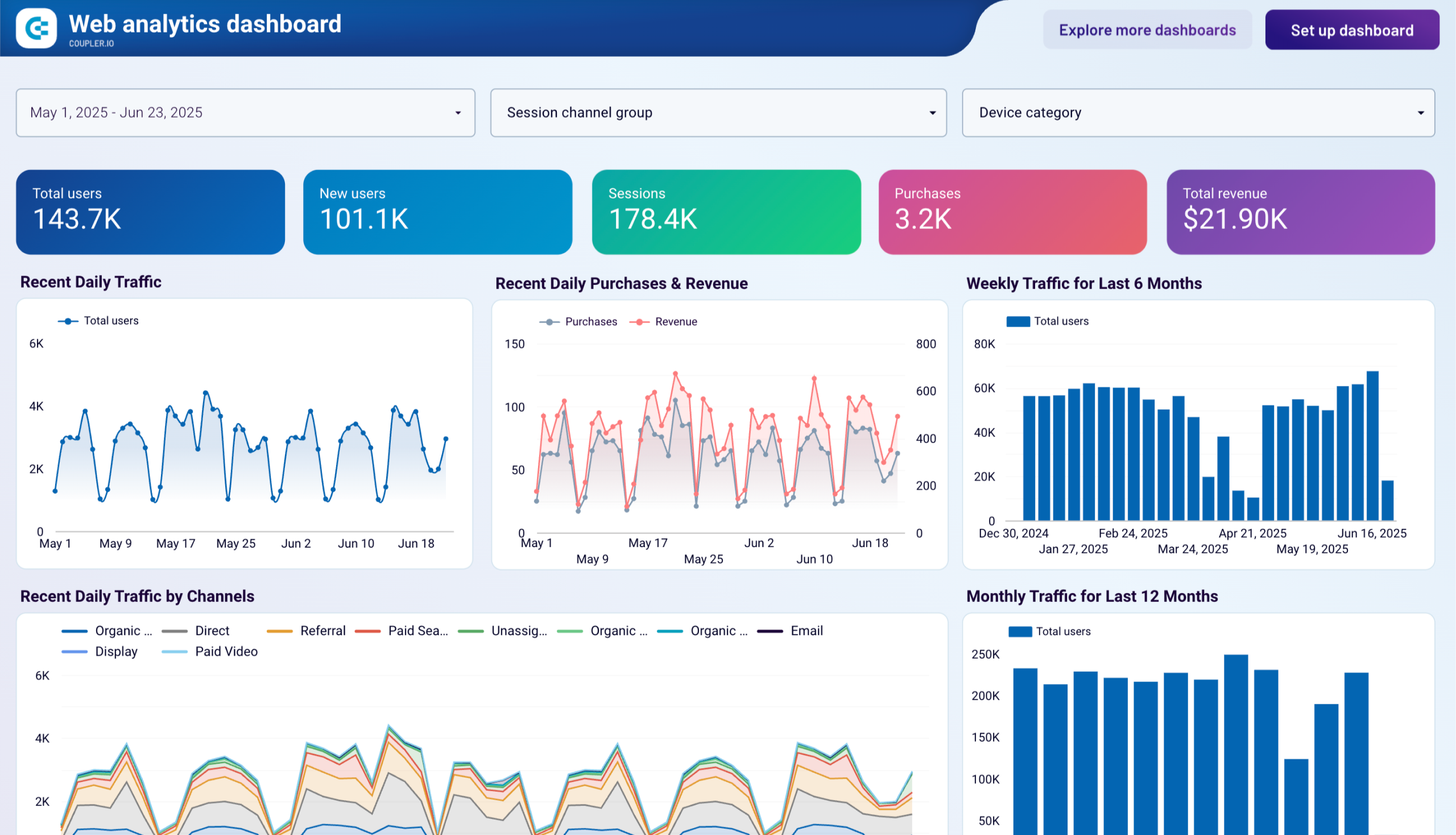


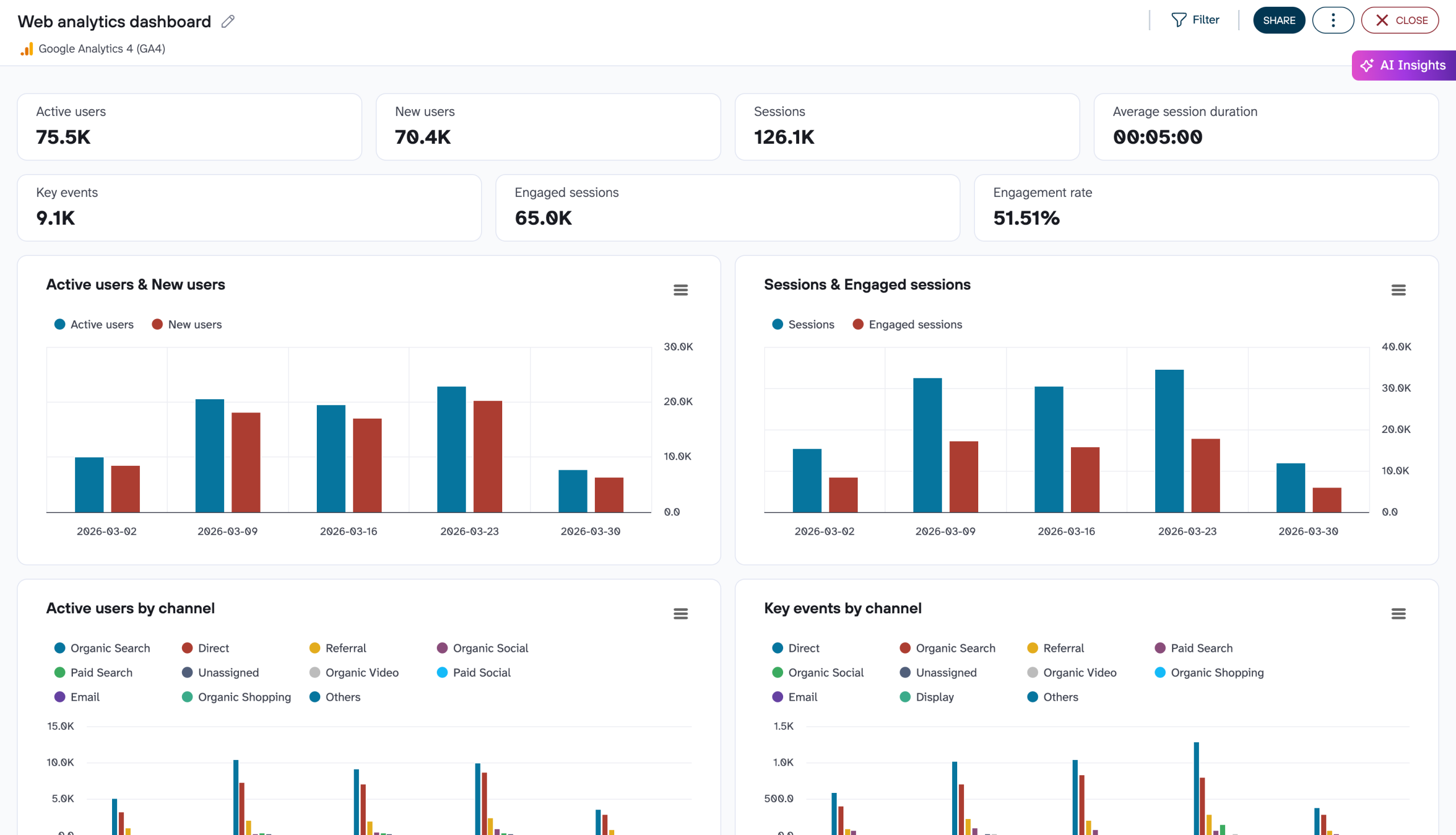

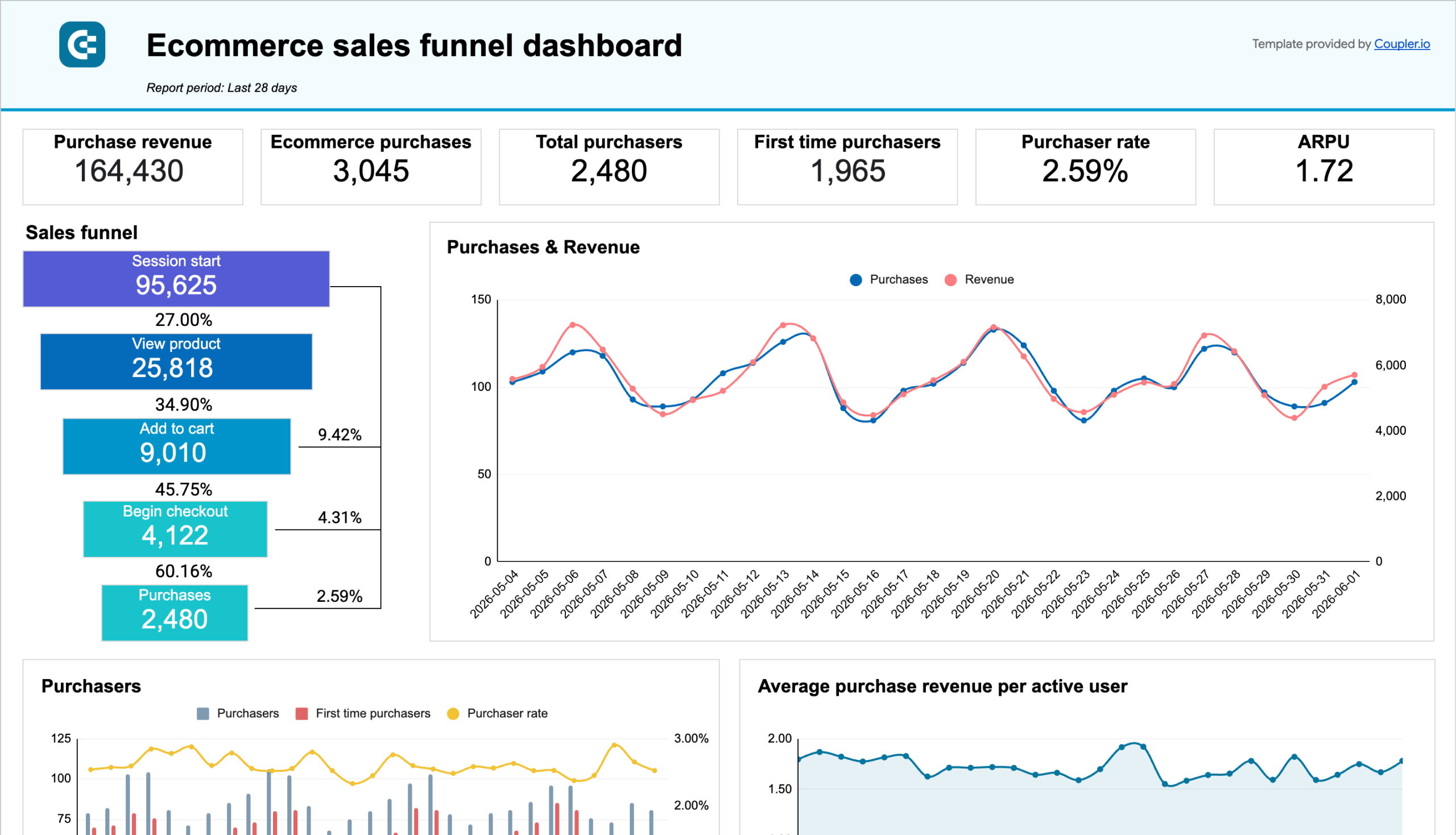

about your case. It doesn't cost you a penny 😉
Talk to AI about your Google Analytics 4 data
You can also skip external tools entirely. Coupler.io's AI Agent lets you ask questions about your Google Analytics 4 data right inside the platform. It runs on the Analytical Engine, which queries your data, checks the math, and delivers accurate answers. Type a question in plain language and get a trustworthy answer without configuring any additional destination.
Examples of questions you can ask about Google Analytics 4 data:
- "Which organic search landing pages had the highest engagement rate last month, and how did they compare to paid traffic pages?"
- "Show me the week-over-week trend in new users from social media channels and flag any drops above 10%."
- "What is the average conversion rate by device category for the past quarter, and which device type improved the most?"
- "Break down bounce rate by traffic source for the top five channels and highlight any that exceed 60%."





Your data is secured by industry standards
 SOC 2 Type II
Certified
 Google Cloud
Certified
 GDPR
GDPRCompliant
 HIPAA
HIPAACompliant
Connect data from Google Analytics 4 to alternative destinations





