
Export Gorgias to Data Studio (formerly Looker Studio)
Turn Gorgias help desk data into interactive dashboards with the Gorgias to Data Studio integration by Coupler.io. Visualize ticket flows, satisfaction trends, and agent metrics in reports that update on schedule, backed by data from 400+ supported sources.


What data you can export from Gorgias?
-
AccountsThis entity represents the top-level Gorgias account, containing key information and settings for your help desk.
-
CustomersThis entity represents your customer profiles, which include their contact information and a history of their interactions with your support team.
-
Custom fieldsThis entity represents custom data fields you have created to store unique information on tickets or customer profiles.
-
EventsThis entity represents the various activities and occurrences within Gorgias, such as a ticket being created, a message being sent, or a status being changed.
-
IntegrationsThis entity represents the third-party applications and services that are connected to your Gorgias account.
-
JobsThis entity provides information on background jobs and their status, such as bulk imports or exports.
-
MacrosThis entity represents saved responses or automations that can be used to quickly reply to common customer inquiries.
-
ViewsThis entity represents custom views or filters for tickets, allowing users to organize and prioritize their work.
-
RulesThis entity represents the automation rules you have created to perform actions based on specific triggers, such as automatically assigning a ticket or adding a tag.
-
Satisfaction surveysThis entity represents the satisfaction survey data collected from customers after their support ticket is closed.
-
TagsThis entity represents the tags used to categorize and organize tickets.
-
TeamsThis entity represents the different teams or groups of users within your Gorgias account.
-
TicketsThis entity is a core record representing a customer's support request. It tracks the entire communication history and status of the issue.
-
MessagesThis entity represents the individual messages that make up a ticket, including emails, chat messages, and social media posts.
-
UsersThis entity represents the individuals within your organization who use Gorgias, such as support agents and managers.
-
Views itemsThis entity provides a detailed list of the tickets that are included in a specific view.
All-in-one tool for Gorgias data exports and analytics
Feed Gorgias support data into Data Studio alongside metrics from e-commerce platforms, payment systems, or CRMs. Build dashboards that connect customer support activity to revenue impact, order issues, and retention signals in one visual layer.

Structure help desk records into clean dimensions and metrics before they reach Data Studio. Filter out test tickets, rename fields for clarity, and format timestamps so your charts and tables render correctly from the start.

Keep your Data Studio dashboards up to date without lifting a finger. Automated refreshes run on monthly, daily, hourly, 30-minute, or 15-minute intervals so stakeholders always view the latest support performance data.

Go beyond charts and graphs. Coupler.io AI integrations let you ask plain-language questions about your Gorgias data, exploring the numbers behind visualizations without writing queries or building new report pages.

Why export Gorgias to Data Studio - real life cases

Interactive support performance dashboards

Visual satisfaction trend analysis

Channel performance comparison

Stakeholder reporting with branded dashboards
How to export Gorgias to Data Studio
 30 seconds
30 seconds
10 seconds
30 seconds
30 seconds
30 seconds
10 seconds
Automate data exports with the no-code Gorgias to Data Studio integration
Connect similar CRM apps and get data in minutes


Quick start with dashboard templates
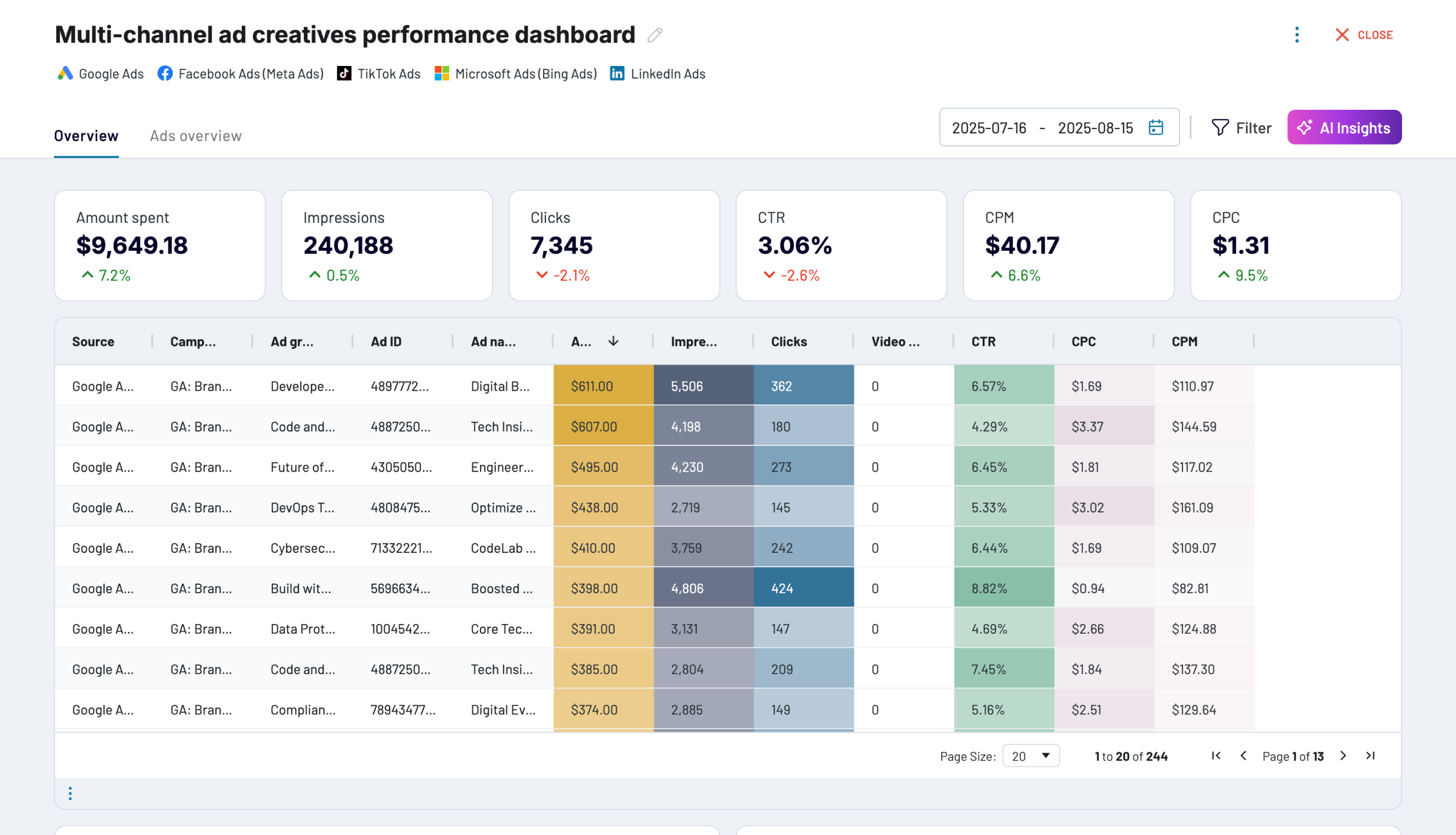


 +0
+0


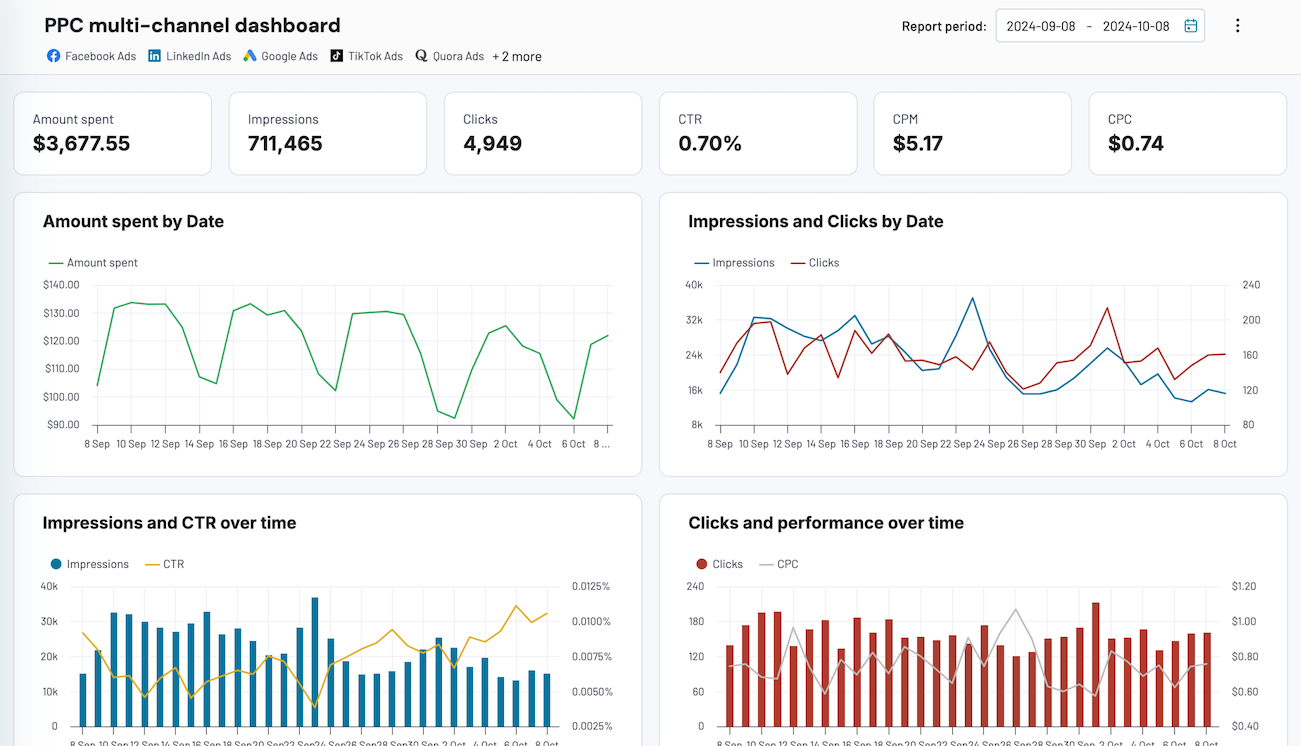


 +4
+4
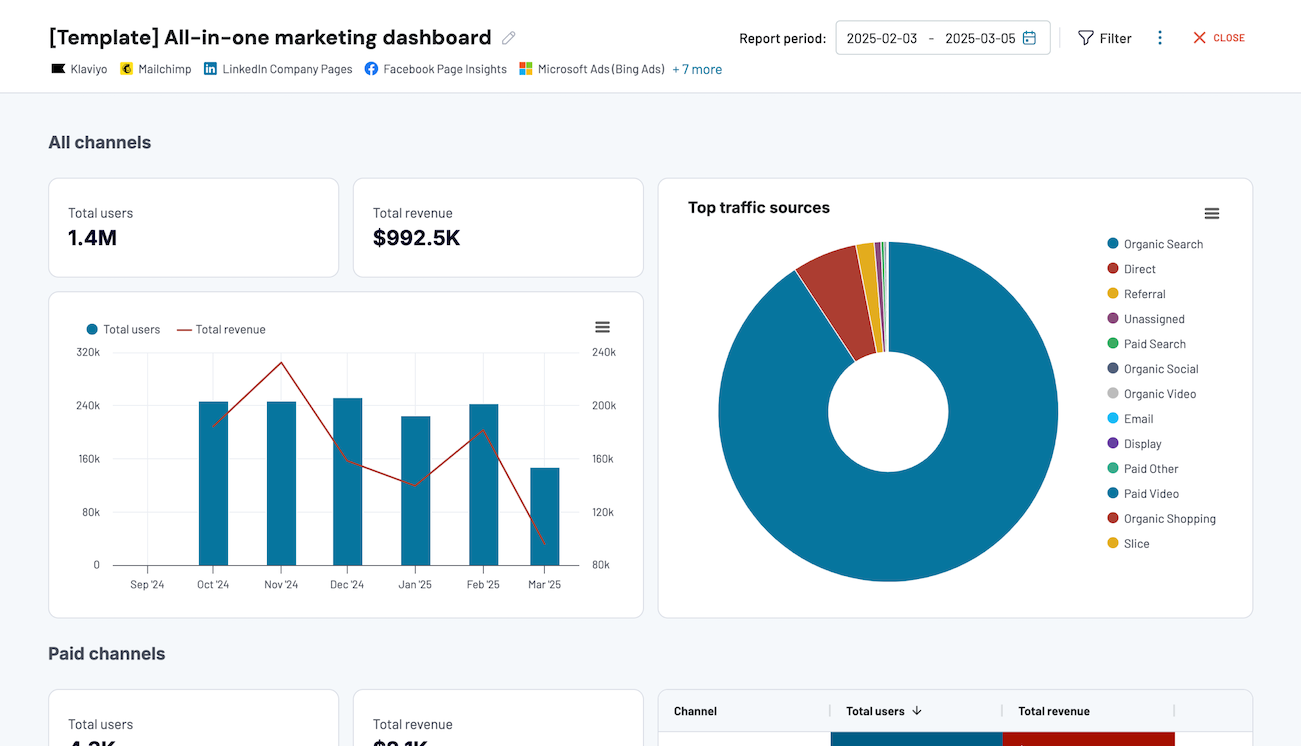


 +7
+7
about your case. It doesn't cost you a penny 😉
Talk to AI about your Gorgias data
If you prefer not to set up an external AI tool, Coupler.io AI Agent gives you the same conversational access right inside Coupler.io. Ask a question in plain language and AI Agent returns verified answers, powered by Coupler.io's Analytical Engine that queries your data, runs calculations, and validates results before responding.
Examples of questions you can ask about Gorgias data:
"What was the average resolution time for tickets tagged as 'shipping' versus 'returns' over the last quarter?"
"Which team had the biggest change in satisfaction scores compared to the previous month?"
"How many tickets came in through social media channels last week, and what percentage were resolved within 24 hours?"
"List the top five customers by ticket volume this year and summarize the most common issues they raised."




Your data is secured by industry standards
 SOC 2 Type II
Certified
 Google Cloud
Certified
 GDPR
GDPRCompliant
 HIPAA
HIPAACompliant
Export data from Gorgias to alternative destinations





