
Connect QuickBooks to Copilot
Load data from QuickBooks to Copilot through Coupler.io and turn your QuickBooks Online accounting records into conversational insights inside Microsoft 365 Copilot. Ask your AI assistant about cash flow, revenue trends, and outstanding invoices in natural language. Coupler.io handles the data integration from your QuickBooks connector and 400+ other sources with scheduled refresh and no coding.


What data you can export from QuickBooks?
-
Account
-
Attachable
-
Bill
-
BillPayment
-
Budget
-
Class
-
CompanyInfo
-
CreditMemo
-
Customer
-
Department
-
Deposit
-
Employee
-
Estimate
-
ExchangeRate
-
Invoice
-
Item
-
JournalEntry
-
JournalCode
-
Payment
-
PaymentMethod
-
Preferences
-
Purchase
-
PurchaseOrder
-
RefundReceipt
-
SalesReceipt
-
TaxAgency
-
TaxCode
-
TaxRate
-
Term
-
TimeActivity
-
Transfer
-
Vendor
-
VendorCredit
All-in-one tool for QuickBooks data exports and analytics
Pull invoices, payments, expenses, and customer records from QuickBooks Online and combine them with Google Ads campaign performance data, Snowflake warehouse records, or e-commerce revenue through Coupler.io. Build a single source of truth that lets Microsoft Copilot answer financial questions with full business context.

Filter transactions by date range, rename account columns, and aggregate records by customer or category before data reaches Copilot. Coupler.io's transformation layer prepares raw QuickBooks exports so Microsoft Copilot Studio reads clean, structured financial records from the start.

Keep your Copilot AI stocked with recent QuickBooks numbers. Coupler.io refreshes your financial data on monthly, daily, hourly, 30-minute, and 15-minute intervals so your AI agent always references the latest invoice statuses, payment records, and account balances automatically.

Ask about profit margins, vendor spend, or accounts receivable aging in plain language. Microsoft Copilot reads your QuickBooks data and delivers answers without requiring you to navigate reports in QuickBooks Online or write custom queries.

Why connect QuickBooks to Copilot - real life cases

Cash flow forecasting and monitoring

Accounts receivable and collections prioritization

Bookkeeping review and expense analysis

Financial reporting across business tools
How to connect QuickBooks to Copilot
 30 seconds
30 seconds
10 seconds
30 seconds
30 seconds
30 seconds
10 seconds
Automate data sync with the no-code QuickBooks Copilot integration
Connect similar Finance & Accounting apps and get data in minutes


Quick start with Finance dashboard templates
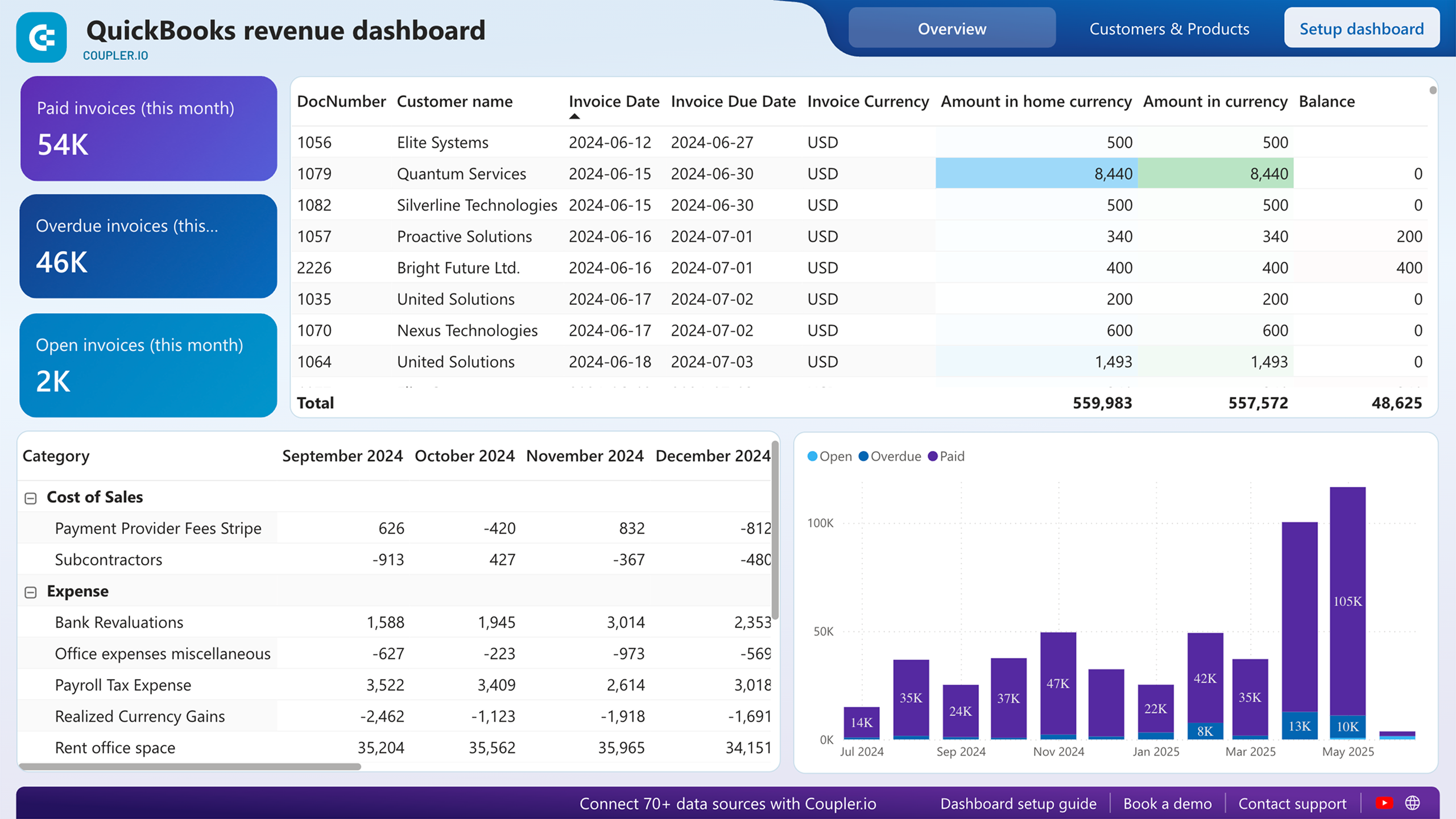
 +0
+0


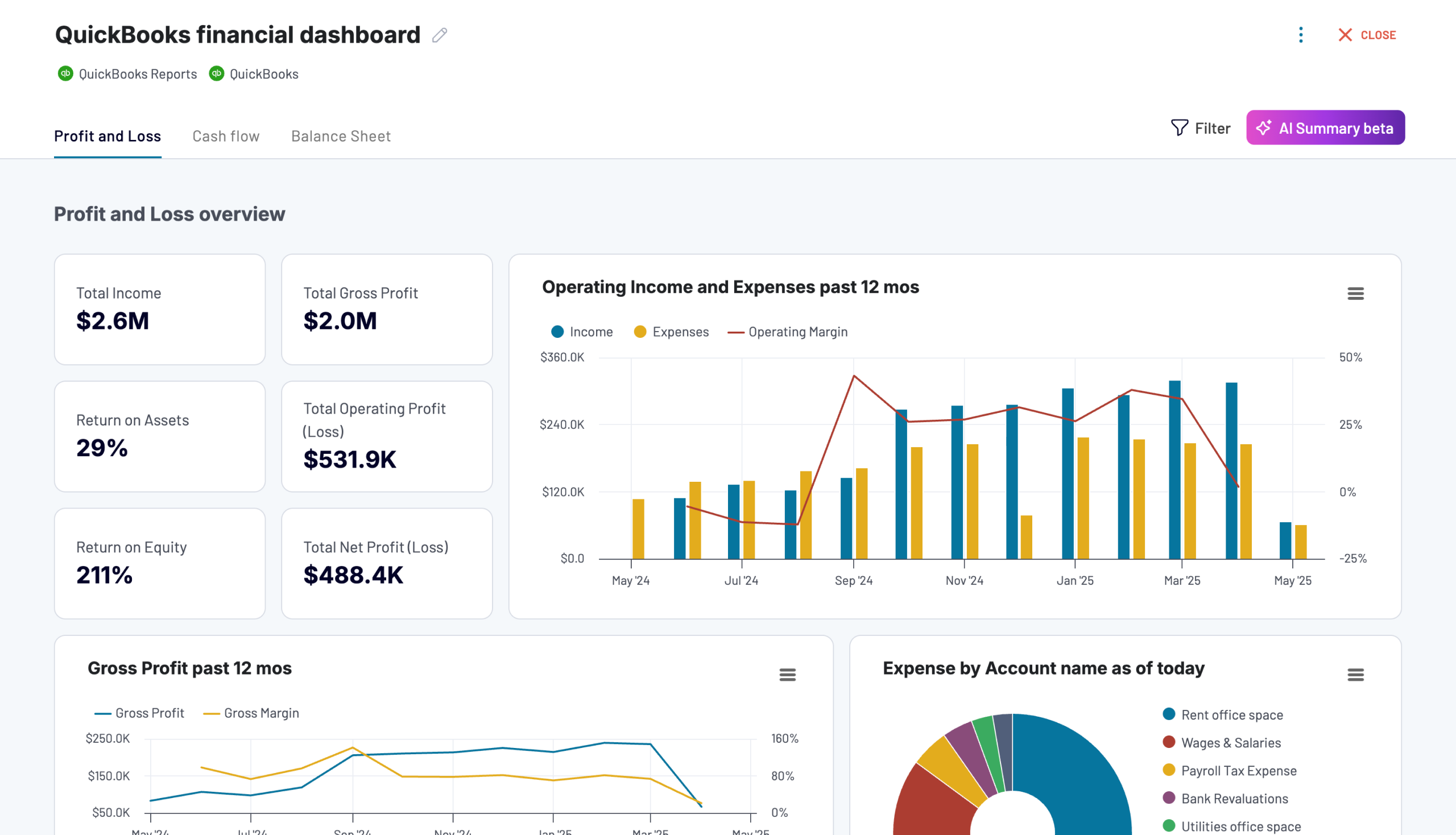 +0
+0

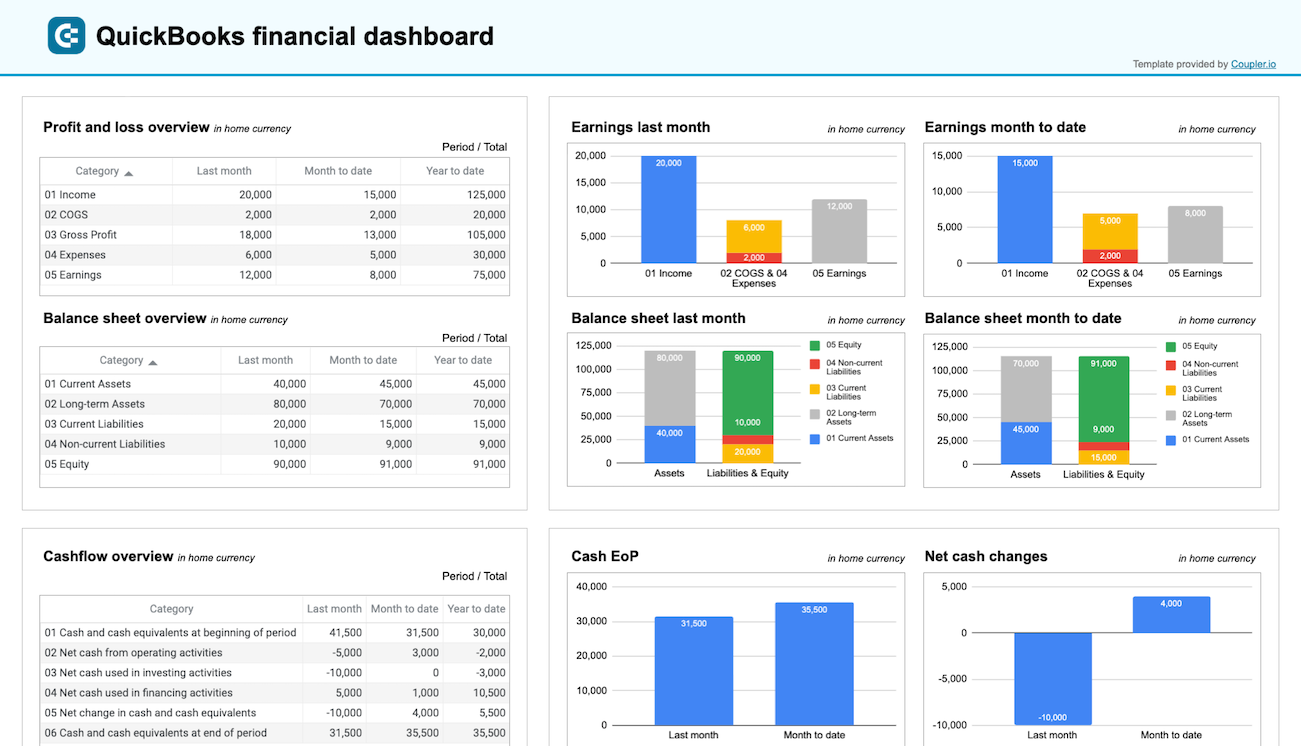 +0
+0

about your case. It doesn't cost you a penny 😉
Talk to AI about your QuickBooks data
Skip external setup entirely with Coupler.io's AI Agent. Ask a question about your QuickBooks data in plain language. The Analytical Engine does the query work, validates results, and returns a verified answer on the spot. No MCP server configuration, no MCP tool setup. Just a question and a data-backed response.
Examples of questions you can ask about QuickBooks data:
- "What are my total outstanding receivables right now, and which five customers owe the most?"
- "Compare revenue and expenses month over month for the last four quarters and flag any month where the billing process generated more credit notes than usual."
- "Which vendors account for the largest share of my expenses this year, and how does their spend compare to last year?"
- "Show me my profit and loss summary for this financial year alongside cash flow from operations."





Your data is secured by industry standards
 SOC 2 Type II
Certified
 Google Cloud
Certified
 GDPR
GDPRCompliant
 HIPAA
HIPAACompliant
Connect data from QuickBooks to alternative destinations





