
Export ActiveCampaign to JSON
Build custom data pipelines and application integrations using structured JSON output. Connect ActiveCampaign to JSON with Coupler.io to feed marketing automation data into internal tools, webhook workflows, and third-party systems through a lightweight, developer-friendly format that fits any technology stack.


What data you can export from ActiveCampaign
-
ContactsContact records structured as JSON objects with profile fields, engagement scores, tag arrays, and custom attributes ready for ingestion by CRM sync tools, customer data platforms, or personalization engines.
-
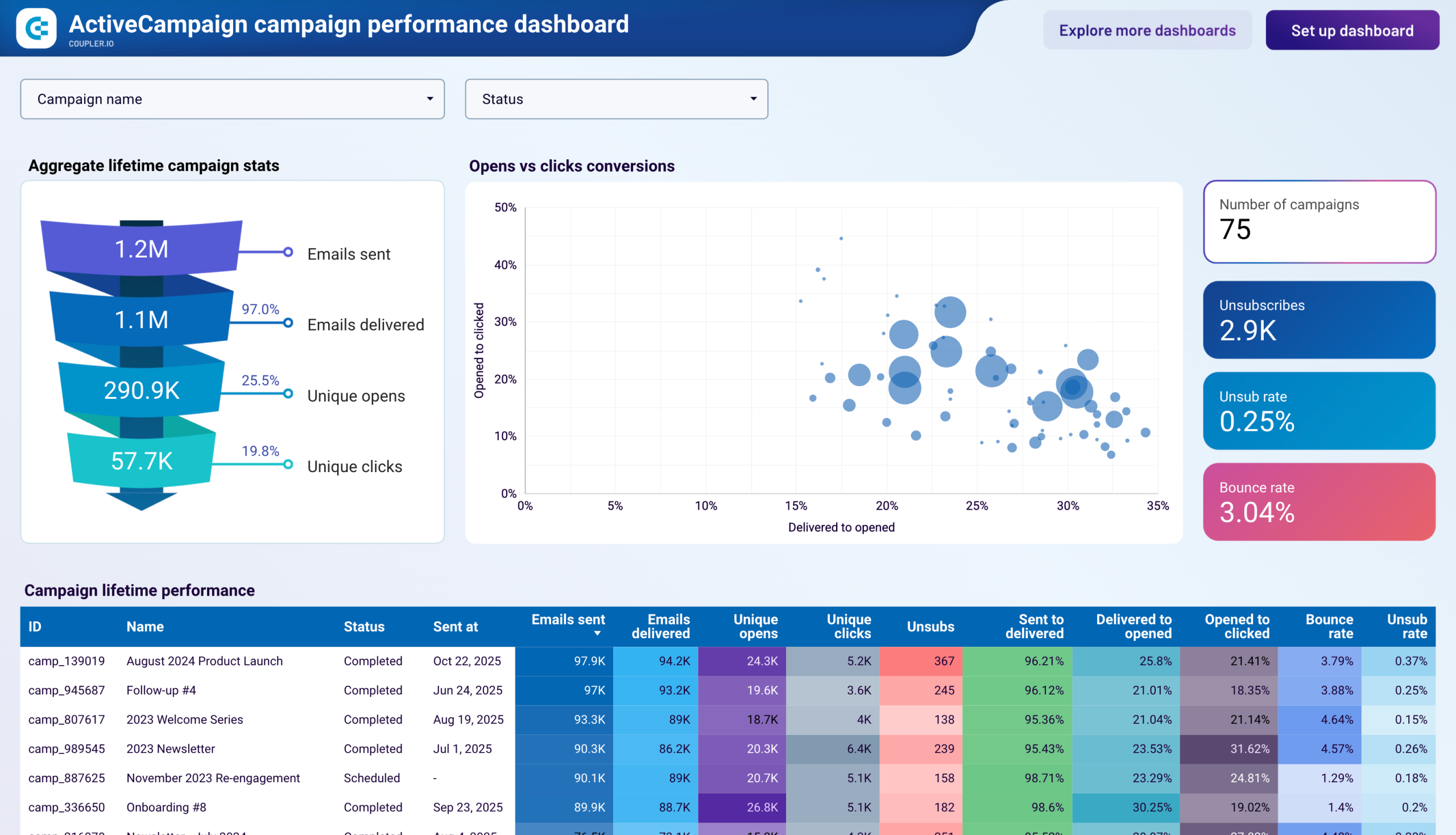
CampaignsEmail campaign data formatted as JSON with delivery metrics, engagement statistics, and scheduling details for feeding performance dashboards, alerting systems, or cross-platform reporting pipelines.
-
DealsPipeline records in JSON format with stage positions, monetary values, contact associations, and timestamps for consumption by revenue tracking tools, forecasting models, or sales automation workflows.
-
ListsSubscription list structures with member counts, creation dates, and configuration details as JSON objects for synchronizing audience definitions across marketing tools and custom application databases.
-
AutomationsWorkflow configuration and performance data in JSON format with trigger definitions, step sequences, and completion metrics for automation monitoring tools and operational health dashboards.
-
SegmentsAudience segment definitions with membership criteria, contact counts, and behavioral filters exported as JSON for replicating targeting logic in external systems or validating segmentation consistency across platforms.
-
TagsContact classification records as JSON arrays with tag names, application counts, and category mappings for maintaining consistent labeling across integrated systems and enabling cross-platform audience grouping.
-
FormsLead capture form data in JSON format with submission metrics, field definitions, and conversion statistics for feeding lead management pipelines, A/B testing frameworks, or form analytics platforms.
All-in-one tool for ActiveCampaign data exports and analytics
Extract campaign metrics, contact records, and deal data from ActiveCampaign, then combine with information from advertising platforms, support systems, or billing tools to produce enriched JSON payloads ready for downstream applications and integration workflows.

Shape ActiveCampaign records into clean, well-structured JSON with consistent field naming, proper data types, and logical nesting that simplifies parsing in receiving applications and reduces the transformation work required by development teams.

Keep JSON outputs up to date with scheduled exports ranging from 15-minute to monthly intervals. Ensure downstream systems and custom applications always consume fresh ActiveCampaign data without manual trigger scripts or cron job maintenance.

Supplement your technical integrations with Coupler.io AI destinations. Ask questions about your ActiveCampaign data in plain language to validate assumptions, explore patterns, and inform integration design decisions before committing to code.

Why export ActiveCampaign to JSON - real life cases

Custom application data feeds

Webhook-driven automation workflows

ETL pipeline integration

Third-party system synchronization
How to export ActiveCampaign to JSON
 30 seconds
30 seconds
10 seconds
30 seconds
30 seconds
30 seconds
10 seconds
Automate data exports with the no-code ActiveCampaign JSON integration
Connect similar CRM apps and get data in minutes


Quick start with dashboard templates
 +0
+0





 +0
+0




 +3
+3
about your case. It doesn't cost you a penny 😉
Talk to AI about your ActiveCampaign data
Examples of questions you can ask about ActiveCampaign data:
"What are the most common data patterns in our contact records that we should account for in our integration schema?"
"Which campaign metrics change most frequently and would benefit from shorter refresh intervals in our pipeline?"
"Identify relationships between deal stages and contact engagement that we should model in our application"
"Suggest how we should structure our data sync priorities based on which ActiveCampaign entities update most often"





Your data is secured by industry standards
 SOC 2 Type II
Certified
 Google Cloud
Certified
 GDPR
GDPRCompliant
 HIPAA
HIPAACompliant
Export data from ActiveCampaign to alternative destinations





