
Typeform to Data Studio (formerly Looker Studio) Integration
Connect Typeform to Data Studio with Coupler.io to have a better overview of your customer base. Take ready-to-use dashboard templates for Data Studio and populate them with data automatically. Collect and organize data with no coding in the unified interface.


Connect Typeform to Data Studio with Coupler.io to simplify reporting

Get and prepare data effortlessly
To import data from Typeform to Data Studio and elaborate on it for reporting and analysis use Coupler.io. Enjoy the zero-code built-in solutions for data extraction and transformation. Get outstanding support for designing data pipelines.

Automate reporting tasks
Automate the Typeform to Data Studio integration by Coupler.io to streamline reporting. Indicate times at which Data Studio should be populated with data from Typeform and other sources. Build multi-app reports for a comprehensive view of your customer opinions.

Stand out as a data-driven expert
The Typeform to Data Studio integration greatly contributes to the quality and accuracy of data analysis. Share digestible results with your stakeholders to describe your customer behaviors and preferences at a glance with Coupler.io.
How to integrate Typeform to Data Studio (detailed guide)
With Coupler.io, the Typeform to Data Studio integration becomes as easy as ABC. You can connect Typeform to the reporting program just in a few clicks within a unified interface. All you have to do is log into your Coupler.io account, create an importer, and proceed with the steps below.
Step 1: Collect data
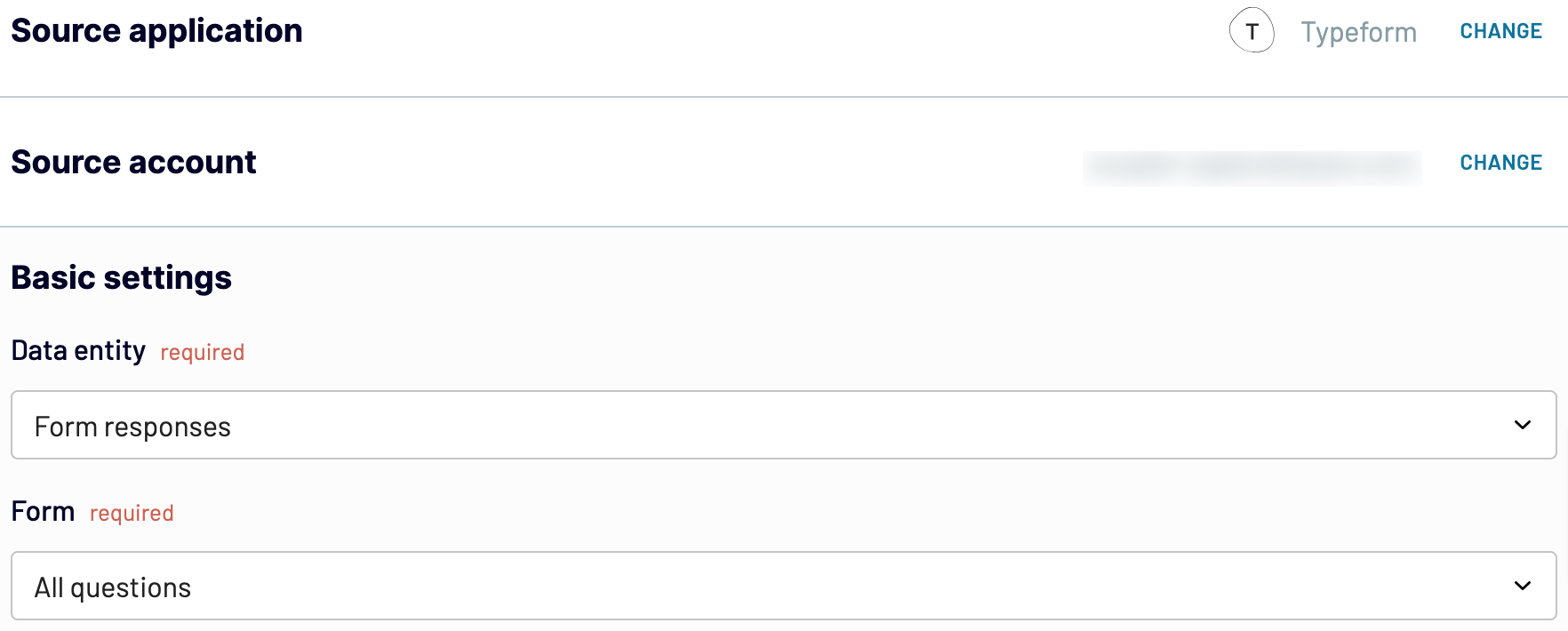
Connect your Typeform account to Coupler.io by providing all the requested credentials. Afterward, select the data type and form for export. Choose those data categories that make sense for your reporting tasks.
Once you have configured the source connection, proceed to the Transformation step.
Step 2: Organize and transform data
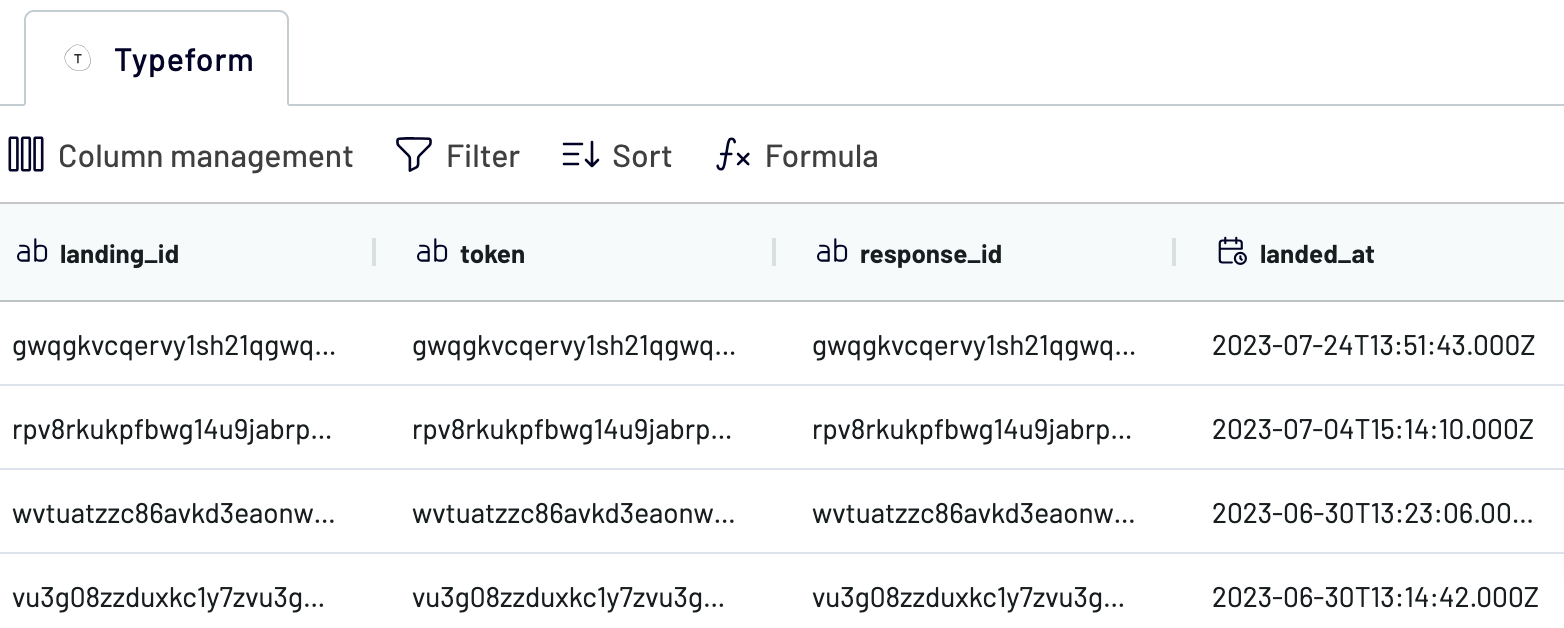
Coupler.io generates the preview of the Typeform data that you have selected during the previous step. This is necessary to check whether the right data was chosen for analysis and apply any changes if necessary. You can also transform and modify data before you export Typeform to Data Studio. Here is what Coupler.io offers for data organization and management:
Step 3: Load and schedule refresh
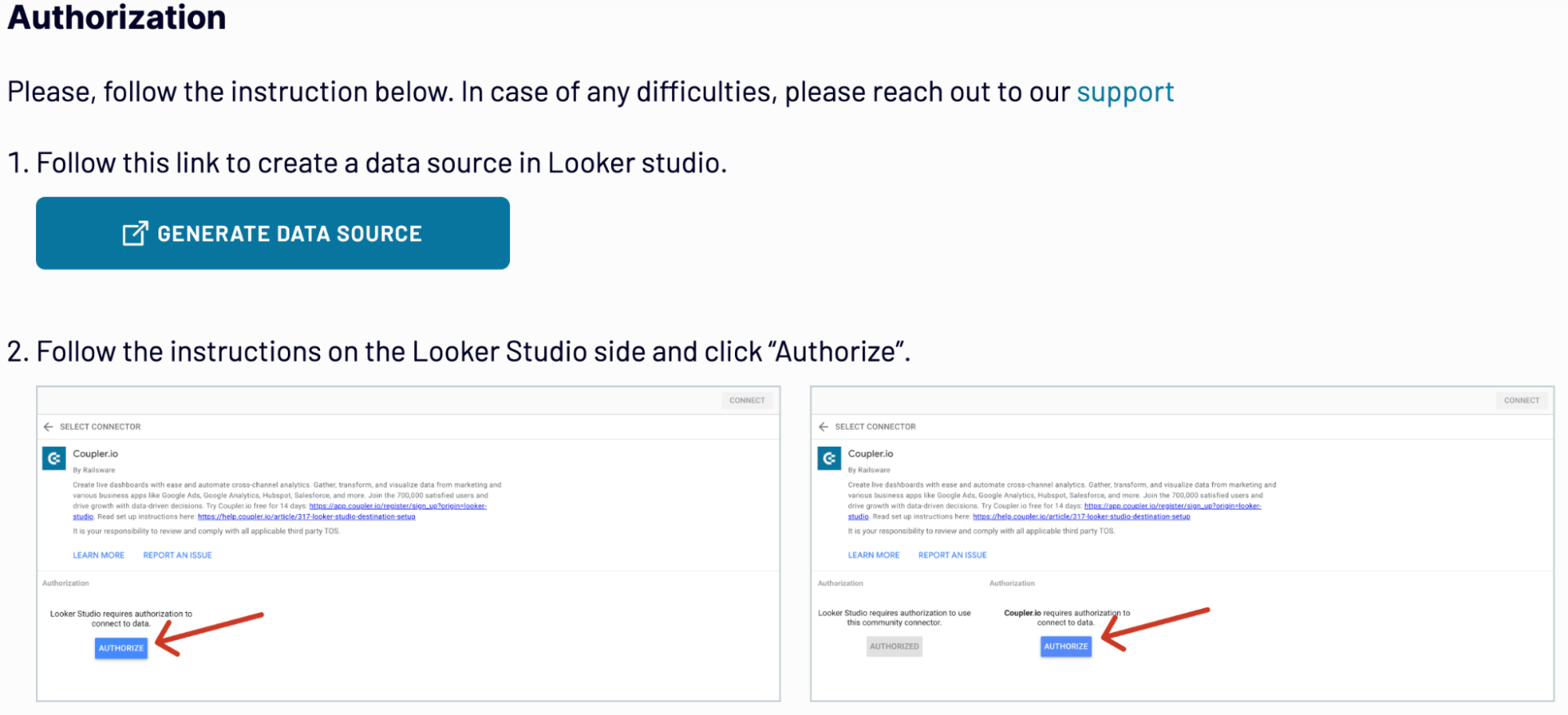
To import data from Typeform to Data Studio, authorize the connector and follow the in-app instructions in the Destination tab. Once the connection is established, click Create Report.
Save and run the importer to initiate the Typeform Data Studio integration.
See whether you want to populate your reports regularly with data by activating the Automated data refresh option.
Step 1: Collect data
Connect your Typeform account to Coupler.io by providing all the requested credentials. Afterward, select the data type and form for export. Choose those data categories that make sense for your reporting tasks.
Once you have configured the source connection, proceed to the Transformation step.
Step 2: Organize and transform data
Coupler.io generates the preview of the Typeform data that you have selected during the previous step. This is necessary to check whether the right data was chosen for analysis and apply any changes if necessary. You can also transform and modify data before you export Typeform to Data Studio. Here is what Coupler.io offers for data organization and management:
- Filtering. Apply filters to focus only on the relevant data.
- Sorting. Pick up the sorting criteria to order your dataset.
- Column hiding. Remove those columns from the view that make no sense for reporting and analysis.
- Reorder columns. Change the column sequence in the dataset to design the layout for reporting.
- Add columns. Create customer columns with new metrics based on the mathematical calculations.
- Append columns. When combining data from several sources, append columns from different datasets.
Step 3: Load and schedule refresh
To import data from Typeform to Data Studio, authorize the connector and follow the in-app instructions in the Destination tab. Once the connection is established, click Create Report.
Save and run the importer to initiate the Typeform Data Studio integration.
See whether you want to populate your reports regularly with data by activating the Automated data refresh option.
Export Typeform to Data Studio on a schedule
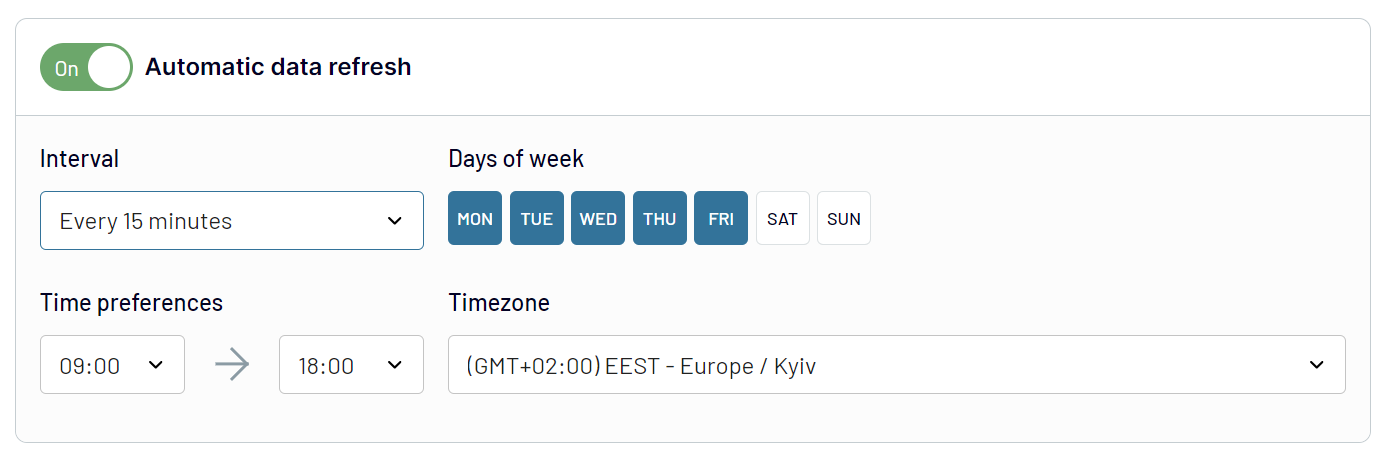
Take your Typeform to Data Studio integration to the next level by activating the Automatic data refresh option. Make sure your reports are regularly populated and get meaningful insights into your customer opinions. You can select the refresh interval that meets your reporting needs. The available options range between 15 minutes and one month. Furthermore, you can set specific days and time preferences for refreshments. All this greatly helps to maintain up-to-date dashboards that help to make informed decisions.
Export data from Typeform to alternative destinations


Quick start with dashboard templates
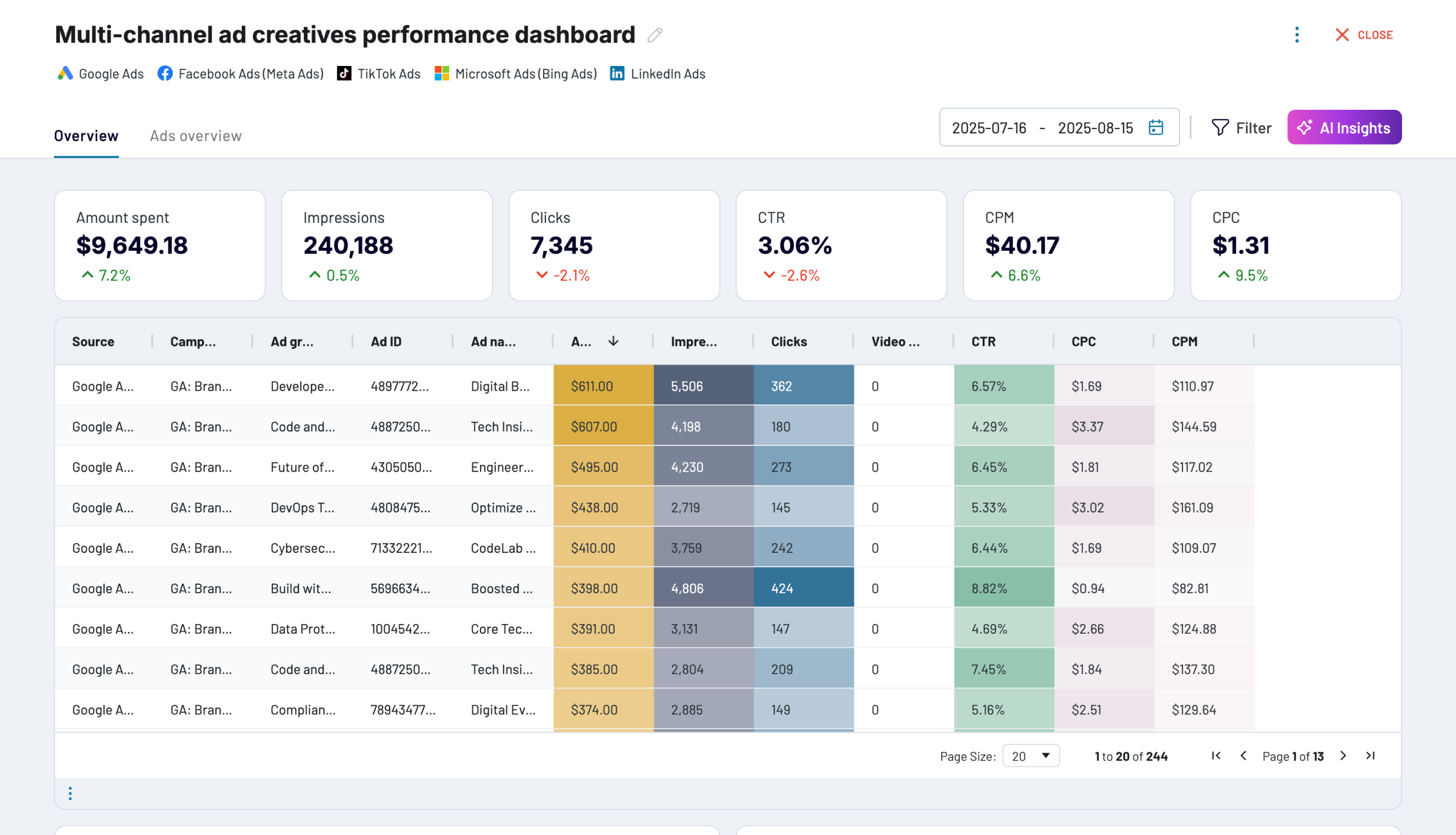
Multi-channel ad creatives performance dashboard


 +0
+0


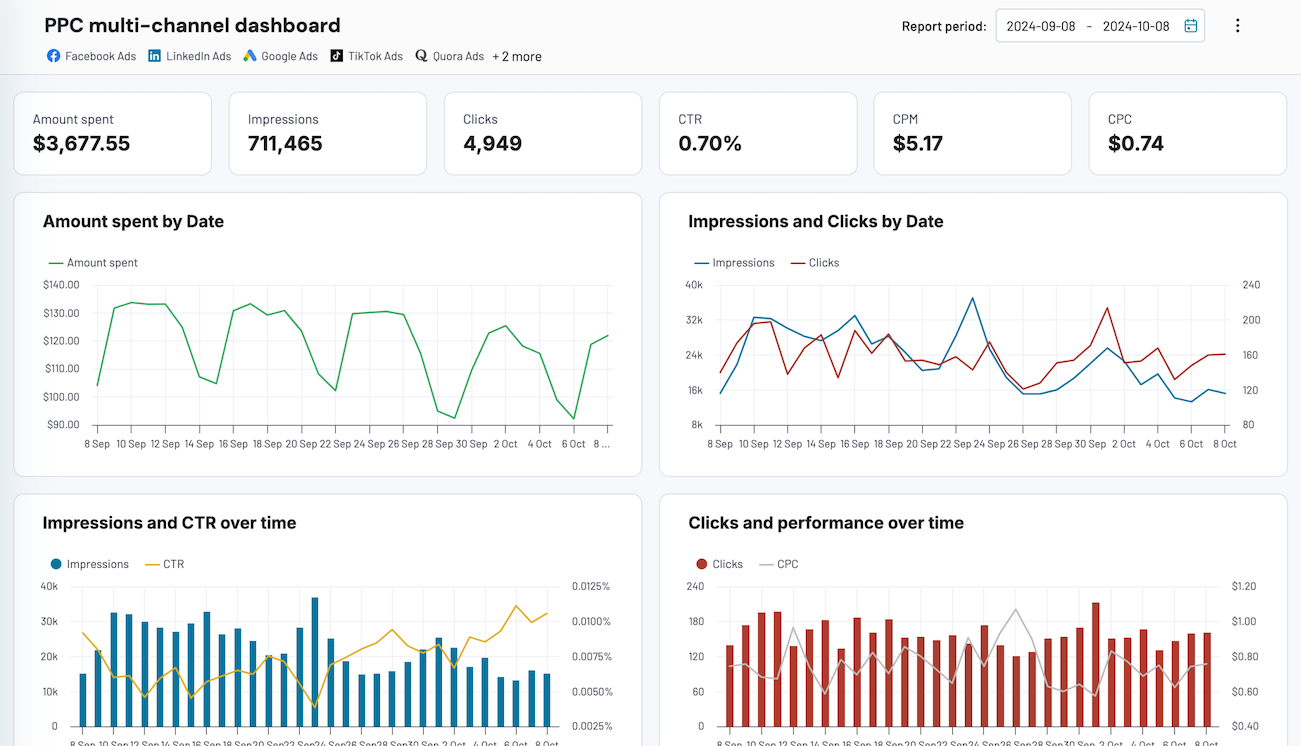
PPC multi-channel dashboard


 +4
+4
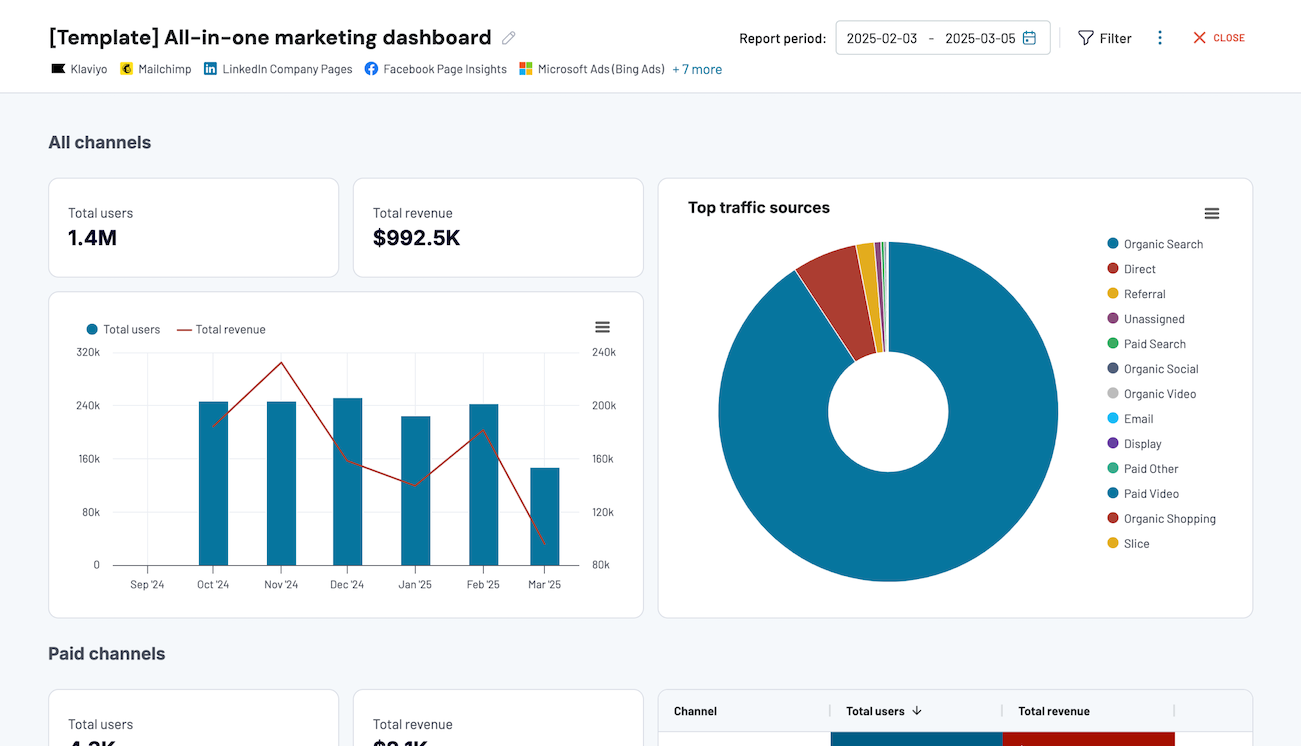
All-in-one marketing dashboard


 +7
+7
No such template is available yet.
No worries. Our team will create a template that fits your needs, just tell us more
about your case. It doesn't cost you a penny 😉
Request a custom report
about your case. It doesn't cost you a penny 😉
Export Typeform to Data Studio automatically with just a few clicks.


What to export from Typeform to Data Studio

List of Forms
This data contains all the forms with your Typerform surveys. Having the full list of forms at hand helps to get an overview of the customers’ opinions. Connect Typeform to Data Studio to visualize form data and get instant insights from it.
Form Responses
This covers all the detailed information and answers provided by the respondents on the Typeform forms. By analyzing this data in Data Studio, you can get valuable information about user behavior and preferences. Evaluate feedback and understand trends promoting smart decisions.
Form Summary
The number of total responses, completion rates, and average time spent are the core metrics of the form summary. By analyzing this data, you will obtain a high-level overview of your survey performance. Based on the obtained insights, measure survey effectiveness and find the points for improvement.
Payment
This data includes transaction accounts, timestamps, and payment methods associated with your Typeform surveys. Use these data to ensure accurate financial reporting and make a thorough analysis. This will help you to manage allocated survey budgets properly.
Contact Info
This data contains respondents’ names, phone numbers, and emails. This data could be integrated into customer management platforms and analyzed in Data Studio. That way, you can discover from which countries your customers come by grouping the phone codes.
Date
This is the information about the survey submission date and times, events dates, and so on. By importing this data from Typeform to Data Studio, you can make a chronological analysis of your survey. That way, discover how trends and customer preferences change over time.
Address
This data contains information on respondents’ city of residence, state, postal codes, and street address. Connect Typeform to Data Studio for a detailed analysis of your audience geography. Use the obtained insights for content target strategies and logistics planning.
Website
This data comprises website URLs shared by your respondents. Analyze this data to understand the digital presence of your audience. That way, you can enhance your online engagement strategies.
How do you connect Typeform to Data Studio?
Step 1. Connect your Typeform account and choose the data entity to export
30 seconds
Step 2. Organize and transform data before loading it into Data Studio
30 seconds
Step 3. Authorize the connector and import data by following the in-app instructions
30 seconds
Step 4. Schedule auto-refreshes to export Typeform to Data Studio at desired intervals
10 seconds
Pricing plans
- Monthly
- Annual (save 25%)
Your data is secured by industry standards
 SOC 2 Type II
Certified
 Google Cloud
Certified
 GDPR
GDPRCompliant
 HIPAA
HIPAACompliant
Don’t just take our word for it





Dramatically improved our reporting speed by about 60%. The interface is user-friendly, even for team members with no technical background.
Helped solve data processing issues, and customer service is 10/10. It is extremely easy to use, and allows us to extract data from multiple sources.



