
Pinterest Ads dashboard examples and reporting templates
Optimize your visual content strategy with automated Pinterest Ads dashboard templates that consolidate campaign data from Pinterest's advertising platform. Monitor pin engagement, track video performance, analyze cost efficiency, and make data-driven decisions based on scheduled insights from your Pinterest advertising account.
Pinterest Ads dashboard examples for every need
 +0
+0


 +0
+0



 +4
+4


 +4
+4
 +4
+4
 +4
+4
 +1
+1
 +1
+1
 +5
+5
 +5
+5

 +6
+6
 +5
+5

 +6
+6
 +6
+6
 +4
+4
 +3
+3
 +2
+2
 +4
+4
 +4
+4
 +4
+4
 +3
+3
 +4
+4
 +5
+5
about your case. It doesn't cost you a penny 😉
Choose your white label Pinterest Ads dashboard to kick off
What is a Pinterest Ads dashboard?
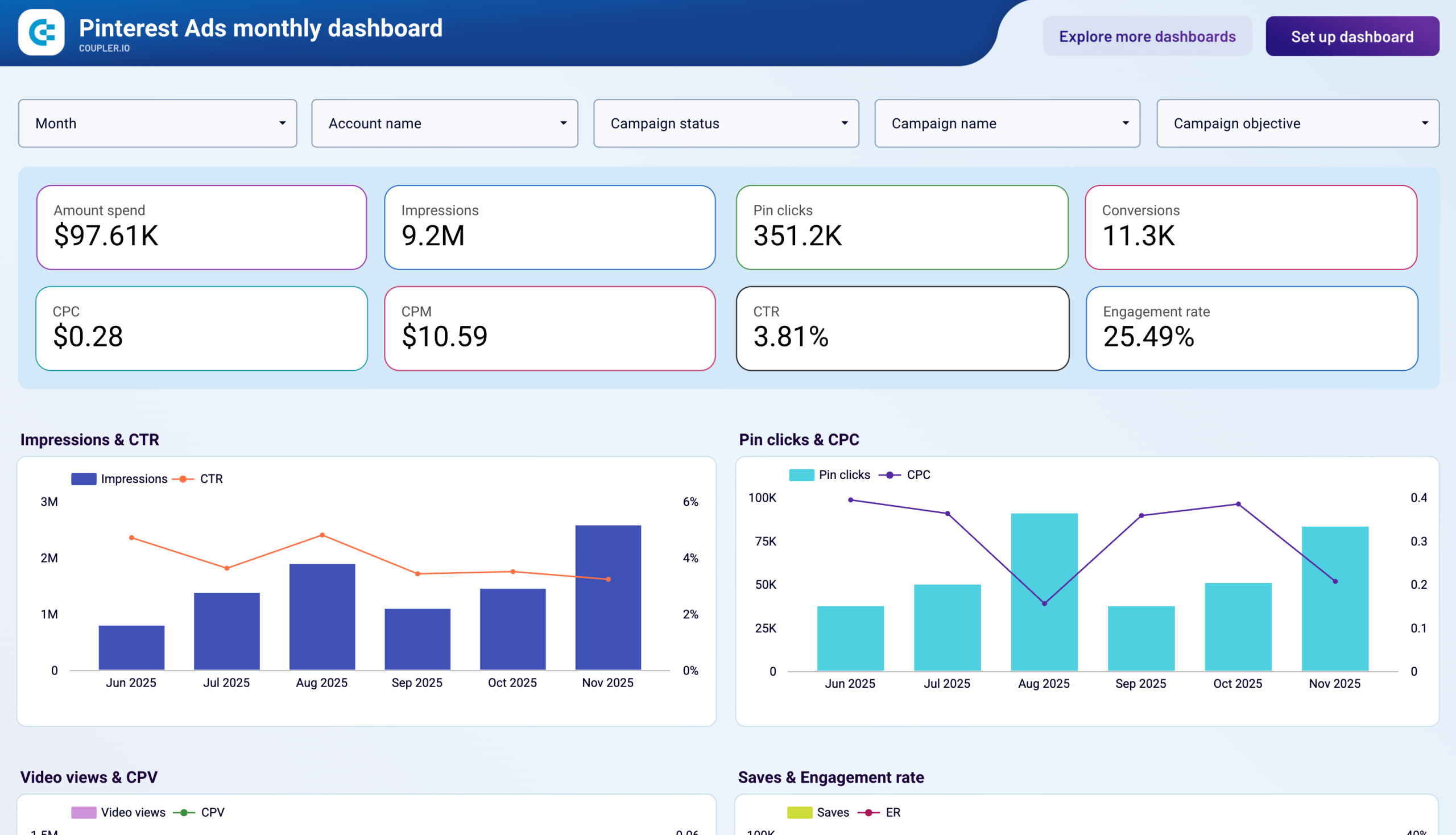
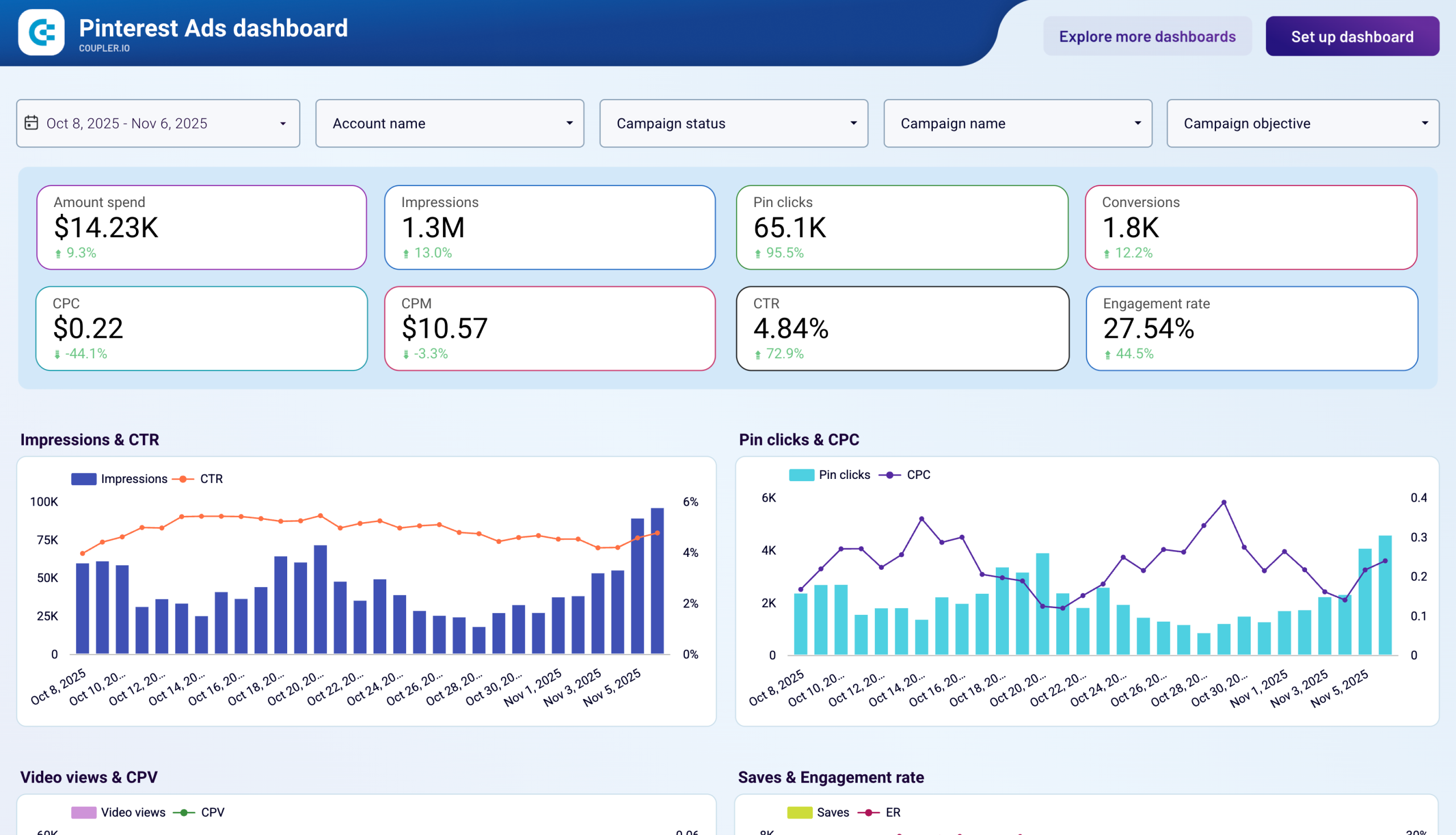
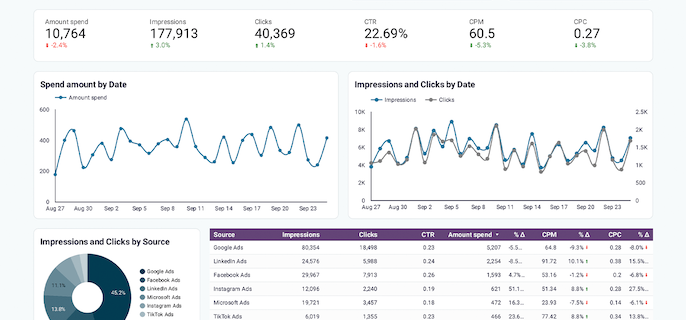
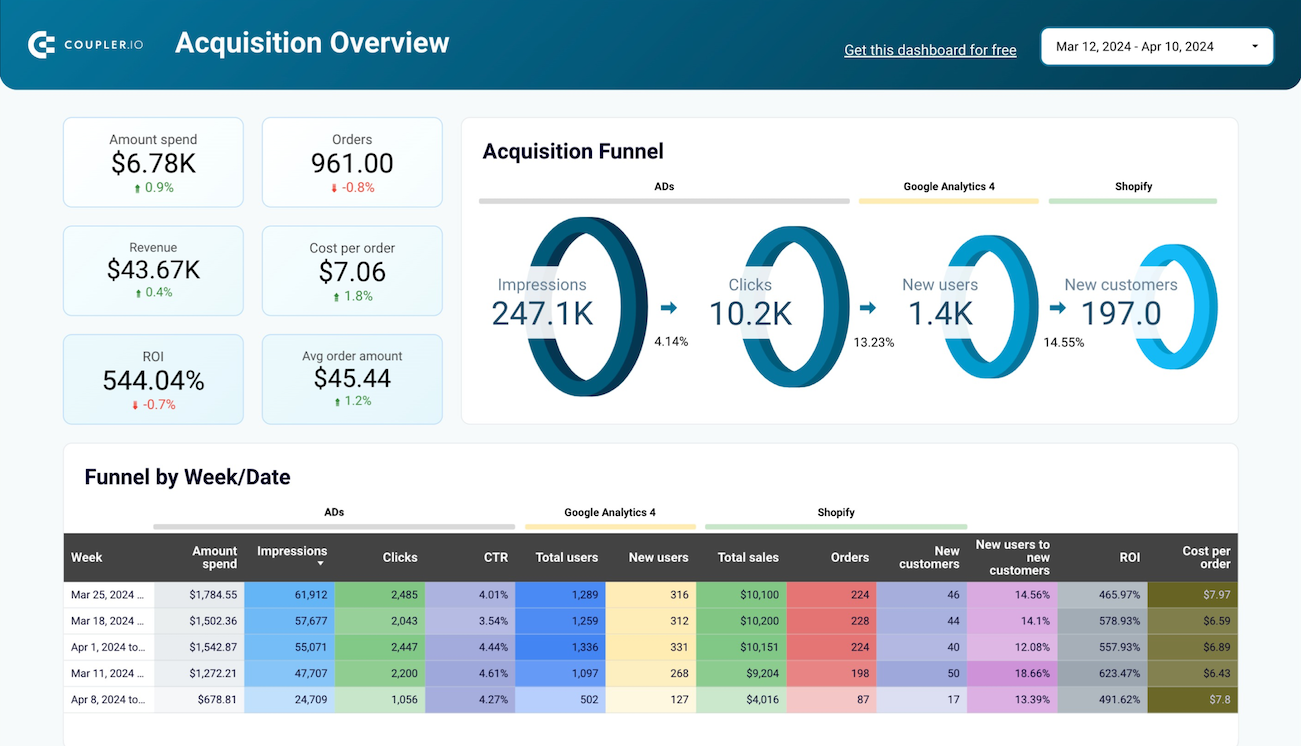
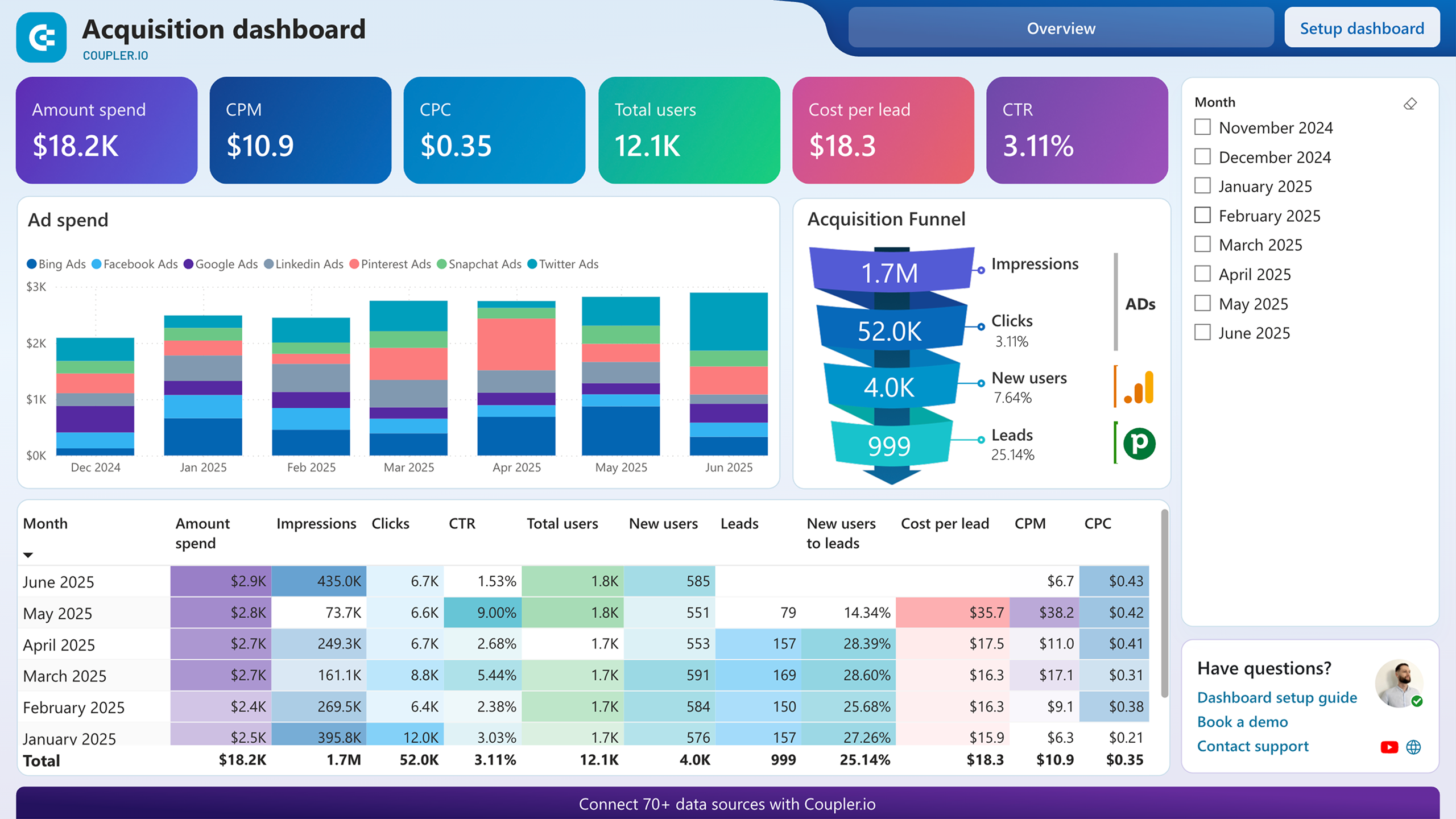
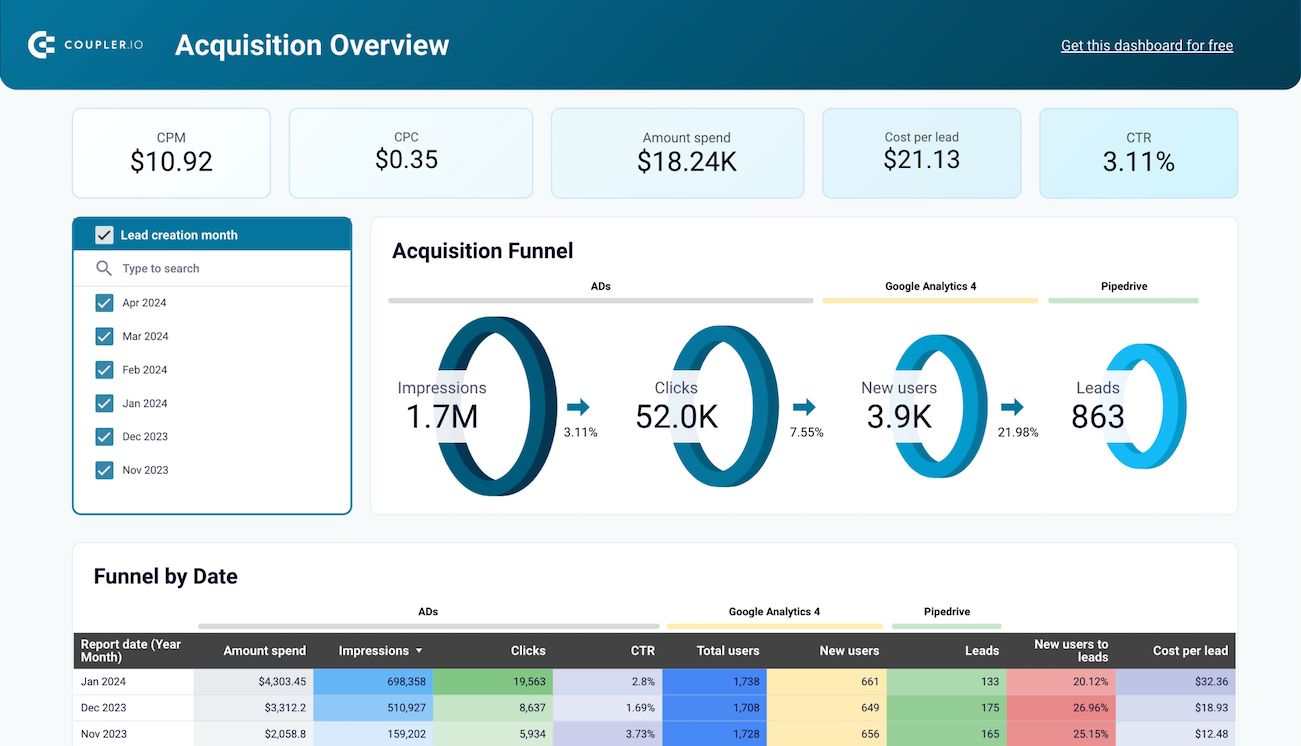
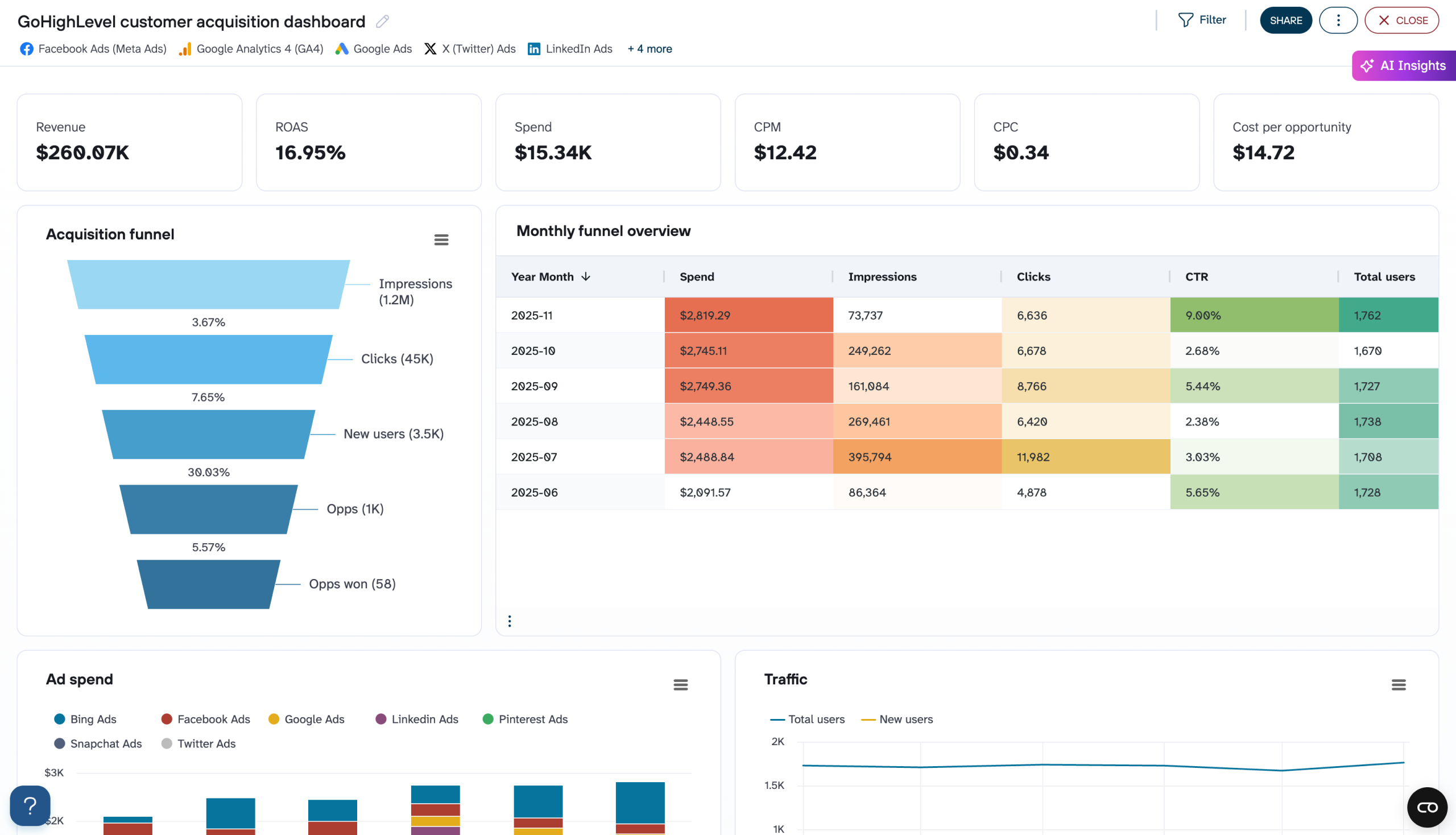
The dashboard consolidates key metrics, including amount spent, pin clicks, conversions, cost per click, cost per thousand impressions, click-through rate, engagement rate, video views, and saves into visual reports that enable faster optimization decisions. With automated data refreshing through Coupler.io, your Pinterest Ads analytics dashboard ensures you're always working with up-to-date campaign information without manual exports or data consolidation from Pinterest Ads Manager.

What reports should be included in Pinterest Ads dashboards?
Effective Pinterest Ads reporting dashboards should include several core report types that provide complete visibility into campaign performance. Based on our analysis of Pinterest advertising data, we recommend incorporating these four essential report categories.
The performance overview serves as the foundation for understanding your advertising effectiveness, tracking essential metrics like amount spent, impressions, pin clicks, conversions, cost per click, cost per thousand impressions, click-through rate, and engagement rate. This report includes period-over-period comparisons showing percentage changes from previous timeframes, helping you identify performance trends quickly. These scorecards enable rapid assessment of campaign momentum and provide immediate visibility into whether your advertising investment is improving or declining in efficiency, making them critical for daily monitoring.
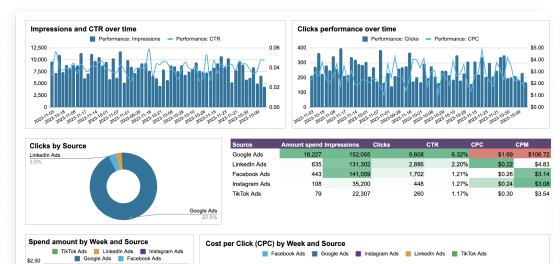
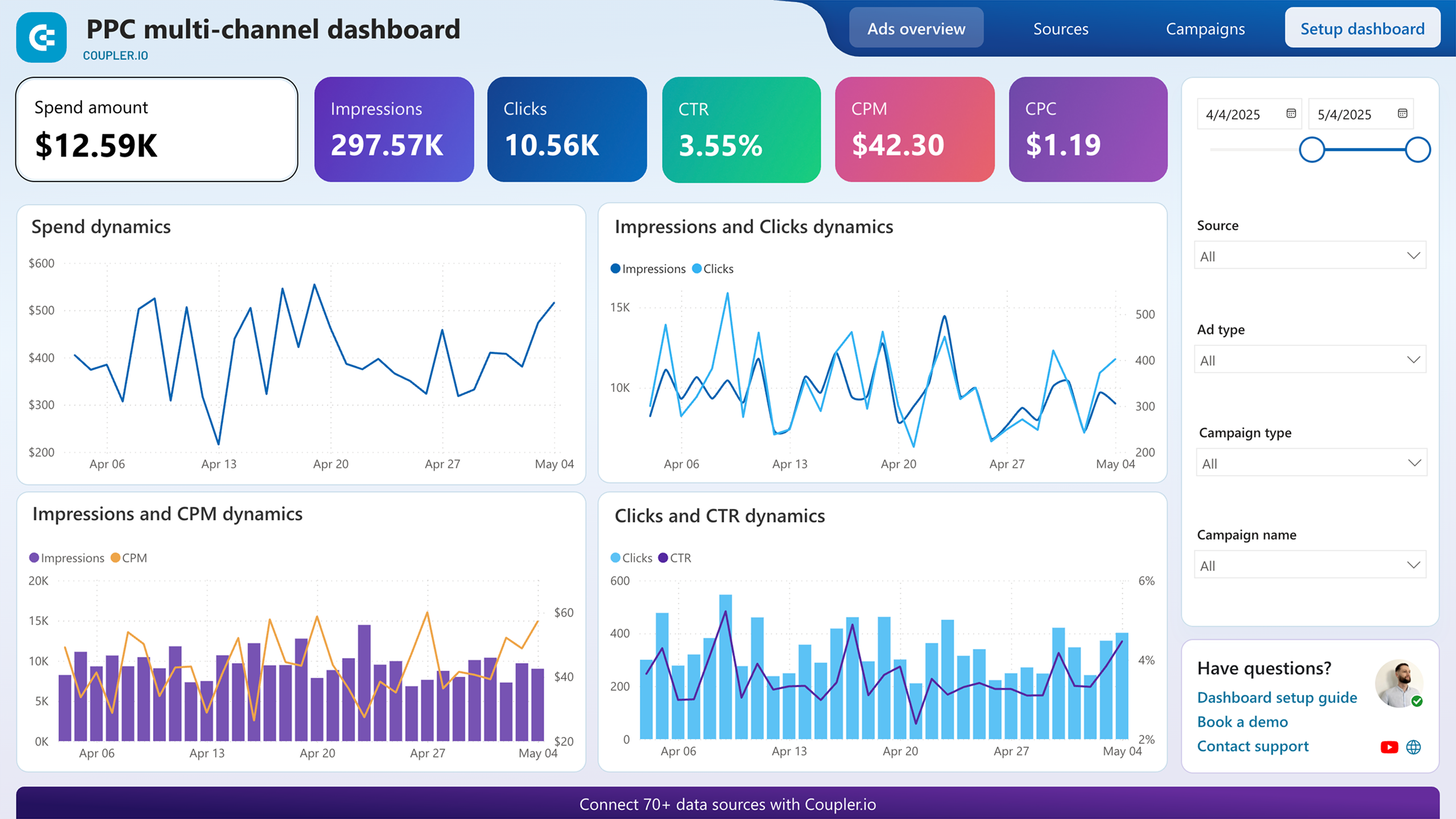
Trend analysis reports track multiple interconnected metrics over time to reveal relationships between advertising visibility, user engagement, and cost efficiency. These reports include visualizations showing impressions alongside click-through rates, pin clicks paired with cost per click, video views tracked with cost per view, and saves displayed with engagement rates. By presenting these metrics in parallel, the Pinterest Ads dashboard reveals patterns such as when high impression volumes translate into meaningful engagement, how video content performs relative to static pins, and which periods deliver optimal cost efficiency across different engagement types.
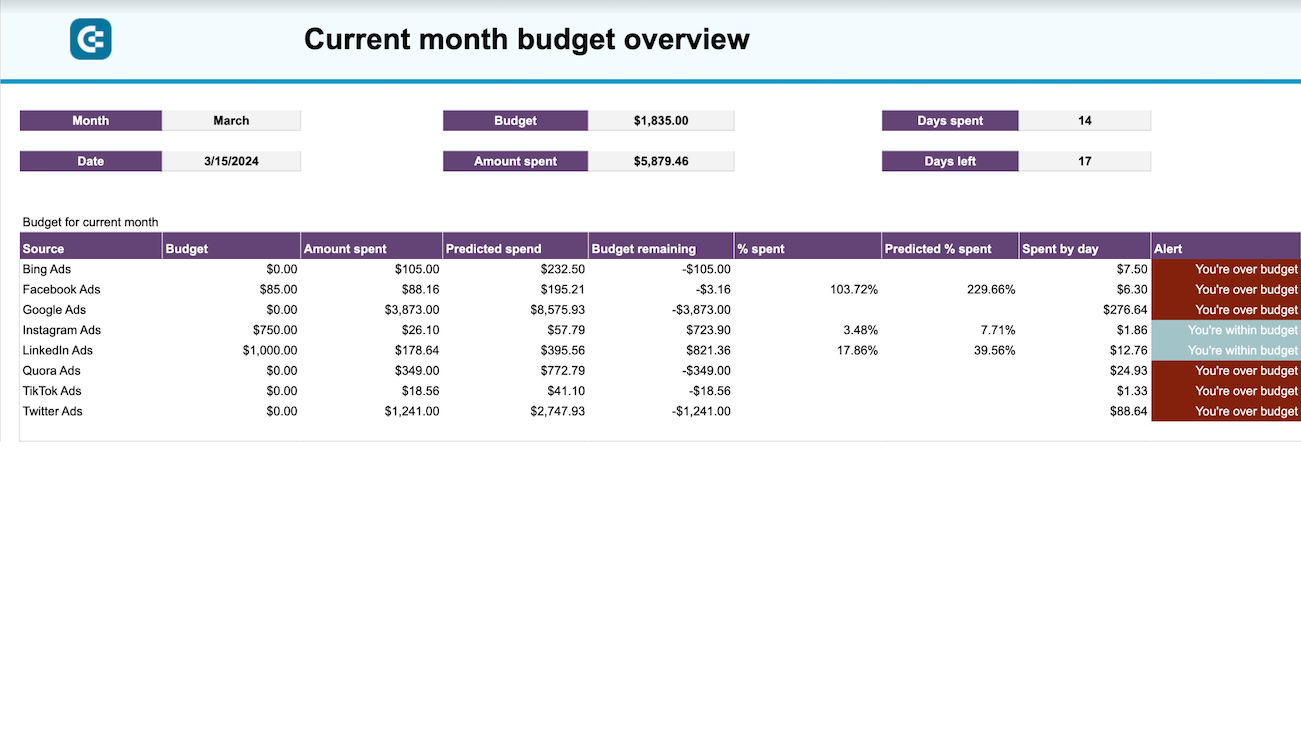
Budget reports combine spending pattern analysis with campaign performance rankings to guide investment decisions. The spend dynamics component displays daily or monthly advertising investment fluctuations, revealing how budget allocation shifts over time. Campaign ranking tables identify top performers based on metrics like pin clicks or conversions, enabling comparison across all active campaigns. Together, these elements help determine which campaigns deserve increased budget and where reallocation would improve overall portfolio performance, supporting strategic decisions about scaling successful initiatives.
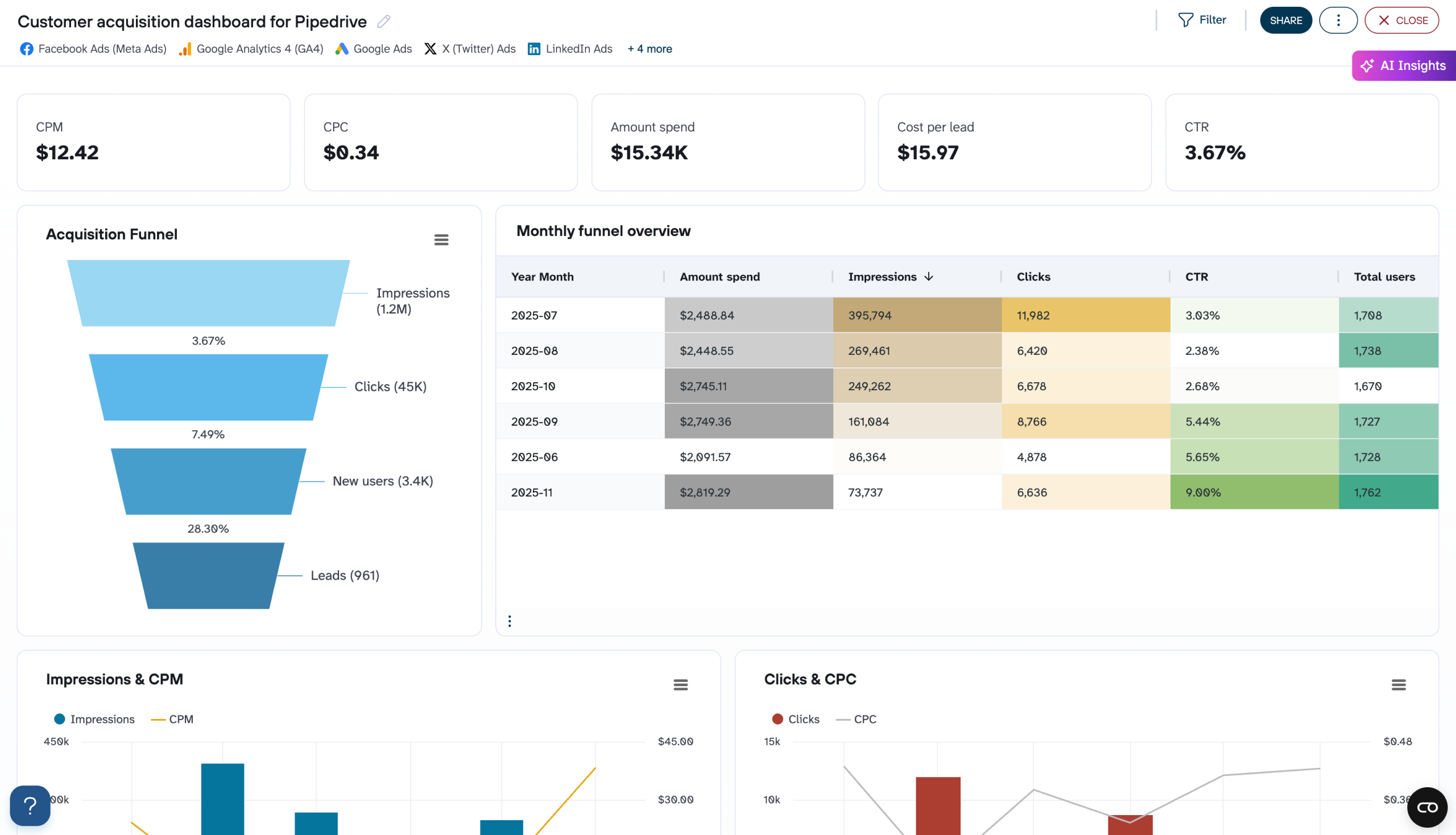
Comprehensive campaign tables provide granular data necessary for optimization at the individual campaign level. These reports include complete metrics for each campaign: campaign status, amount spent, impressions, cost per thousand impressions, pin clicks, click-through rate, cost per click, outbound clicks, cost per outbound click, video views, cost per view, saves, and conversions. This detailed view enables direct campaign-to-campaign comparison and identification of specific optimization opportunities, such as campaigns with high engagement but low conversion rates or campaigns with strong performance metrics but limited scale.
What insights you can get with the Pinterest Ads dashboard

Compare complete performance metrics across all active campaigns to identify which targeting and creative combinations deliver superior results. When campaigns with similar budget levels show dramatic differences in pin clicks, cost per click, and click-through rates, you can pinpoint the specific elements driving success. Campaigns achieving higher engagement at lower costs reveal proven approaches worth replicating, while those consuming budget without proportional results signal immediate optimization needs or candidates for pausing.
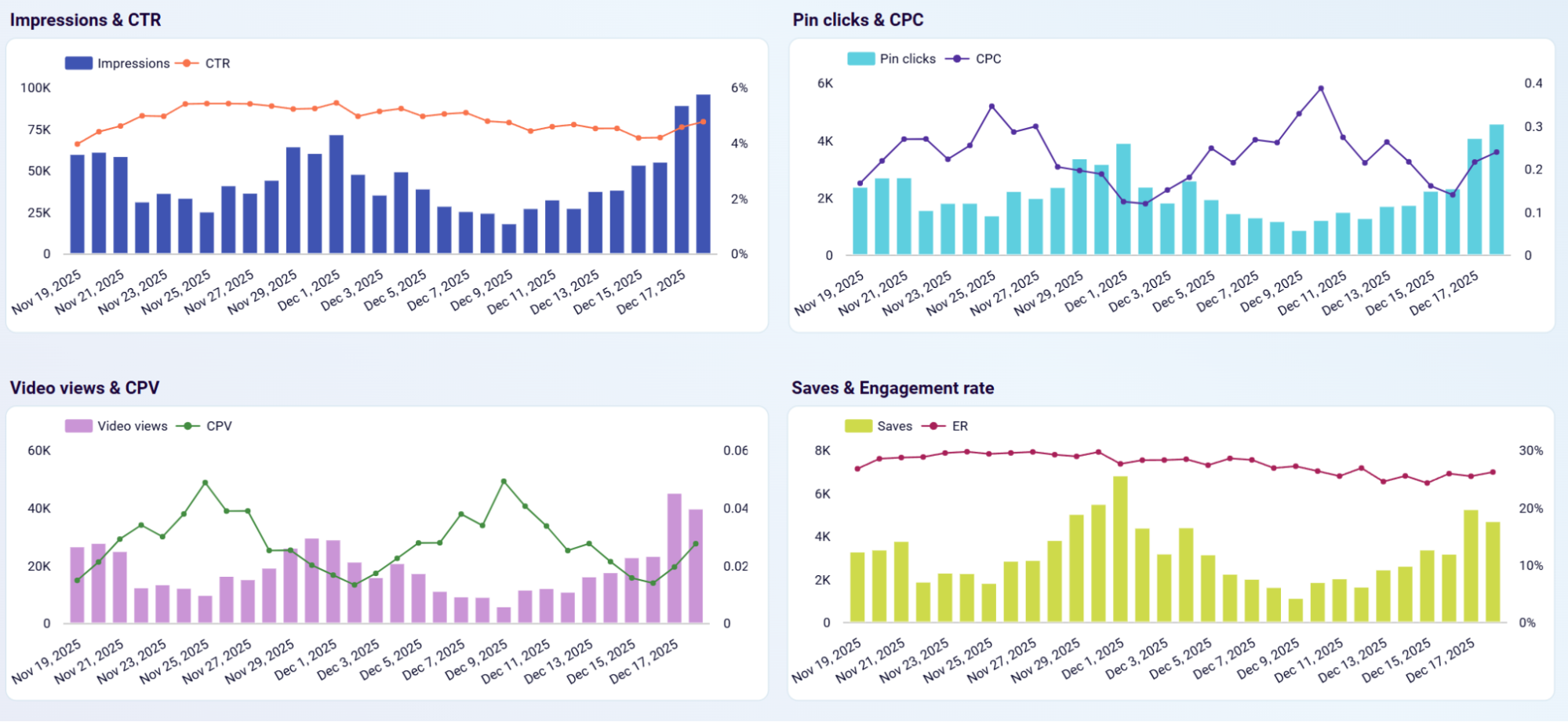
Understand how visibility translates into engagement and identify cost efficiency patterns by tracking impressions alongside click-through rates, pin clicks paired with cost per click, video views with cost per view, and saves with engagement rates over time. When impression volumes spike but click-through rates remain flat, your creative may be reaching audiences with low purchase intent. When cost per click rises while engagement rates decline, competitive pressure or creative fatigue may be reducing campaign effectiveness and signaling the need for targeting adjustments or creative refresh.
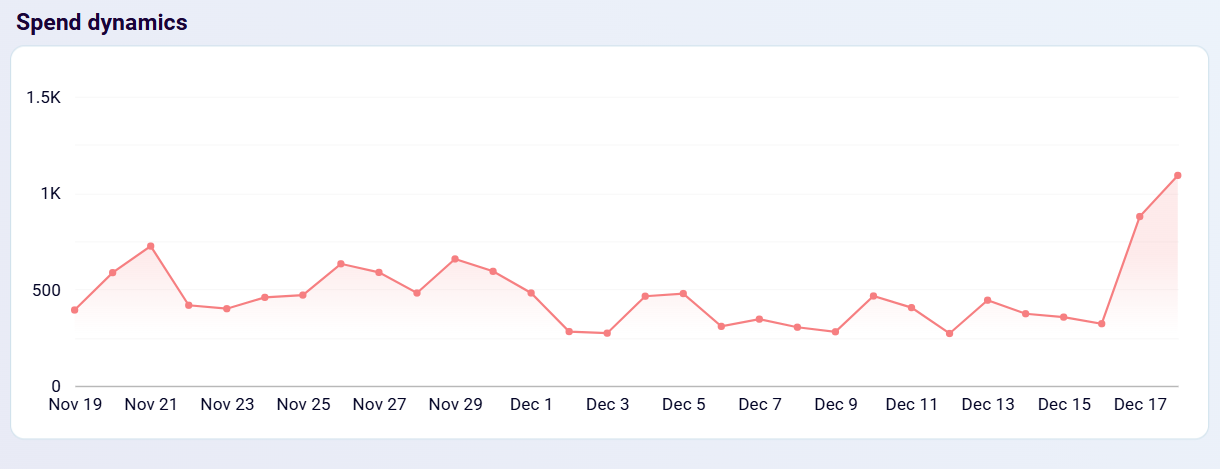
Determine where your advertising investment produces the strongest results by analyzing spending patterns alongside campaign performance rankings. If daily spend increases during periods when top-performing campaigns maintain consistent click volumes, additional budget may be flowing to lower-efficiency campaigns. When campaigns generating the highest pin click volumes receive disproportionately small budget shares, reallocation opportunities exist to improve overall portfolio performance by investing more in proven winners.
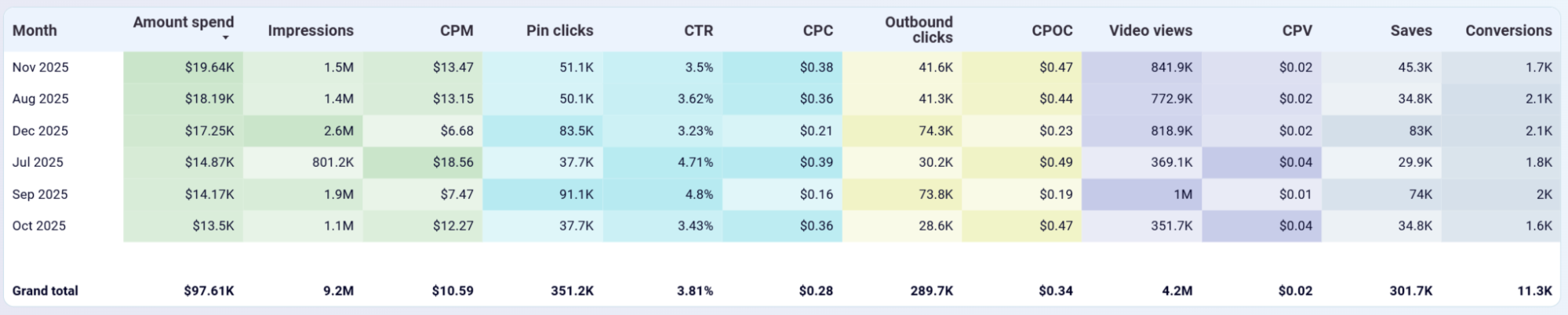
Recognize how advertising costs and engagement fluctuate across months to optimize budget allocation throughout the year. When certain months deliver substantially more pin clicks at lower cost per click despite higher overall spend, those periods represent prime opportunities for increased investment. Months showing significantly lower video costs per view with higher view volumes reveal optimal timing for video content campaigns, while periods with elevated costs and reduced engagement suggest when to scale back spending or shift budget toward more efficient channels.
How to create Pinterest Ads dashboards?

Metrics you can track with a Pinterest Ads dashboard template
Monitor total advertising investment across all campaigns and time periods, with breakdowns by individual campaign and daily or monthly aggregations. This metric provides visibility into budget consumption patterns and helps ensure spending aligns with planned allocations. Track this metric alongside performance indicators to assess return on ad spend and identify campaigns consuming disproportionate budget relative to their results.
Track the total number of times your promoted pins were displayed to Pinterest users, showing the reach and visibility of your advertising campaigns. Impressions data reveals how frequently your visual content appears in user feeds and search results. Analyze impression volumes alongside engagement metrics to understand whether your targeting reaches the intended audience and whether creative elements attract attention from those who see your ads.
Measure user interactions when Pinterest users click on your promoted pins to view enlarged images or additional details. Pin clicks indicate initial interest in your visual content and represent the first step in the conversion funnel. Compare pin clicks across campaigns to identify which creative approaches and targeting strategies generate the most engagement, and track cost per click trends to optimize bidding strategies.
Track actions taken by users after engaging with your Pinterest ads, including purchases, sign-ups, or other valuable behaviors defined in your conversion tracking. Conversions represent the ultimate measure of advertising effectiveness, showing which campaigns drive actual business results beyond clicks and engagement. Analyze conversion data alongside spend metrics to calculate return on ad spend and identify campaigns delivering profitable results.
Monitor the average amount paid each time a user clicks on your promoted pin, providing insight into bidding efficiency and competitive pressure. Cost per click fluctuations indicate changes in auction dynamics and targeting effectiveness. Track CPC trends over time to identify low-cost windows for campaign scheduling and compare CPC across campaigns to allocate budget toward the most cost-efficient initiatives.
Measure the cost to reach 1,000 Pinterest users with your advertising, showing the efficiency of generating visibility and brand awareness. Cost per thousand impressions reveals periods of high and low competitive pressure in the Pinterest advertising auction. Analyze CPM patterns to understand seasonal cost fluctuations and identify optimal timing for budget allocation when visibility costs are lower.
Calculate the percentage of impressions that result in pin clicks, indicating how compelling your visual content is to users who see it. Click-through rate serves as a key quality indicator for creative effectiveness and targeting accuracy. Compare CTR across campaigns to identify which visual approaches and audience segments produce the strongest engagement, and use this insight to inform creative strategy and audience optimization.
Track the percentage of users who interact with your pins through saves, clicks, or other engagement actions relative to total impressions. Engagement rate reveals how relevant and appealing your visual content is to the targeted audience beyond simple clicks. High engagement rates indicate strong content-market fit and often correlate with improved long-term campaign performance through platform algorithm benefits.
Monitor the number of times your video content was viewed by Pinterest users, showing the reach and consumption of video advertising assets. Video views indicate initial interest in your video content and help assess whether video format delivers value relative to static pin alternatives. Analyze video view volumes alongside cost per view to determine optimal investment levels for video content production and promotion.
Measure the average amount paid for each video view, providing insight into the efficiency of video advertising relative to other formats. Cost per view helps determine whether video content justifies its typically higher production costs through improved engagement or conversion rates. Compare CPV across video campaigns and against static pin costs to optimize format allocation based on true cost efficiency.
Track how many Pinterest users saved your pins to their boards for future reference, indicating strong interest and intent to act on your content later. Saves represent valuable engagement showing users see long-term relevance in your visual content beyond immediate interest. Analyze save behavior patterns to understand user journey dynamics and build retargeting strategies that capture conversions from users who saved pins but didn't convert immediately.
Measure clicks on links within your pins that direct users to external websites or landing pages, showing traffic generation effectiveness. Outbound clicks indicate users taking the next step beyond viewing pins, moving closer to conversion actions on your website. Track outbound clicks alongside conversions to understand how effectively your landing pages convert Pinterest traffic and identify campaigns driving the highest quality referral traffic.
Calculate the average amount paid for each click that directs users to your website or landing page, revealing the true cost of generating website traffic from Pinterest. Cost per outbound click provides a more accurate efficiency metric than standard cost per click for campaigns focused on driving off-platform actions. Compare CPOC across campaigns to identify which initiatives deliver website traffic most cost-effectively and optimize budget allocation accordingly.



