
Connect Pinterest Ads to Data Studio (formerly Looker Studio)
With Coupler.io's no-code integration, easily connect Pinterest Ads to Data Studio, automate data exports, and schedule updates. Collect your data, organize it according to your requirements, and deliver it to the destination for deep analysis.


Connect Pinterest Ads to Data Studio with Coupler.io to simplify reporting

Get and prepare data effortlessly
Use Coupler.io's data connector to quickly export Pinterest Ads to Data Studio, with no requirement for coding skills. Query your data, update reports as frequently as needed, and consolidate records from various sources into a single dataset.

Automate reporting tasks
Shift away from the tedious task of copying and pasting – automate the import of Pinterest Ads to Data Studio with Coupler.io. You can also enhance your data analytics by creating dynamic visualizations with our free dashboard templates.

Stand out as a data-driven expert
Deliver impressive Data Studio reports to clients and stakeholders to present them with data that is almost real-time. Coupler.io's data import and reporting capabilities allow you to dedicate more time and effort to strategic planning tasks.
How to connect Pinterest Ads to Data Studio (detailed guide)
Connect Pinterest Ads to Data Studio by following three simple steps:
Step 1: Collect data
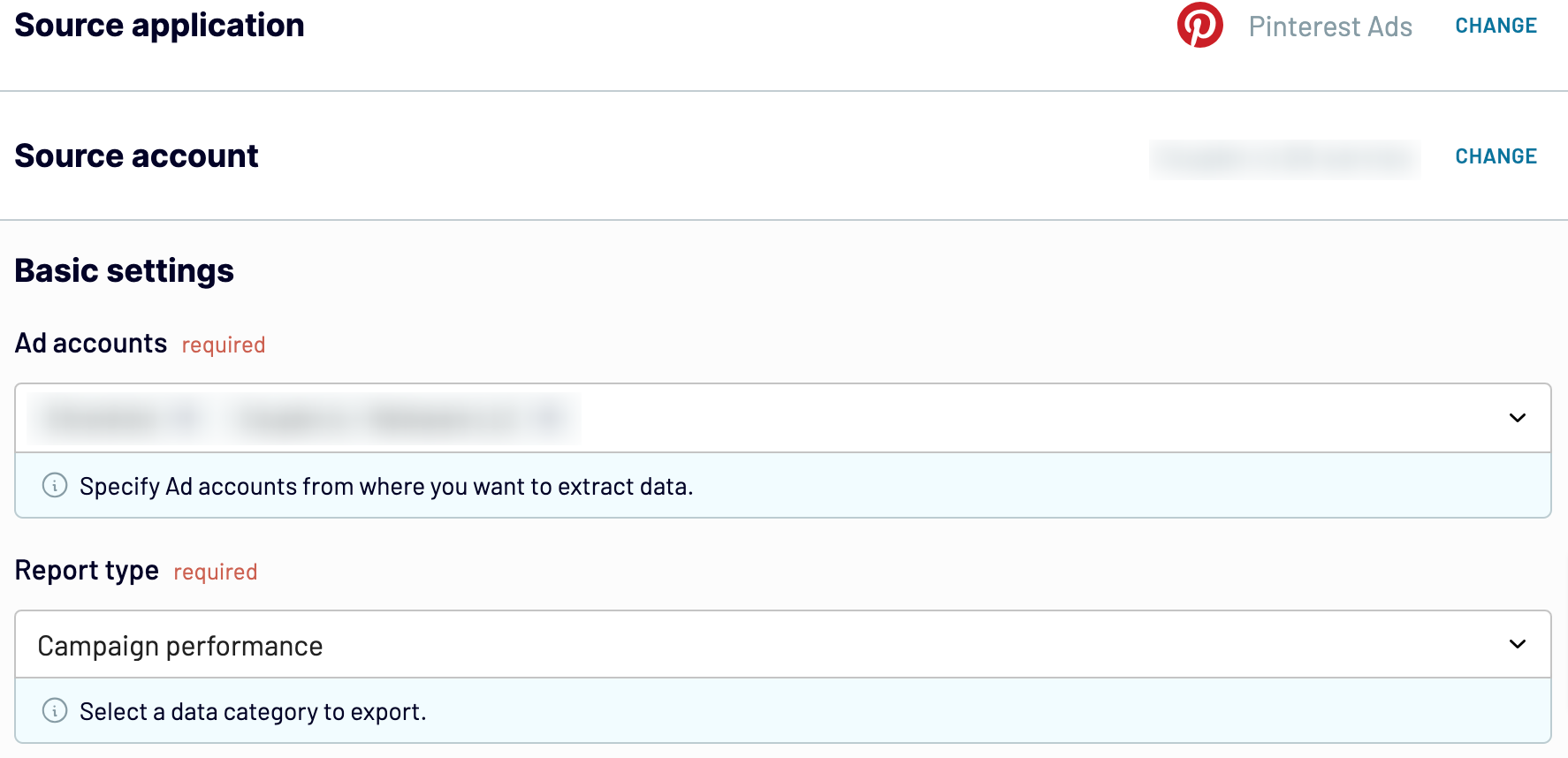
First, connect your Pinterest Ads account. Next, select the ad accounts and the type of report you wish to export. Then, adjust other required settings if there are any.
After that, proceed to the next step.
Step 2: Organize and transform
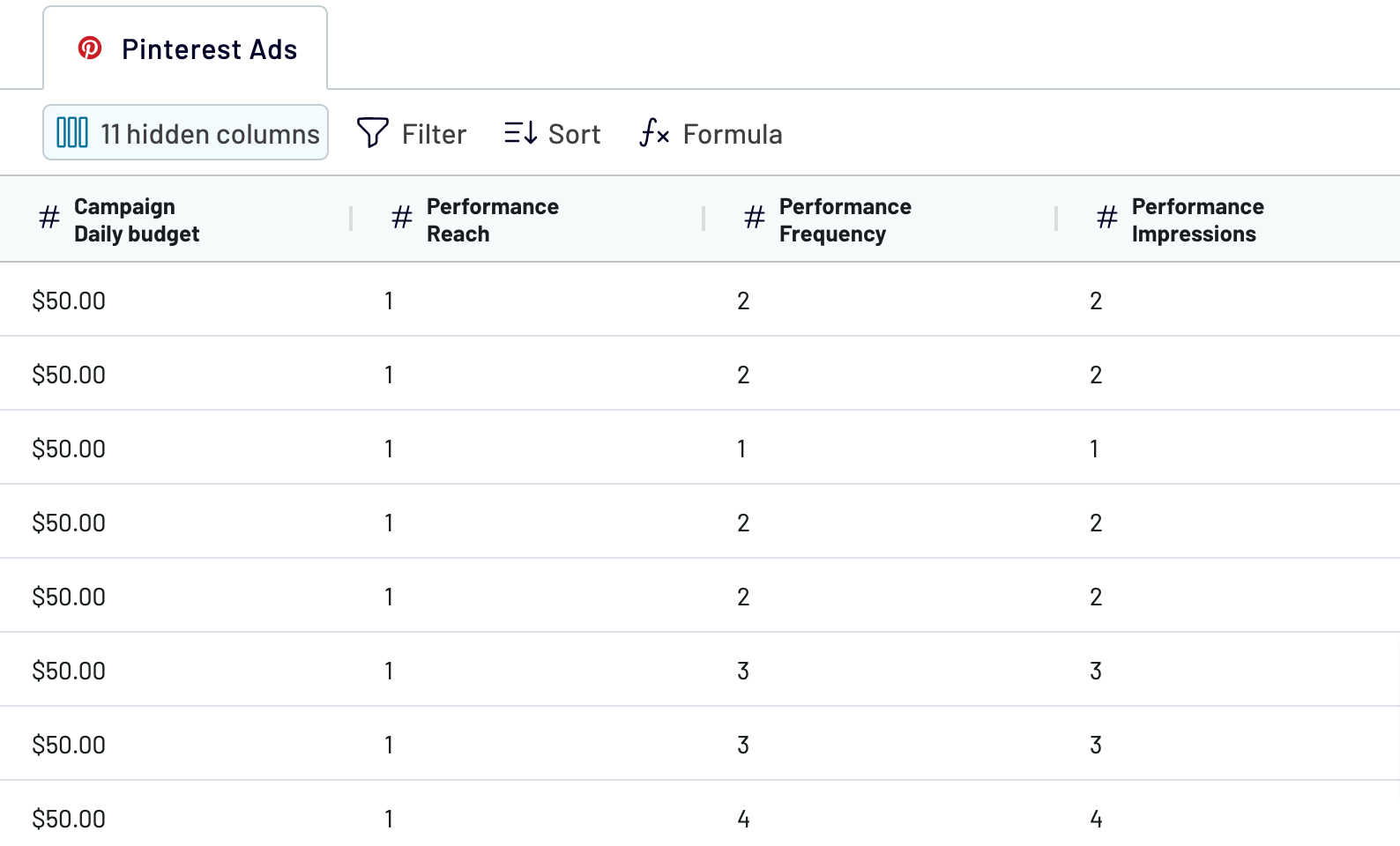
Before you load Pinterest Ads to Data Studio, verify whether your data is accurate. If you need to make some data transformations, here's a list of those:
Your data is ready for analytics immediately after importing, so no further adjustments are necessary.
Once you're done with that, proceed to set up your destination.
Step 3: Load and automate
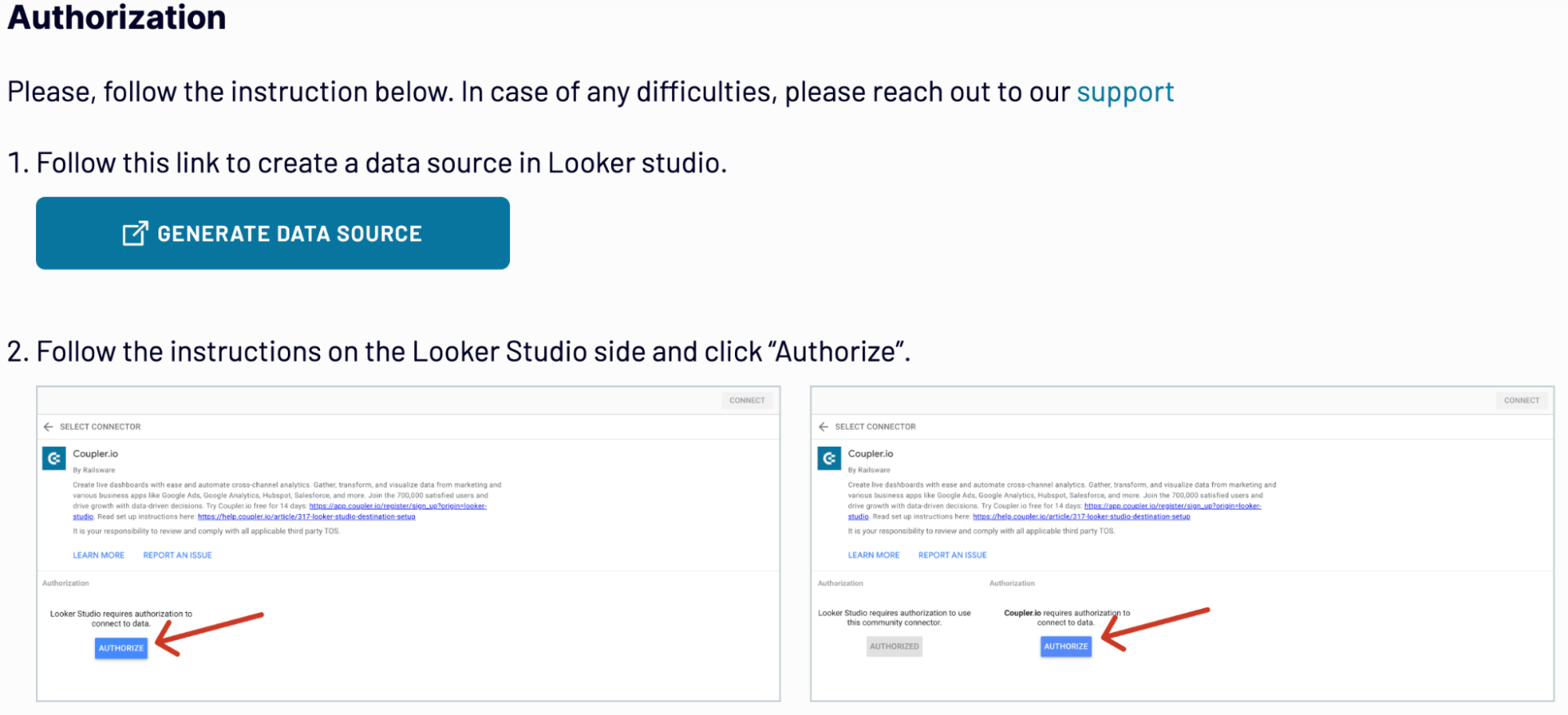
To import data from Pinterest Ads to Data Studio, authorize the connector and generate a data source by following the in-app instructions. Once you connect your data source, click on the Create Report button.
Go back to Coupler.io to set up an automated data refresh. The final step is to save and run the importer.
Step 1: Collect data
First, connect your Pinterest Ads account. Next, select the ad accounts and the type of report you wish to export. Then, adjust other required settings if there are any.
After that, proceed to the next step.
Step 2: Organize and transform
Before you load Pinterest Ads to Data Studio, verify whether your data is accurate. If you need to make some data transformations, here's a list of those:
- Edit, rearrange, hide, or add columns.
- Apply various filters and sort your data.
- Create new columns with custom formulas.
- Blend data from multiple accounts or apps.
Your data is ready for analytics immediately after importing, so no further adjustments are necessary.
Once you're done with that, proceed to set up your destination.
Step 3: Load and automate
To import data from Pinterest Ads to Data Studio, authorize the connector and generate a data source by following the in-app instructions. Once you connect your data source, click on the Create Report button.
Go back to Coupler.io to set up an automated data refresh. The final step is to save and run the importer.
Export Pinterest Ads to Data Studio and automate it on schedule
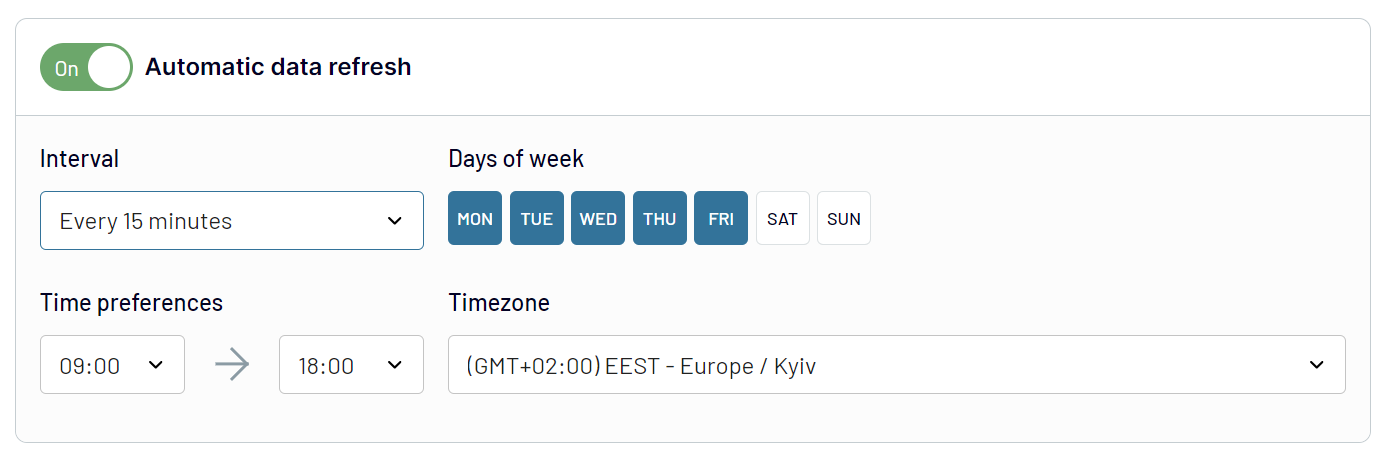
Ensure your advertising data stays updated by using the automatic refresh feature. Customize the update interval to suit your needs: monthly, daily, hourly, or as frequently as every 30 or 15 minutes. Additionally, adjust the schedule by choosing specific days of the week, hours, and the preferred time zone.
This ensures your ads report reflects the latest updates from the fast-changing source data. So, relevant information is readily accessible when needed.
This ensures your ads report reflects the latest updates from the fast-changing source data. So, relevant information is readily accessible when needed.
Export data from Pinterest Ads to alternative destinations


Quick start with PPC dashboard templates
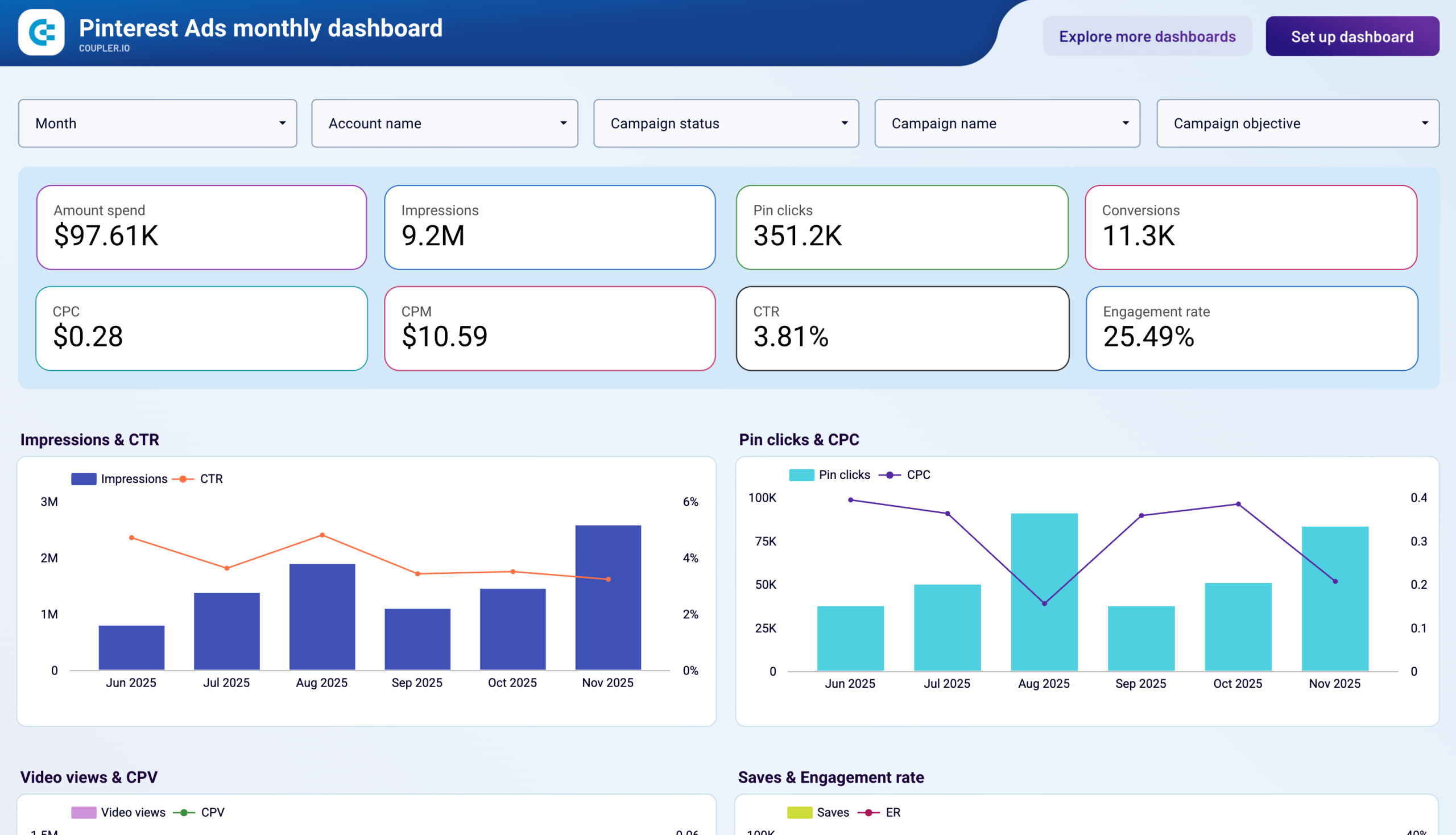
Pinterest Ads monthly dashboard
+0

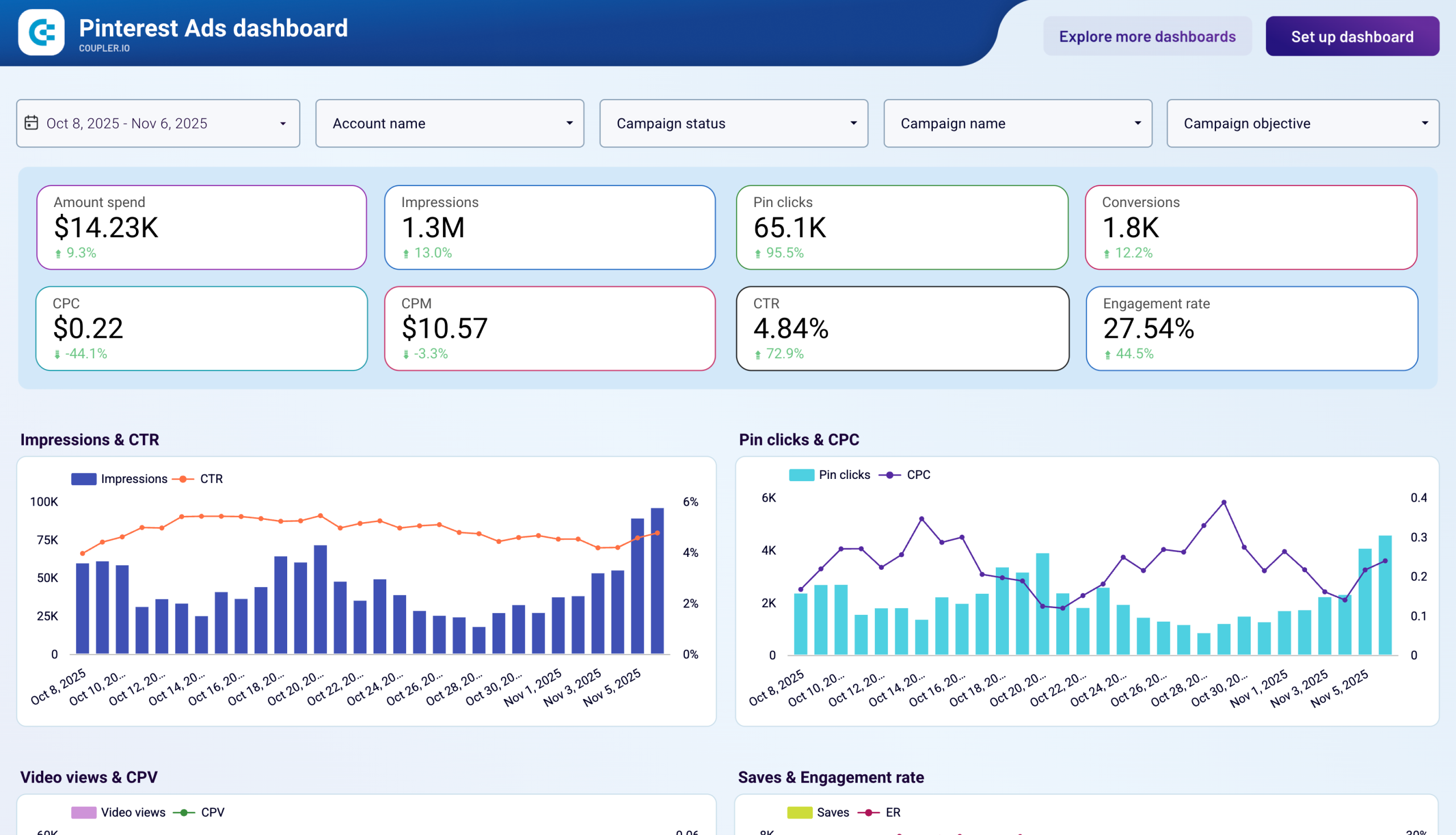
Pinterest Ads dashboard
+0
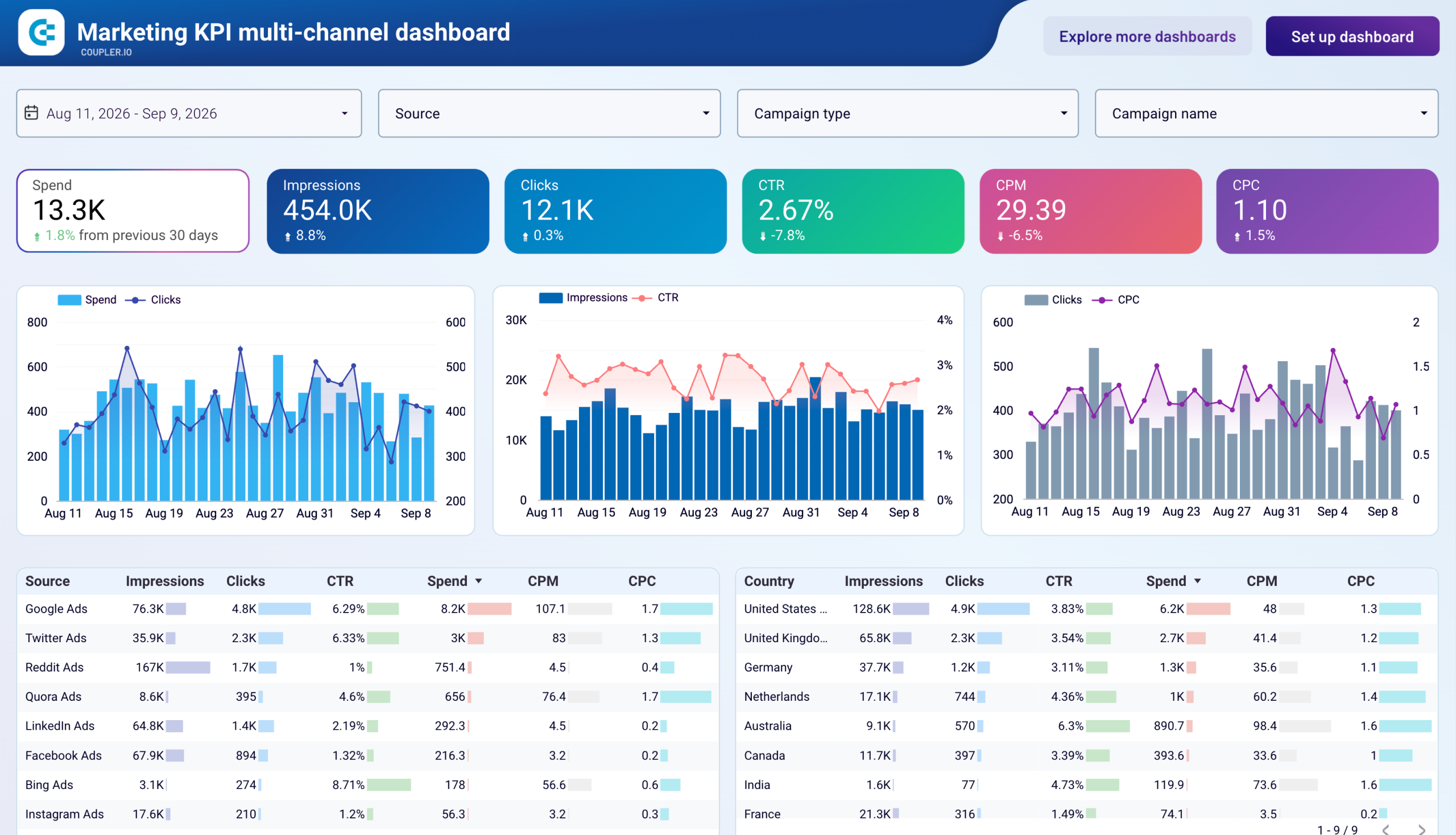
Marketing KPI multi-channel dashboard


 +3
+3
No such template is available yet.
No worries. Our team will create a template that fits your needs, just tell us more
about your case. It doesn't cost you a penny 😉
Request a custom report
about your case. It doesn't cost you a penny 😉
Export Pinterest Ads to Data Studio automatically with just a few clicks.
Connect similar PPC apps and get data in minutes


What to export from Pinterest Ads to Data Studio

Campaign performance
Load data on Pinterest campaign performance to analyze key metrics such as impressions, clicks, conversions, and costs. Gain insights into campaign effectiveness, ROI, and trends over time to optimize budget allocation and strategy.
Ad group performance
You can also connect Pinterest Ads to Data Studio to evaluate the performance of ad groups within your campaigns. Measure metrics like CTR (click-through rate), CPC (cost per click), and engagement rates to identify top-performing groups and adjust targeting or creative elements accordingly.
Ad (promoted pin) performance
Dive into individual ad performance metrics such as impressions, saves, and click rates. Assess which promoted pins resonate most with your audience, refine visual content, and enhance pin descriptions to maximize engagement and conversions.
Ad account performance
Aggregate data across all campaigns within your Pinterest ad account. Track overall spending, reach, and performance metrics to monitor account-level KPIs and ensure alignment with business goals.
Product group performance
Analyze performance data specific to product groups promoted on Pinterest. Understand which product categories or segments drive the most traffic and conversions to inform inventory management and promotional strategies.
Keywords performance
Export Pinterest Ads to Data Studio to figure out the effectiveness of keywords used in your advertising. Measure metrics like impression share, click-through rates by keyword, and conversion rates to refine targeting strategies and optimize ad spend.
Ad account targeting analysis
Another thing you can do if you load Pinterest Ads to Data Studio is to analyze the ad account targeting. Evaluate the demographics, interests, and behaviors of your audience. Use this data to adjust targeting parameters, customize ad content, and improve campaign relevance to enhance overall engagement and conversion rates.
How do you connect Pinterest Ads to Data Studio?
Step 1. Connect your Pinterest Ads account and choose the type of data to export
30 seconds
Step 2. Organize and transform data before loading it into Data Studio
30 seconds
Step 3. Authorize the connector and import data by following the in-app instructions
30 seconds
Step 4. Schedule auto-refreshes to export Pinterest Ads to Data Studio at desired intervals and run the importer
10 seconds
Pricing plans
- Monthly
- Annual (save 25%)
Your data is secured by industry standards
 Google Cloud
Certified
 SOC 2 Type II
Certified
 GDPR
GDPRCompliant
 HIPAA
HIPAACompliant
Don’t just take our word for it





Dramatically improved our reporting speed by about 60%. The interface is user-friendly, even for team members with no technical background.
Helped solve data processing issues, and customer service is 10/10. It is extremely easy to use, and allows us to extract data from multiple sources.



